☞
Refer to "4.1 Setting Up the TS Instrument" for the initial instrument
setup onto a tripod.
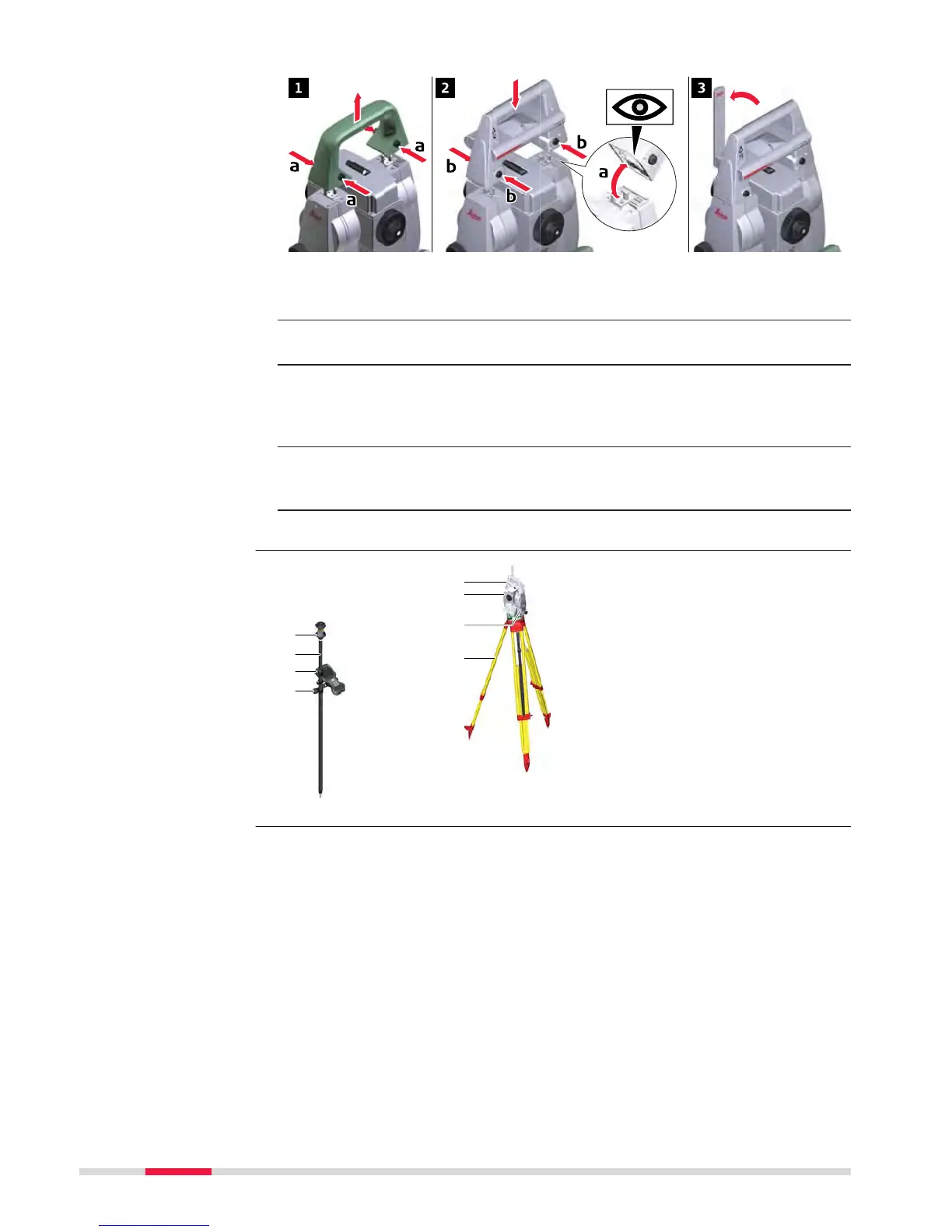
1. To remove the instrument carry handle: Press and hold the four
unlock push buttons and lift off the handle.
2. To install the RadioHandle, first make sure that the interface connec-
tion on the lower part of the handle is on the same side as the Com-
munication side cover. Then press and hold the four unlock push
buttons and attach the handle.
☞
Ensure that there is a tight fit with the instrument after releasing the
push buttons. If no connection can be found, re-check that handle is
seated firmly.
3. Swing the antenna of the RadioHandle into an upright position.
a 360° prism
b
Prism pole
c Field controller on
GHT66 holder (Alternative,
not illustrated: tablet on
GHT78 holder)
d GHT63 clamp
e RH16/RH17 RadioHandle
f Instrument
g Communication side cover
h Tripod
Attaching the Radio-
Han
dle step-by-step
Setup for remote
con
trol with
RadioHandle
38 Operation



 To Next Page