☞
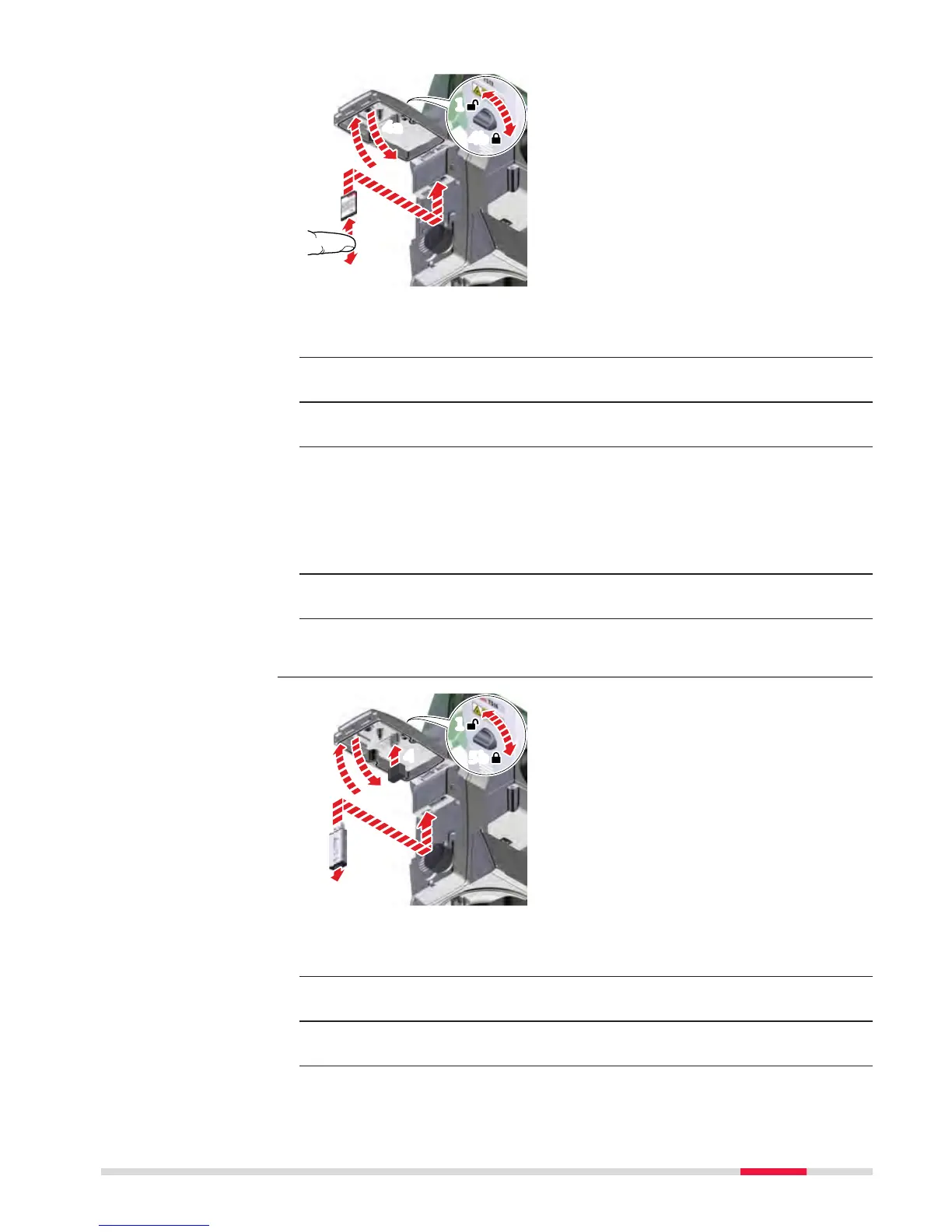
The SD card is inserted into a slot inside the Communication side
c
over of the instrument.
1. Turn the knob on the Communication side cover to the vertical posi-
tion to unlock the communication compartment.
2. Open the lid of the communication compartment to access the com-
munication ports.
3. To insert the SD card, slide it firmly into the SD slot until it clicks into
position.
☞
The card must be held with the contacts at the top and
facing toward the instrument.
☞
Do not force the card into the slot.
4. Close the lid and turn the knob to the horizontal position to lock the
communication compartment.
5. To remove the SD card, gently press on the top of the card to release
it from the slot.
☞
The USB stick is inserted into the USB host port inside the Communi-
ca
tion side cover of the instrument.
1. Turn the knob on the Communication side cover to the vertical posi-
tion to unlock the communication compartment.
2. Open the lid of the communication compartment to access the com-
munication ports.
3. Slide the USB stick with the Leica logo facing you firmly into the USB
host port until it clicks into position.
Insert and remove an
SD c
ard step-by-step
Insert and remove a
USB s
tick step-by-
step
Operation 45



 To Next Page