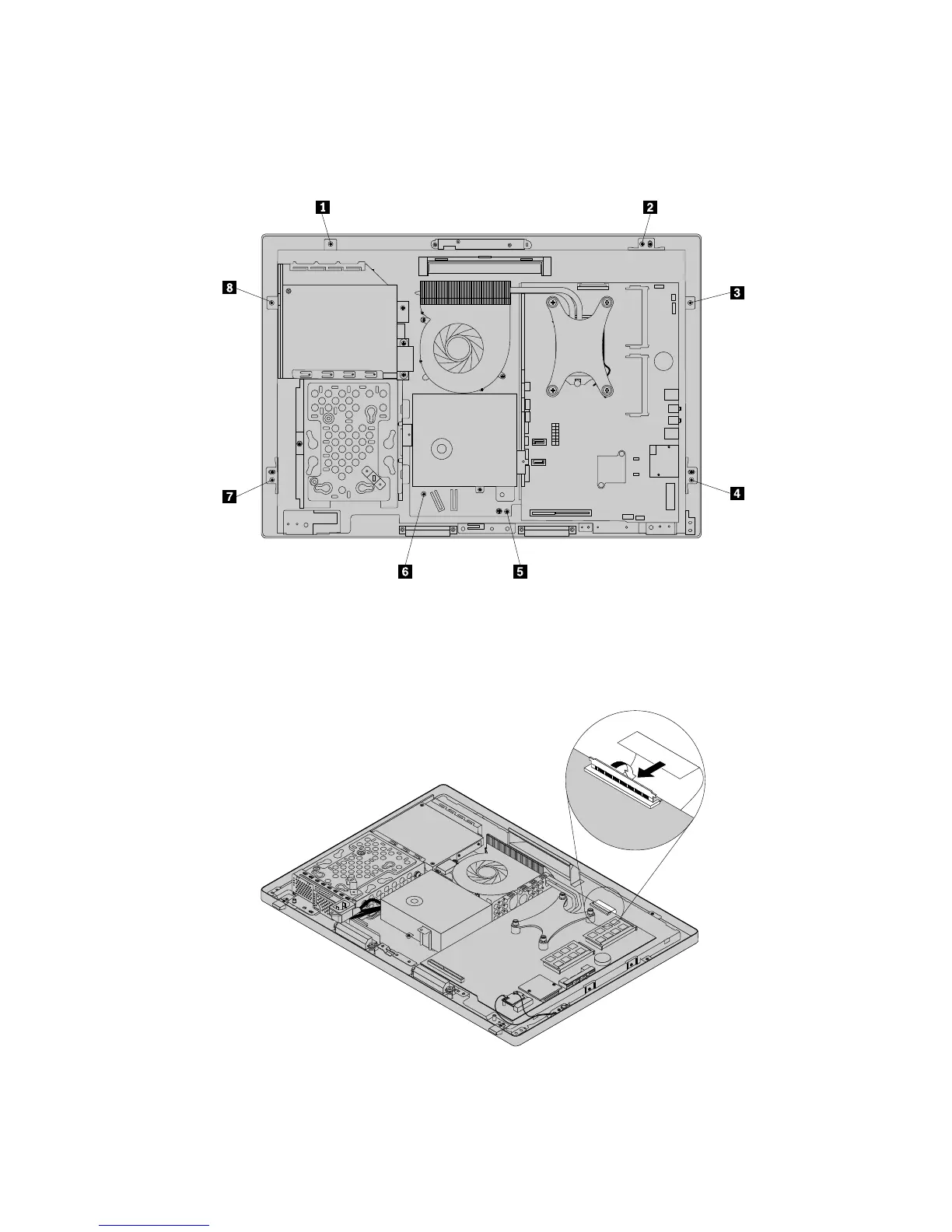
17.PositionthecomputermainbracketovertheLCDpanel.Makesurethescrewholesinthecomputer
mainbracketalignwiththoseinthefrontbezel.
18.Reinstallalleightscrewsthatsecurethecomputermainbrackettothefrontbezel.
Figure46.Reinstallingalleightscrewsthatsecurethecomputermainbrackettothefrontbezel
19.ReconnecttheLCDpanelcabletothesystemboard.See“Locatingpartsonthesystemboard”on
page69.
Figure47.ReconnectingtheLCDpanelcabletothesystemboard
20.Reinstalltheintegratedcamera.See“Replacingtheintegratedcamera”onpage100.
106ThinkCentreE73zHardwareMaintenanceManual












 To Next Page