Frontpanel
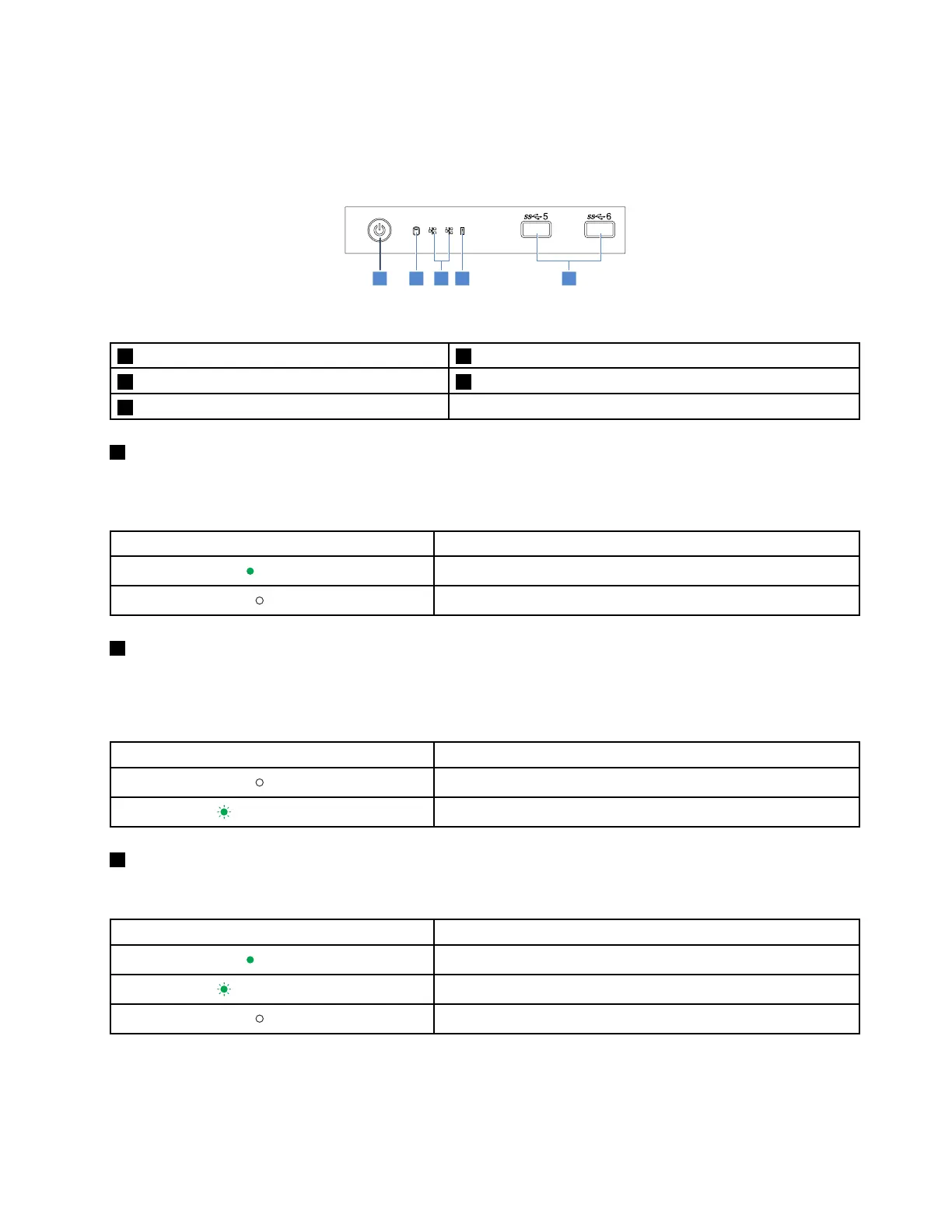
Thefollowingillustrationshowsthecontrol,connectors,andLEDsonthefrontpaneloftheserver.Tolocate
thefrontpanel,see“Frontviewoftheserver”onpage14.
Figure3.Frontpanel
1PowerbuttonwithpowerstatusLED2HDDstatusLED
3NetworkstatusLEDs(2)4SystemerrorLED
5FrontUSB3.0connectors(2)
1PowerbuttonwithpowerstatusLED
Youcanpressthepowerbuttontoturnonorturnofftheserver.ThepowerstatusLEDhelpsyouto
determinethecurrentpowerstatus.
PowerstatusLEDDescription
Green
Theserverison.
Off
Theserverisoff.
2HDDstatusLED
TheHDDstatusLEDhelpsyoutodeterminethestatusoftheHDDactivity.
Note:TheHDDstatusLEDisavailableonservermodelswithoutadiscreteRAIDcardinstalled.
HDDstatusLEDDescription
Off
TheHDDisnotinuse.
Blinkinggreen
TheHDDisactiveanddataisbeingtransferred.
3NetworkstatusLEDs(2)
TheNICstatusLEDsindicatetheLANstatusforthetwoEthernetconnectorsontherearpaneloftheserver.
NetworkstatusLEDDescription
Green
TheserverisconnectedtoaLAN.
Blinkinggreen
TheLANconnectionisactive.
Off
TheserverisdisconnectedfromaLAN.
Chapter3.Productoverview15












 To Next Page