14.Returntheoldsystemboard.TheoldsystemboardmustbereturnedwithaCPUsocketcoverto
protectthepinsontheCPUsocketduringshippingandhandling.UsetheCPUsocketcoverremoved
fromthenewsystemboard.
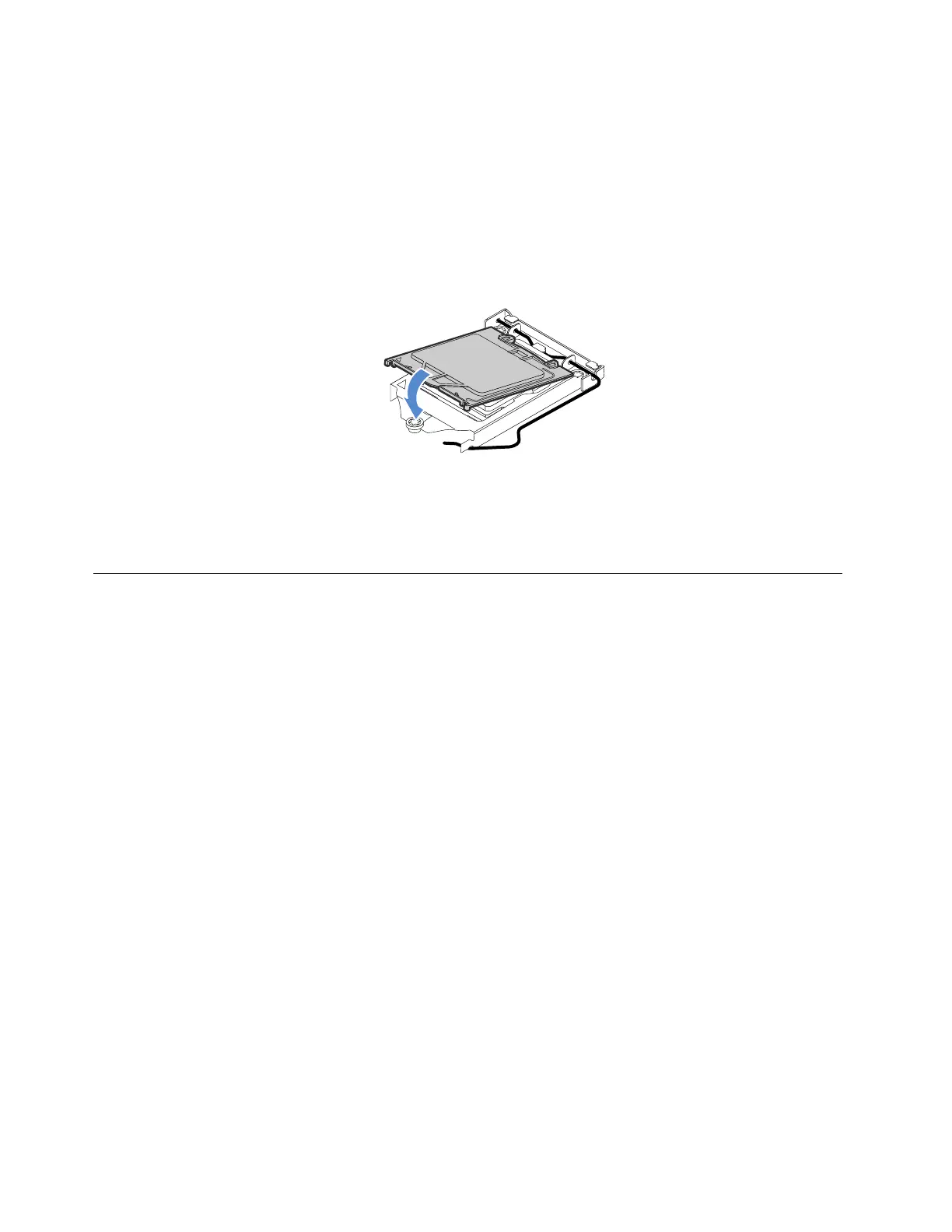
ToinstallaCPUsocketcoverontheoldsystemboard,dothefollowing:
a.AfteryouhaveremovedtheCPUfromtheoldsystemboard,closetheCPUretainer,pressdownthe
smallhandle,andthenpushthehandleinwardtolocktheretainerintoposition.
b.Notetheorientationofthesocketcover,andinstallonesideofthesocketcoverintotheCPUsocket.
Then,carefullypresstheothersideofthesocketcoverdownwarduntilitsnapsintoposition.
Figure88.InstallingtheCPUsocketcover
15.Ifyouareinstructedtoreturntheoldsystemboard,followallpackaginginstructionsanduseany
packagingmaterialsthataresuppliedtoyouforshipping.
Connectingcables
Thissectionprovidesthefollowingcable-connectioninstructions:
•“Connectingcablesfortheopticaldrives”onpage114
•“Connectingcablesforthetapedrive”onpage115
•“Connectingcablesforthenon-hot-swapdrives”onpage117
•“Connectingcablesforthebackplanes”onpage117
–“Forserverconfigurationswithoutanexpandercard”onpage117
–“Forserverconfigurationswithanexpandercard”onpage120
Connectingcablesfortheopticaldrives
Note:Theserverconfigurationwithanon-hot-swappowersupplyisusedasanexample.Yourservermight
comewithtwohot-swapredundantpowersuppliesandapowerdistributionboard.
Connectthepowerandsignalcablesfortheopticaldrivesasshown.
114ThinkServerTS460UserGuideandHardwareMaintenanceManual












 To Next Page