•Harddiskdrive
Installingorreplacingadeviceintheoptical/storagecombinationenclosureinvolvesthefollowingoperations:
•“Installingorreplacingaslimopticaldriveintheoptical/storagecombinationenclosure”onpage79
•“Installingorreplacingaharddiskdriveintheoptical/storagecombinationenclosure”onpage80
Note:Foraflexstorageenclosure,theinformationaboutinstallingorreplacingaharddiskdrivealsoapplies.
Installingorreplacingaslimopticaldriveintheoptical/storagecombination
enclosure
Toinstallorreplaceaslimopticaldriveintheoptical/storagecombinationenclosure,dothefollowing:
1.Slidetheenclosureoutofthechassis.See“Installingorreplacinganopticaldrive”onpage66.
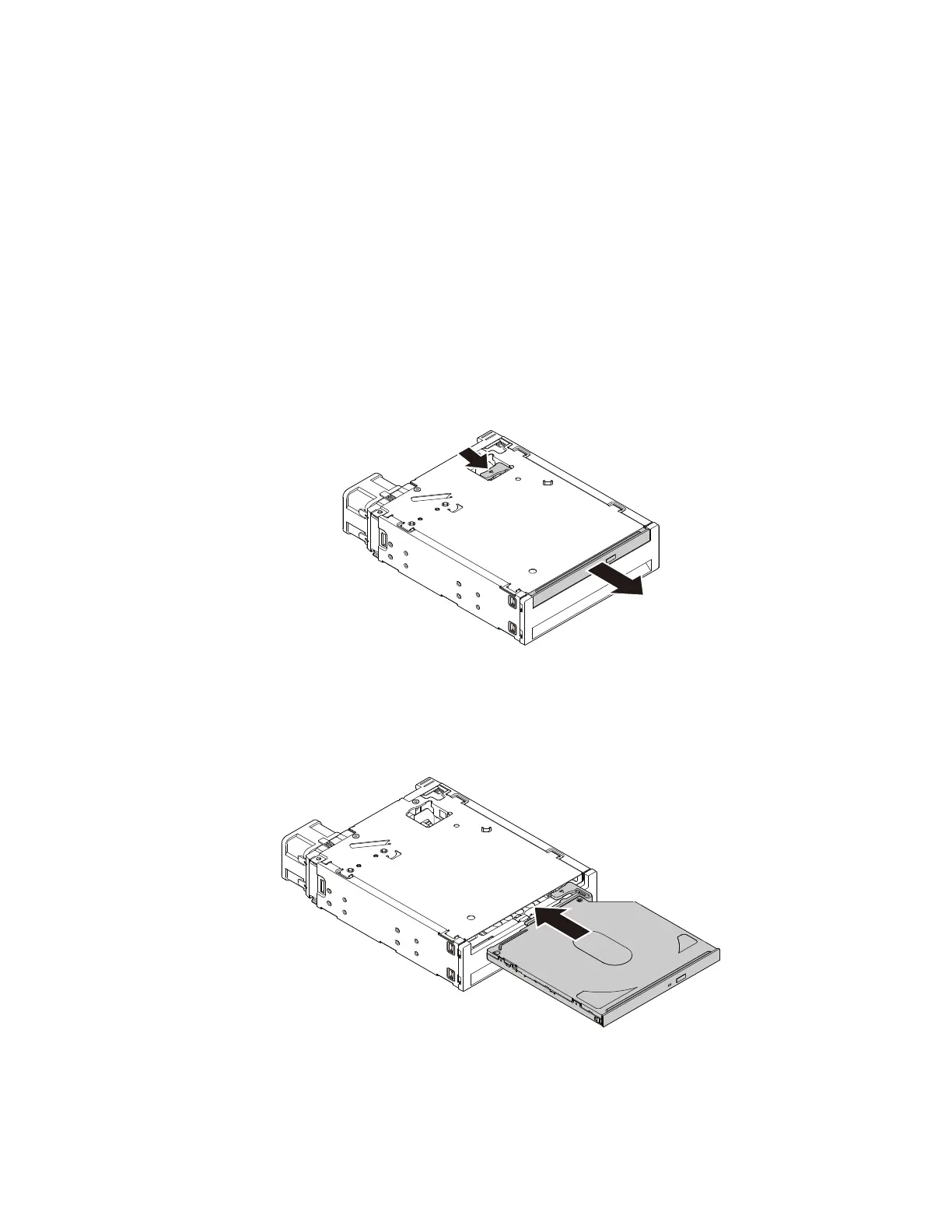
2.Ifyouarereplacinganoldslimopticaldrive,presstheclipthroughtheholeinthetopoftheenclosure
asshownandpushforwardtheslimopticaldrive.Then,slidetheslimopticaldriveoutoftheenclosure.
Figure49.Removingtheslimopticaldrivefromtheenclosure
3.Insertanewslimopticaldriveintotheenclosureuntilyouhearaclick.Theslimopticaldriveissecured
inplace.
Figure50.Installingtheslimopticaldriveintheenclosure
Whattodonext:
•Toworkwithanotherpieceofhardware,gototheappropriatesection.
Chapter7.Installingorreplacinghardware79













 To Next Page