Electrical connection
Leuze electronic BPS 307i 49
7.5.4 Service USB
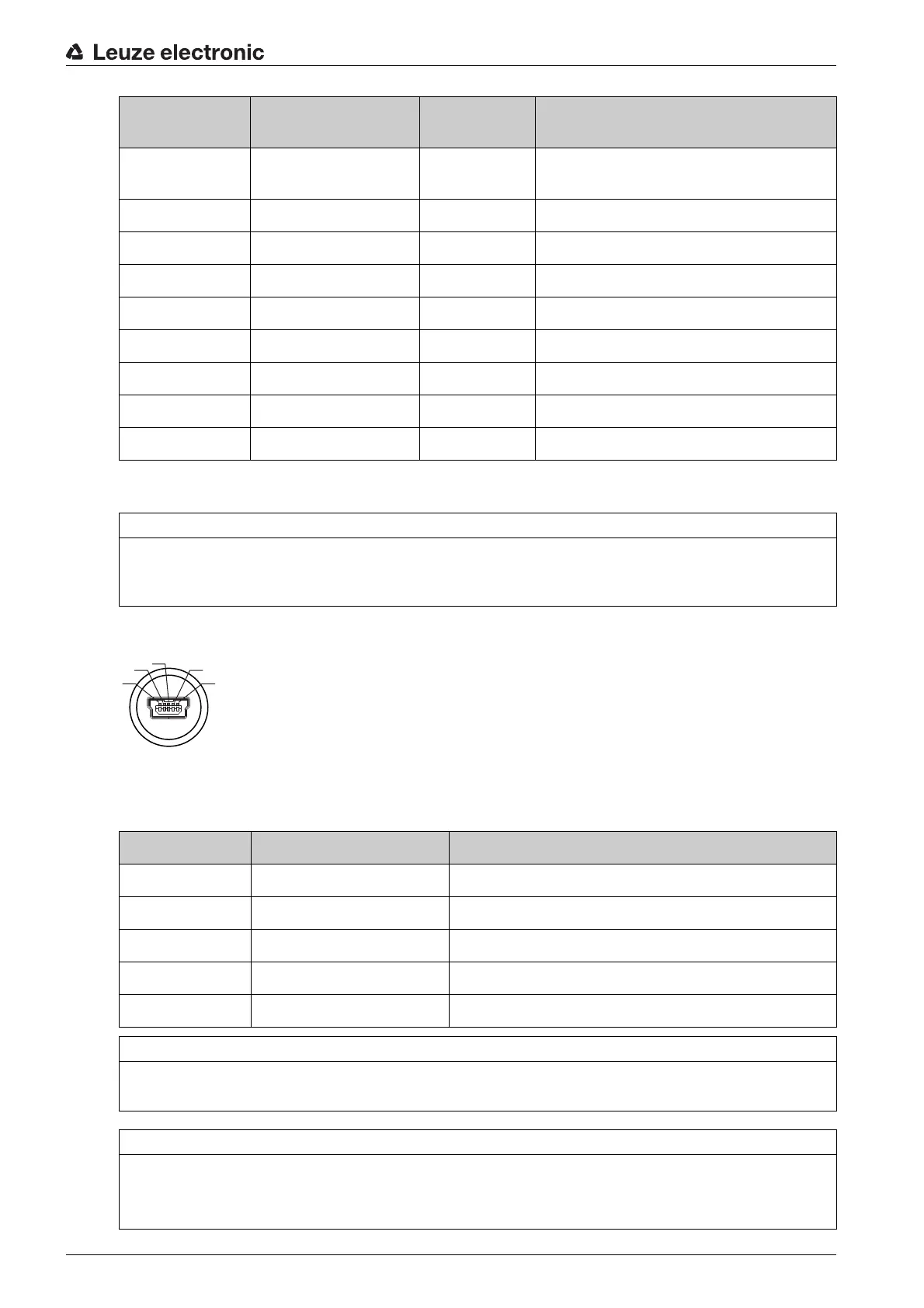
5-pin, Mini-B plug for connecting to the service USB.
Figure 7.6: Service USB connection
Table 7.4: Service USB pin assignment
RD YE DATA+ + Data line SSI
(Output electrically isolated)
--- PK --- Not connected
VT --- --- Reserved
WH-BN --- --- Reserved
BN --- --- Reserved
WH-OG --- --- Reserved
OG --- --- Reserved
GN --- --- Reserved
BU --- --- Reserved
KB 307-3000 KB 307-5000 FLEX
KB 307-10000 FLEX
Designation Assignment
NOTICE
Connection to PC with standard USB cable!
The service USB interface of the BPS is connected to the USB interface on the PC with a standard
USB cable (plug combination - Mini-B type / Type A).
Pin Designation Assignment
1 VB Sense input
2 D- Data -
3 D+ Data +
4 ID Not connected
5 GND Ground
NOTICE
Use ready-made connection cables!
If possible, use the ready-made cables from Leuze electronic; see table 14.6.
NOTICE
Self-configured cables!
Ensure adequate shielding.
The maximum cable length of 3 m must not be exceeded.


 To Next Page