TIPS FOR USING THIS SECTION
Throughout this manual OSD refers to the On-Screen Display
SD video is Standard Definition video such as 480i or 576i
HD video is High Definition video such as 1080i or 720p
All Leadshow 3G text entry boxes allow you to use up to 20 characters
Press the Menu remote control key to enter or exit the OSD menu
Use the Up, Down, Left, Right remote control keys to select items or adjust values
Press the OK remote control key to confirm selection or perform an action
Press the Back remote control key to go back to the previous step or OSD page
Press the Light remote control key to hide the whole OSD (the Up, Down, Left, Right,
OK, Back remote control keys are still functional)
Press either the Light or Menu remote control key to bring the OSD back
5.1 INPUT SUB-MENU
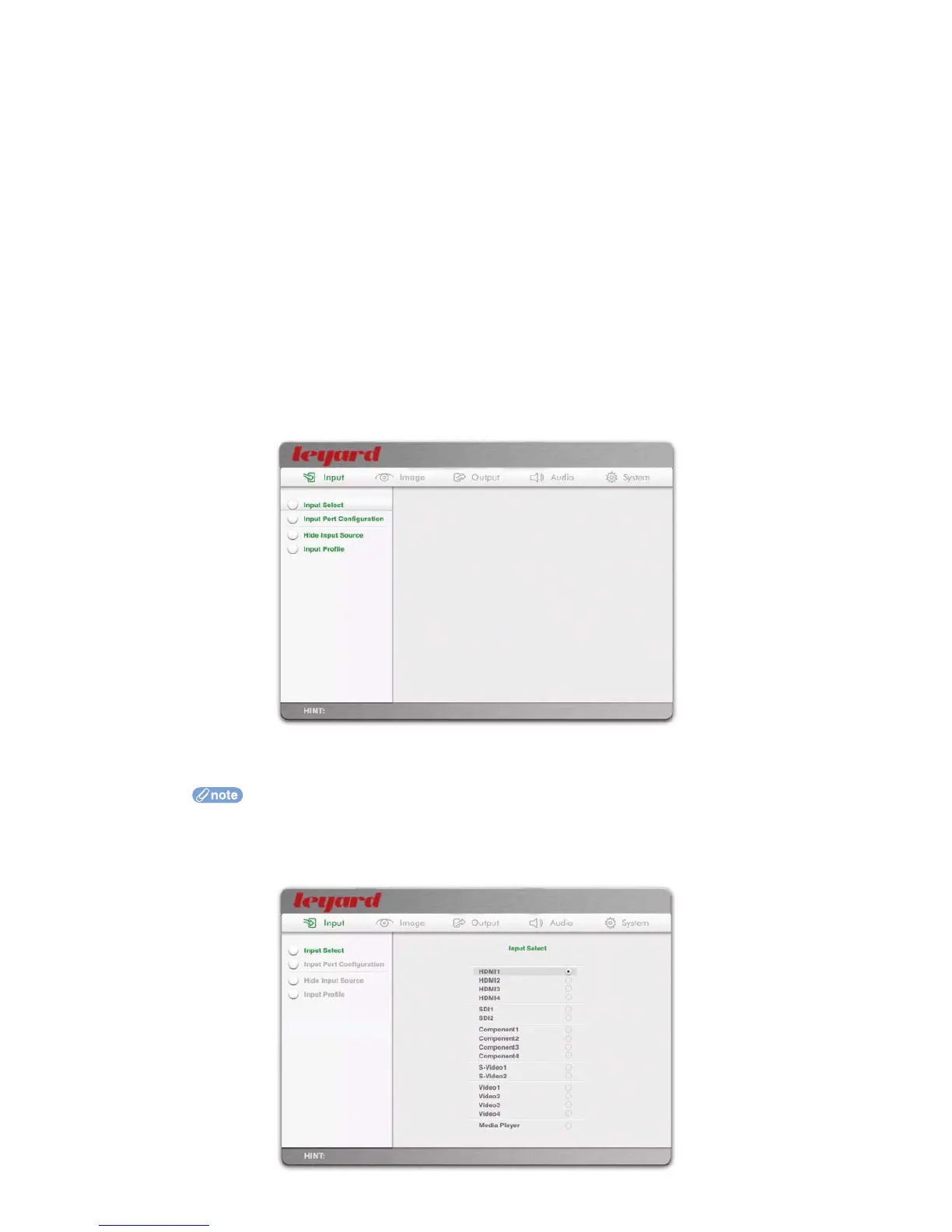
The Input sub-menu consists of all options related to the inputs of Leadshow 3G
5.1.1 INPUT SELECT
This option allows you to select the active video source.
If you have configured Leadshow 3G to hide one or more sources, the hidden sources will
not be shown (see Section 5.1.4 for details)
5. LEADSHOW 3G CONFIGURATION
30



 To Next Page