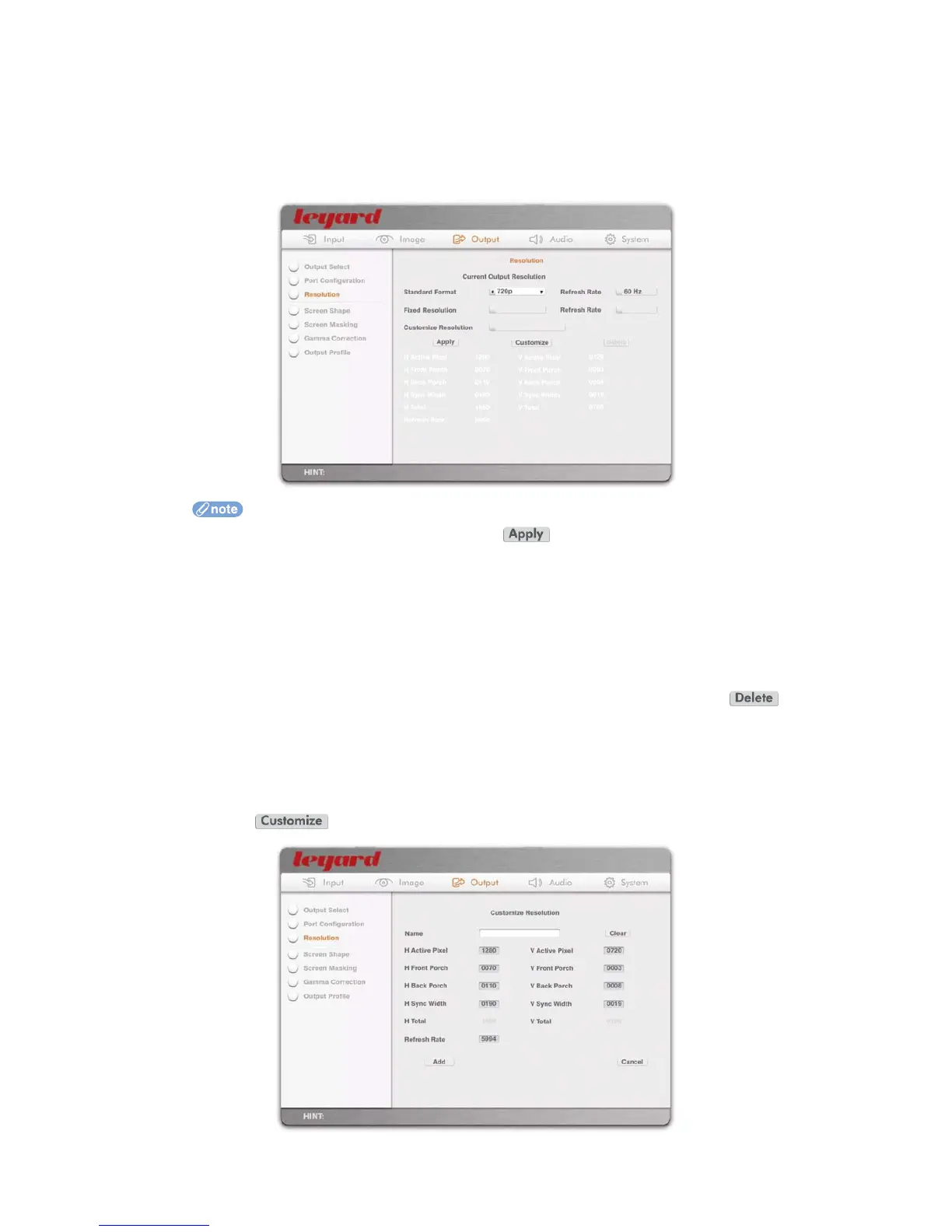
5.3.3 OUTPUT RESOLUTION
This option defines the output resolution. Select one of the following:
Standard Format, such as 480p, 720p60, 1080i60, etc
Fixed Resolution, such as 1024x768p60, 1280x1024p60, etc
Customized Resolution, which is user defined
After a resolution is selected, press the action button to make the new resolution
effective. A confirmation box will appear for about 10 seconds for you to confirm the new
resolution. If the new resolution is not confirmed, Leadshow 3G will revert to the previous
resolution in case your display did not lock to the new resolution
If you select a resolution or format with 24Hz, 48Hz or 72Hz refresh rate, Leadshow 3G will
automatically perform Cadence Lock of 24 frames per second for film source material
YPbPr analog output supports 480p@59.94, 576p@50, 720p@50/59.94, 1080i@50/59.94
only
To delete a customized resolution, select it from the menu, then press the
action button
When a resolution is selected, the timing parameters of the resolution are shown on the
bottom half of the page
You can create a new customized resolution based on the timing parameters displayed. To do this,
press the action button, an
d the OSD will turn to the following page:
44



 To Next Page