6. FRONT PANEL CONFIGURATION
A sub-set of Leadshow 3G configurations can be done using the front panel and LCD
Display.
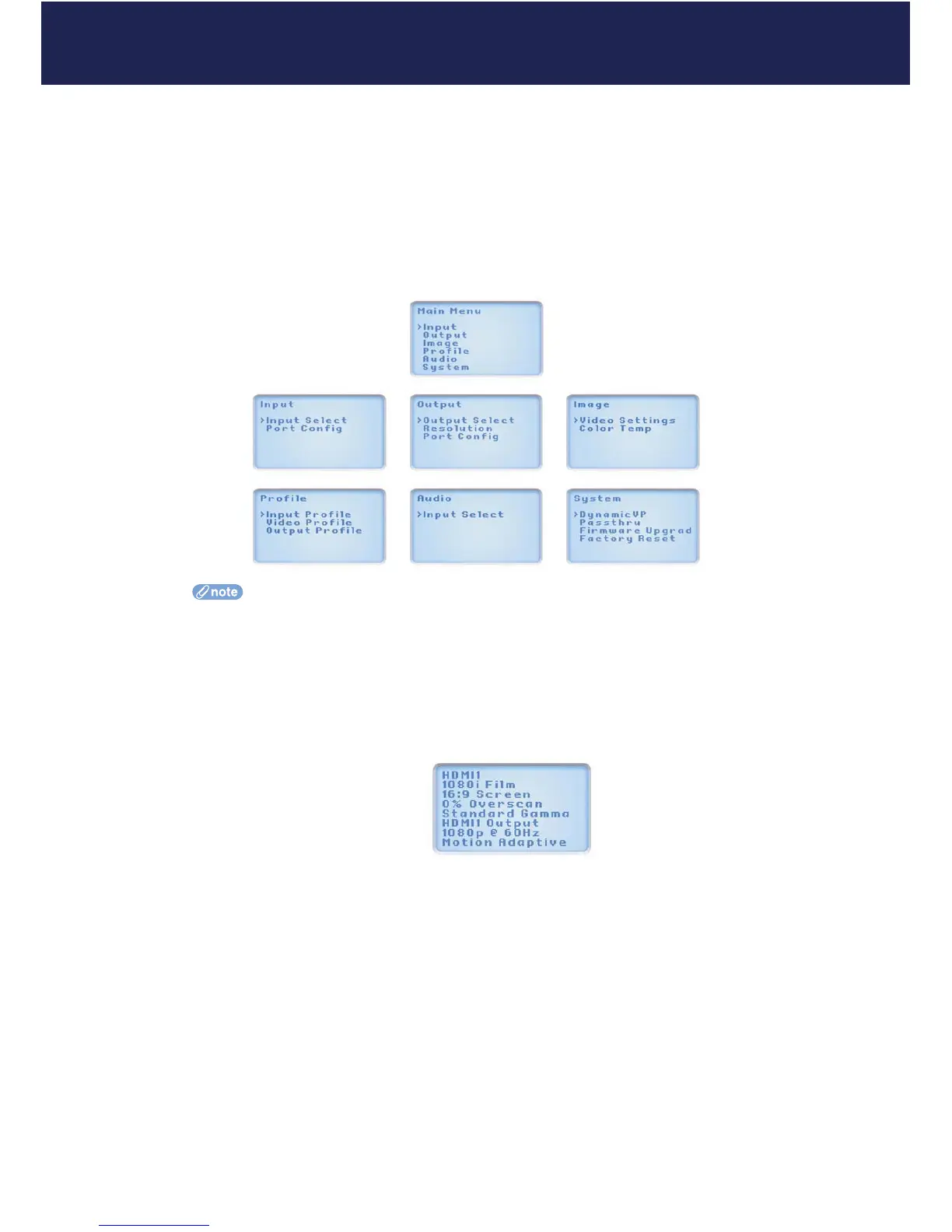
The menu tree diagram on the following page illustrates the navigation of the menu and the
configuration options available. For details about how Leadshow 3G can be configured using the
options, please refer to Section 5: Leadshow 3G Configuration and Section 7 :Advanced OSD
Options.
Example LCD screen menus
Advanced Leadshow 3G configuration options will be shown only when the Advanced Option in the
System sub-menu is turned on using the OSD (see Section 5.5.4)
Leadshow 3G status information is also shown on the LCD when it is idle.
Status information includes:
Video input source
Input source format
Image aspect ratio
Overscan
Gamma type
Primary output port
Output resolution
Deinterlacing mode
55



 To Next Page