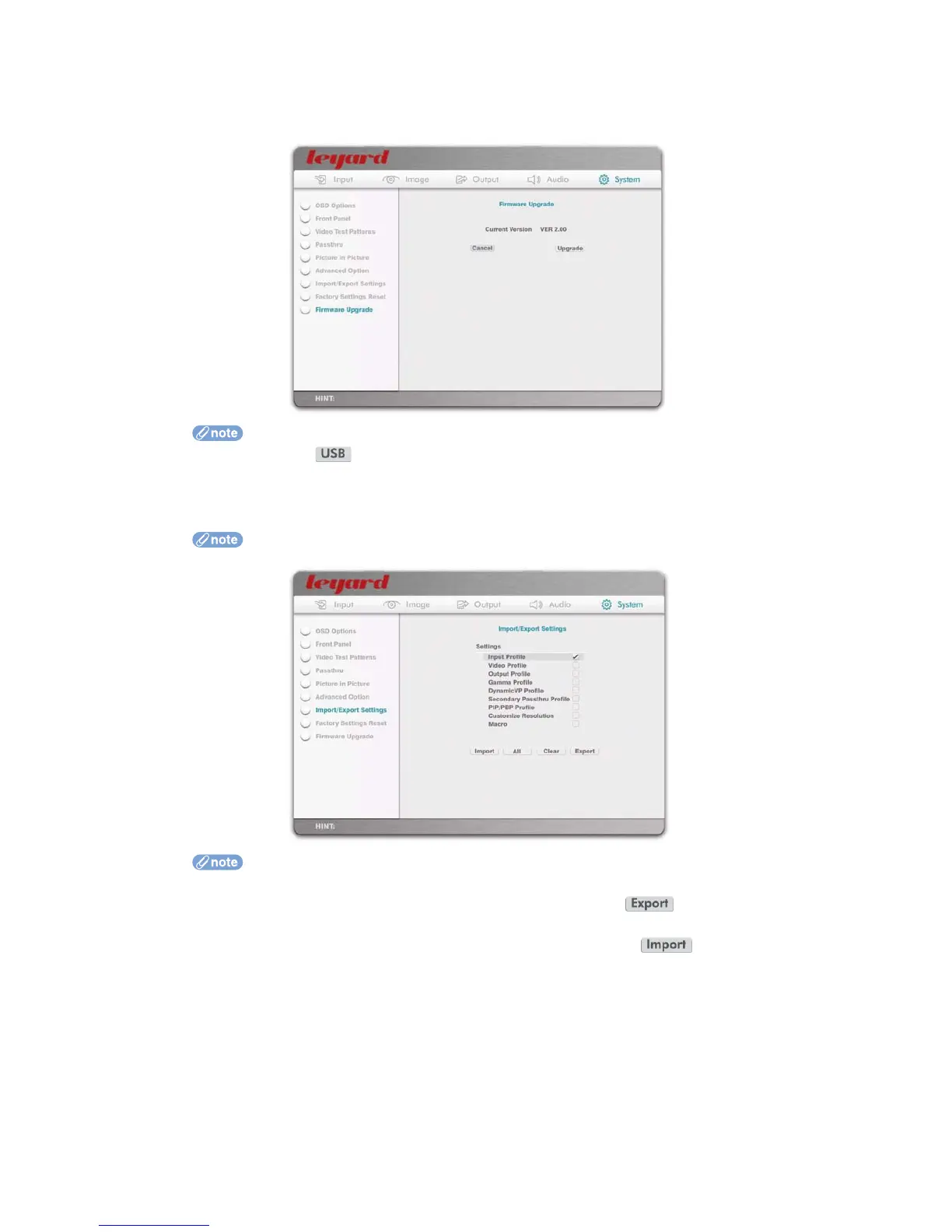
5.5.6 FIRMWARE UPGRADE
This option is used to do firmware upgrades.
If your firmware is downloaded onto a USB disk, insert it into Leadshow 3G’s USB port and
press the action button to start the firmware upgrade
5.5.7 IMPORT/EXPORT SETTINGS
Leadshow 3G’s settings can be exported and saved onto a USB disc for later import and restore.
This option is available only in firmware version 2.00 or later
Prior to Import/Export, insert a FAT32 formatted USB disc to Leadshow 3G’s USB port
To save a particular type of setting, select it and press the action button.
To save all settings, simply select the All option
To restore a particular type of setting, select it and press the action button.
To restore all settings, simply select the All option
When you select a particular profile to import, all existing profiles of that category
will be replaced
There is no need to do a factory reset before you import any profiles
When Macro definitions are imported, all Macros will be replaced
When Customized Resolutions are imported, they will be added to the existing
customized resolutions
Since the current settings (current input source, current video settings, current primary
output port, current Gamma settings, current DynamicVP settings, etc) are not part of
any profile, they will not be replaced when doing an import. However, they won’t be
exported by selecting any of the above profiles either. To save the current settings, you
have to store them to the corresponding profiles and then export them
54



 To Next Page