● DIGITAL KEY TELEPHONE / USER’S GUIDE KD, KD/E, LKD Series
Using Dial By Name
Each station and speed dial number can be assigned to a name When names are programmed
Button Procedures
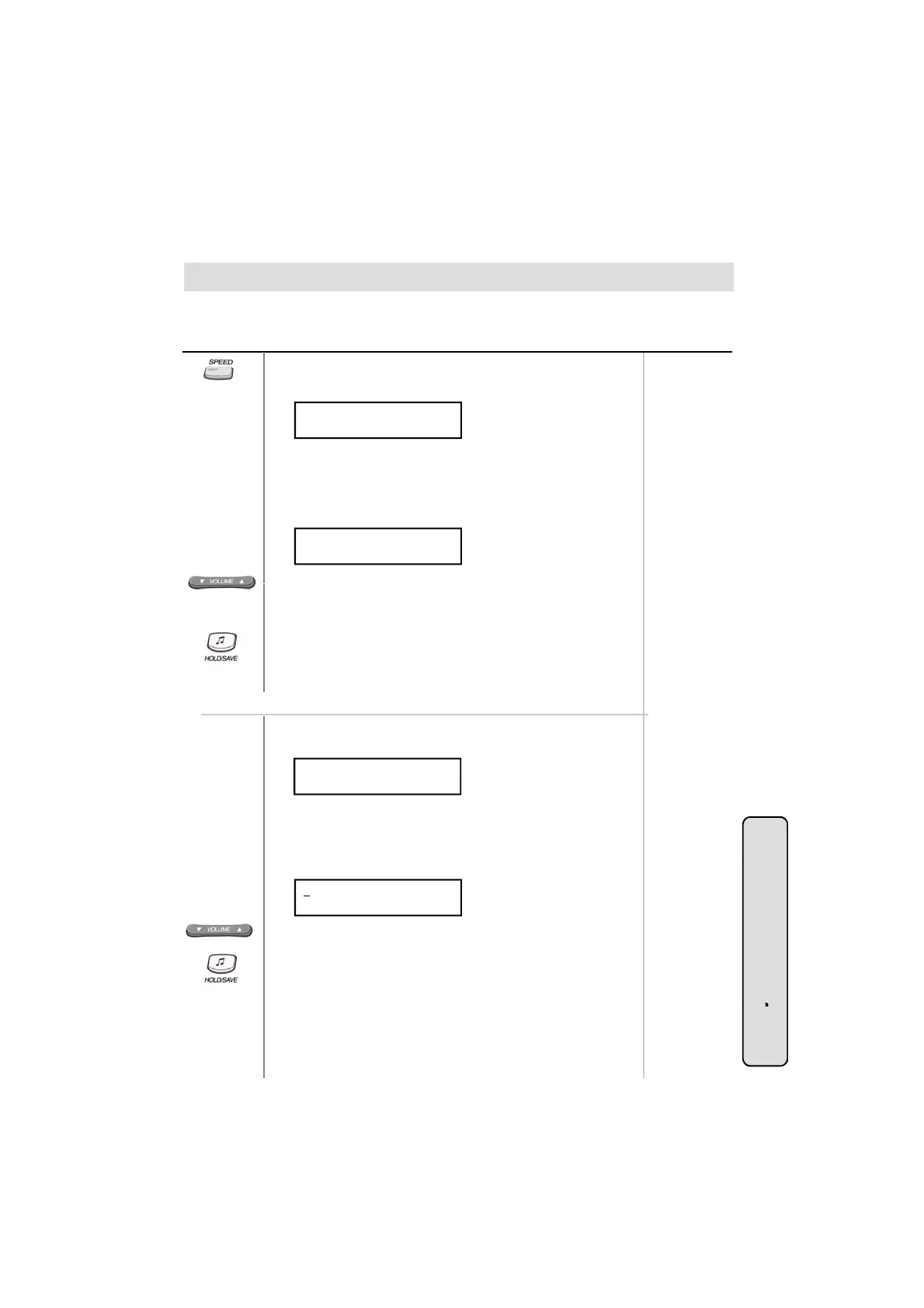
● Press SPEED button twice.
● On the display, you will see the following.
Range
DIAL BY NAME
ICM : 1 U_SPD : 2 S_SPD : 3
.
,
you may select a speed dial number by the stored name.
● Select desired type.
1 : Intercom
2 : User (Station Speed Dial)
3 : System (System Speed Dial)
● Confirmation tone is heard and you will see the following.
1 : XXXX XXXX XXXXXX
2 : YYYY YYYY YYYYYY
● Press the
OLUME button to see the next two names.
● You may enter characters using the code in “Storing Dial by
Name”. The LCD will display the first two names which match
your input.
● To select the name in line 1, press HOLD/SAVE button.
● To select the name in line 2, dial 2 and press HOLD/SAVE
button.
● The call is placed automatically.
In GDK-16/20W,
● Press SPEED button twice.
● On the display, you will see the following.
DIAL BY NAME
ICM : 1 U_SPD : 2 S_SPD : 3
● Select desired type.
1 : Intercom
2 : User (Station Speed Dial)
3 : System (System Speed Dial)
C fi ti t i h d d ill th f ll i
System Featu
●
on
rma
on
one
s
ear
an
you w
see
e
o
ow
ng.
1 : XXXX XXXX XXXXXX
2 : YYYY YYYY YYYYYY
● Pressing VOLUME button, the cursor will be moved to the next
name. When the cursor points a name or a dial number to call,
press HOLD/SAVE button. Then, the stored number is dialed.
● You may enter characters using the code in “Storing Dial by
Name”. The LCD will display the first two names which match
your input (You may delete the last letter of your input by
29
es
.
pressing CALLBK button.)
● You can see the matched phone number by pressing FLASH
button while the name is displayed (toggle).
● The call is placed automatically.



 To Next Page