Setting the Language
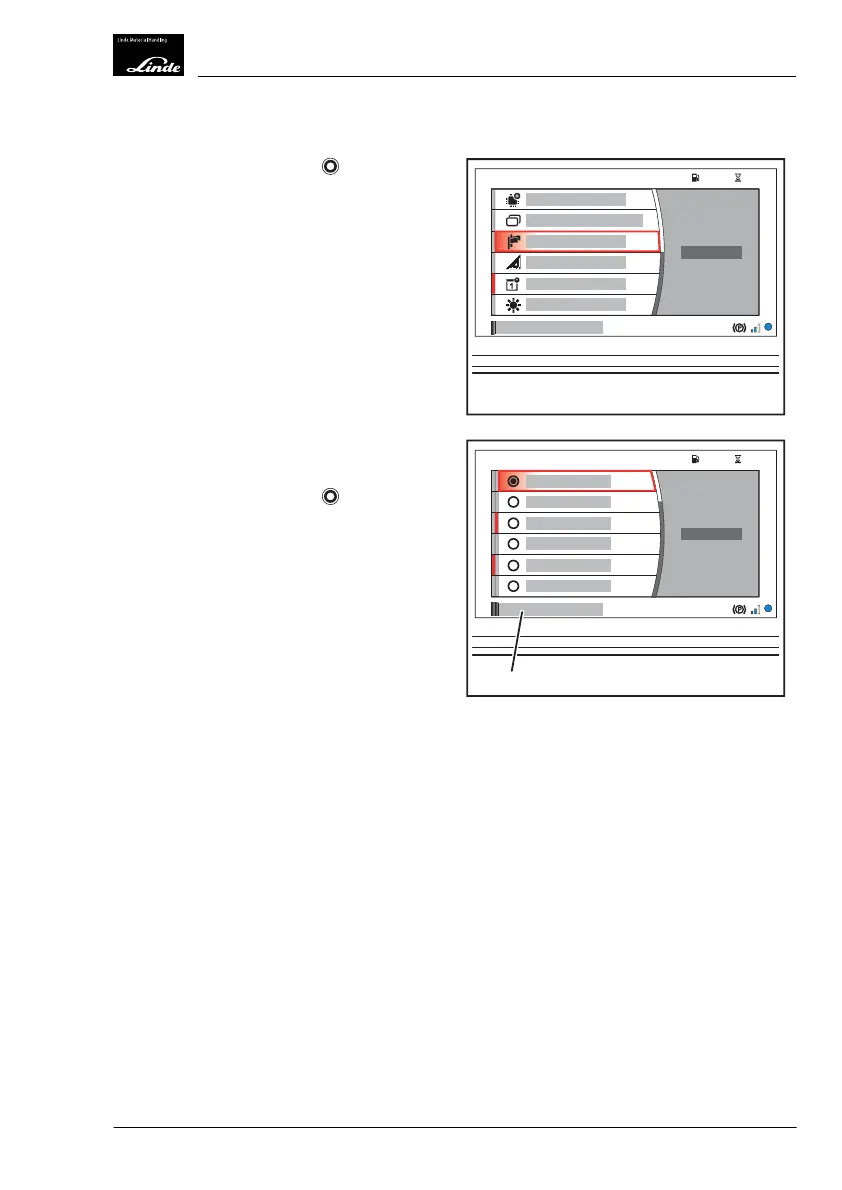
Turn the rotary-push button to the rel-
evant position and press it to confirm the
"Language" selection (1).
The second menu level "Language" (1) is
opened.
Turn the rotary-push button
to the rele-
vant position and press it to confirm the de-
sired language.
EFF
h
104575
%
1
Display_2190
EFF
h
104575
%
1
Display_2191
Operation
4
Premium Display Unit (optional equipment)
133Operating Instructions-1202 series LP 12028011590US-11/2022 - 04


 To Next Page