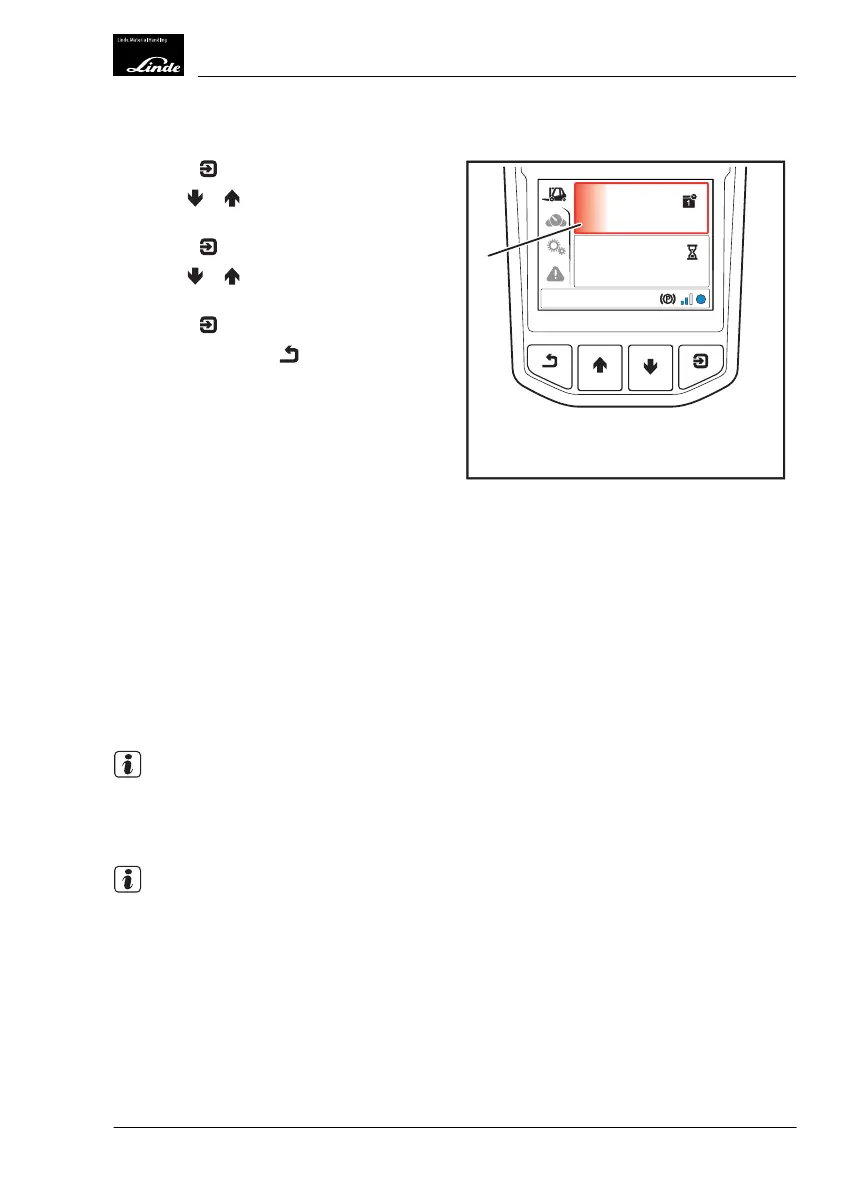
Status Menu
Press the button.
Use the
or buttons to select the upper
or lower status display(1).
Press the
button.
Use the
or buttons to select the de-
sired status display.
Press the
button to confirm.
Push the back button
.
The following status displays can be select-
ed:
●
Time/date (factory setting)
●
Steering angle
●
Driving speed
●
Steering angle/driving speed
●
Service interval
●
Operating hours (factory setting)
●
Current consumption/average consumption
●
Engine coolant temperature
●
Hydraulic oil temperature
●
Tilt angle/load weight (optional equipment)
●
Lift height (optional equipment)
●
Daily trip/total mileage odometer
●
Freely programmable buttons on the arm-
rest console and overhead console (special
equipment)
NOTE
The
Status display
saves the last displayed
view and displays this view again after the
electrical system has been switched back on.
NOTE
If a value of 0° is displayed for the
tilt angle
,
the fork arms are not necessarily horizontal.
Deviations may occur due to uneven ground,
use of the truck on slopes, deflection in the
mast and fork arms caused by heavy loads,
tire wear or tire deflection.
h
10:30
03.03.2015
1045,0
h
EFF
1
Display_1008a
Operation
4
Display Unit
73Operating Instructions-1202 series LP 12028011590US-11/2022 - 04


 To Next Page