Driving Dynamics
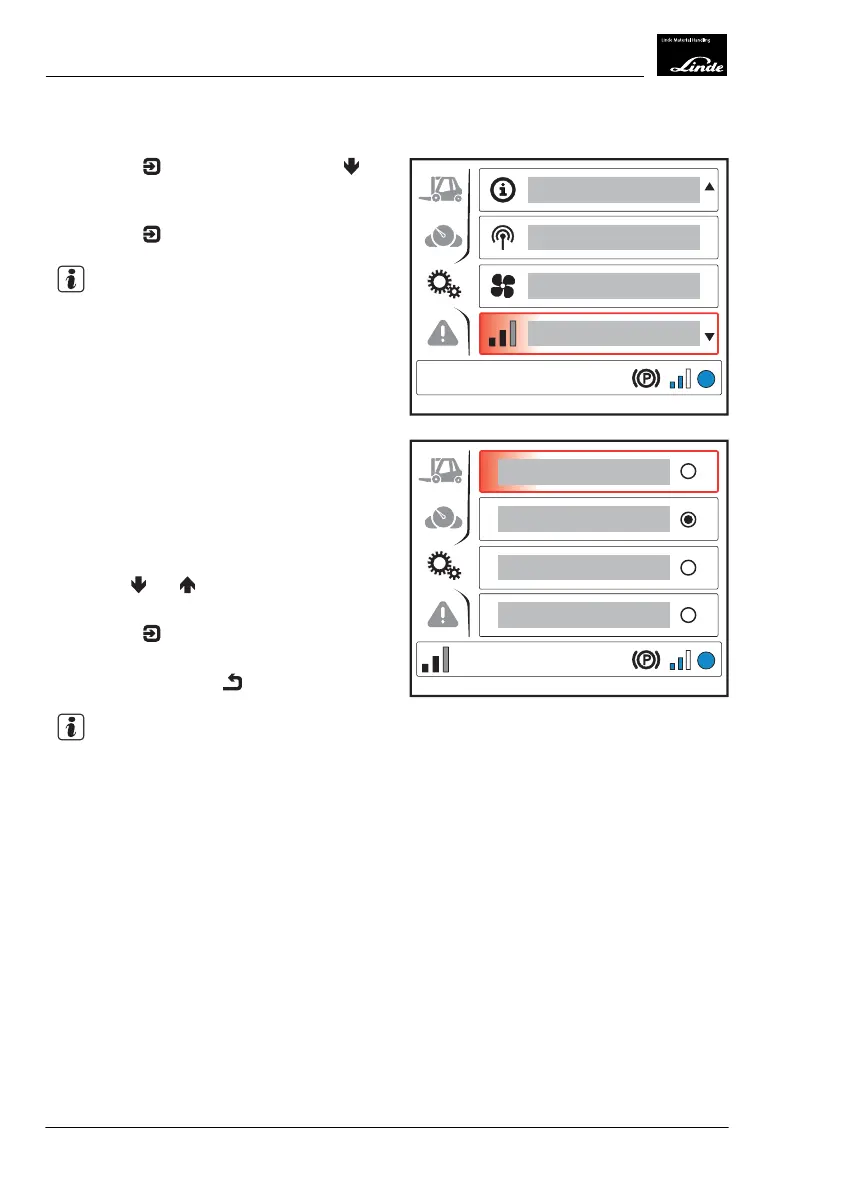
Press the button and then press the
button to select the "Driving dynamics" (1)
menu item.
Press the
button.
NOTE
The "Driving dynamics" symbol appears at the
bottom left of the display.
The "Driving dynamics" menu item displays
the following information:
●
Economy (2)
●
Efficiency (3) (factory setting)
●
Performance (4)
●
Custom (5)
Use the
and buttons to select the de-
sired "Driving dynamics".
Press the
button to confirm your selec-
tion.
Push the back button
.
NOTE
Adjusting the driving dynamics can be deacti-
vated or activated via the diagnostic program.
EFF
1
Display_1163
EFF
5
2
3
4
Display_1165
4
Operation
Display Unit
88 Operating Instructions-1202 series LP 12028011590US-11/2022 - 04


 To Next Page