Control buttons
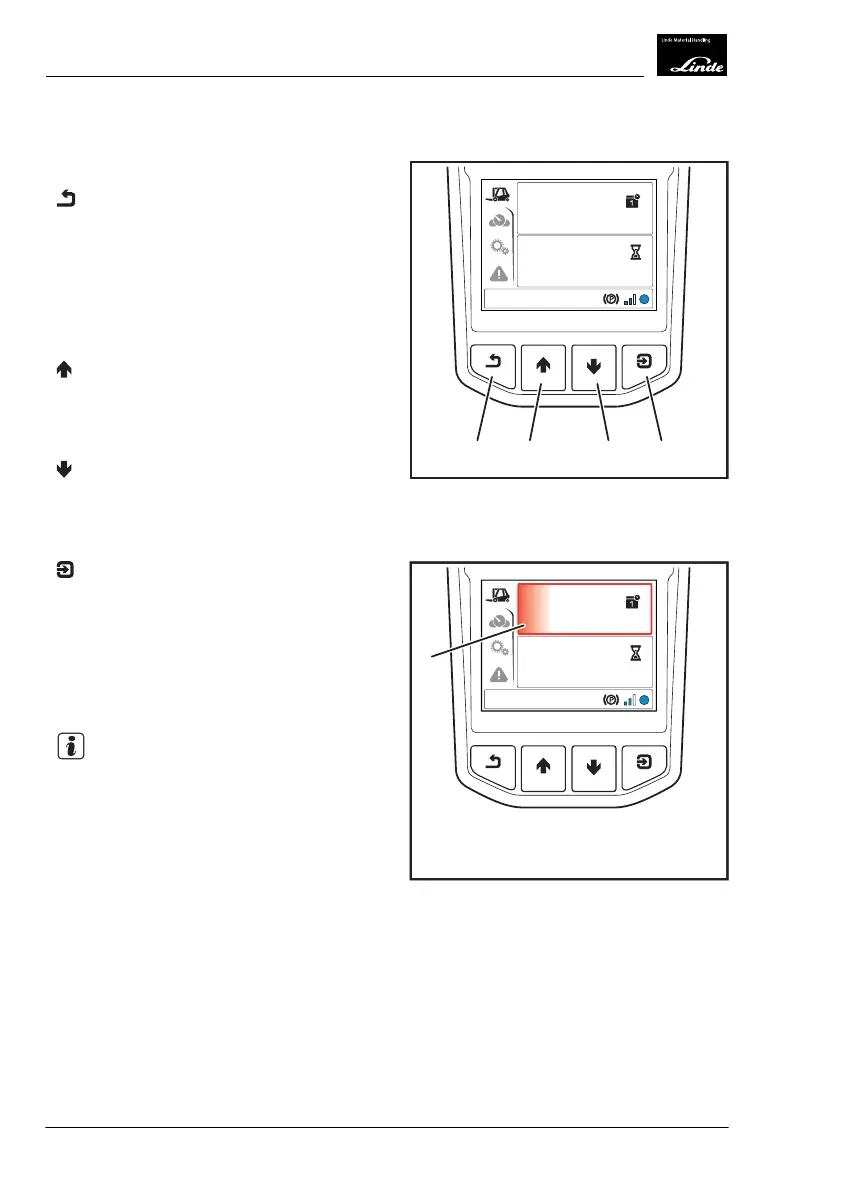
The display unit has four control buttons.
Back button (1)
Briefly press the "Back" button to perform the
following action:
●
Move back one level
Press and hold down the "Back" button to per-
form the following action:
●
Move back to the status display menu
Up button (2)
Briefly press the "Up" button to perform the
following action:
●
Move up by one row
Down button (3)
Briefly press the "Down" button to perform the
following action:
●
Move down by one row
Confirm button (4)
Briefly press the "Confirm" button to perform
the following actions:
●
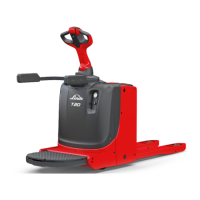
Activate the menu item (5) shown on the
display (marked in red)
●
Confirm entry
●
Confirm the message
NOTE
Button tones are deactivated as default in the
factory settings. They can be activated using
the diagnostic program.
h
10:30
03.03.2015
1045,0
h
EFF
1 234
Display_1006a
h
10:30
03.03.2015
1045,0
h
EFF
5
Display_1007a
4
Operation
Display Unit
72 Operating Instructions-1202 series LP 12028011590US-11/2022 - 04



 To Next Page