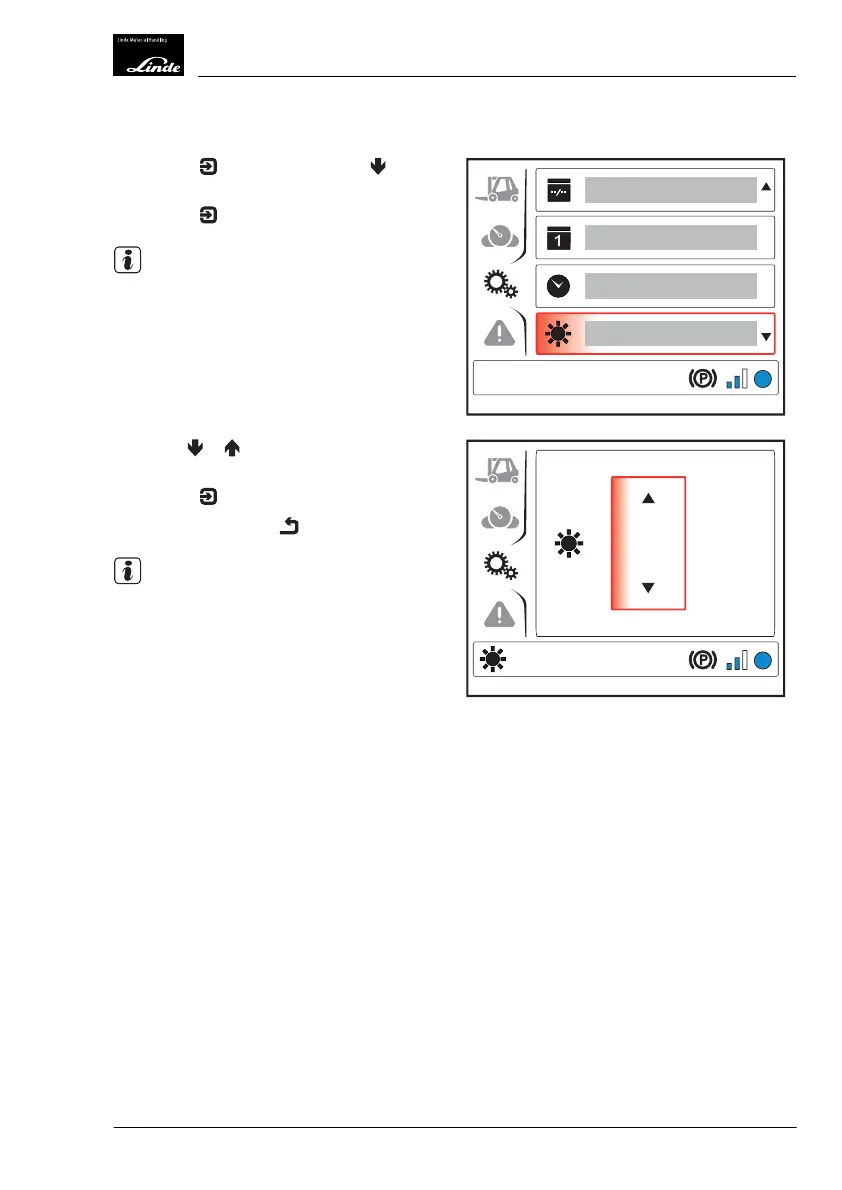
Adjusting the Display Brightness
Press the button then press the but-
ton to select the "Brightness" (1) menu item.
Press the
button.
NOTE
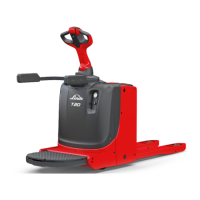
The "Brightness" symbol appears at the bot-
tom left of the display.
Use the or buttons to select the de-
sired brightness.
Press the
button to confirm.
Push the back button
.
NOTE
The brightness of the display is also regulated
by a light sensor. This means that the display
remains at a level of brightness comfortable
for the human eye even under pronounced
changes in lighting (e.g. when driving into the
hall).
EFF
1
Display_1149
4
EFF
Display_1150
Operation
4
Display Unit
81Operating Instructions-1202 series LP 12028011590US-11/2022 - 04



 To Next Page