Rev: 06.14.2016
Page 4
IN-WALL® Slide-out Service Manual
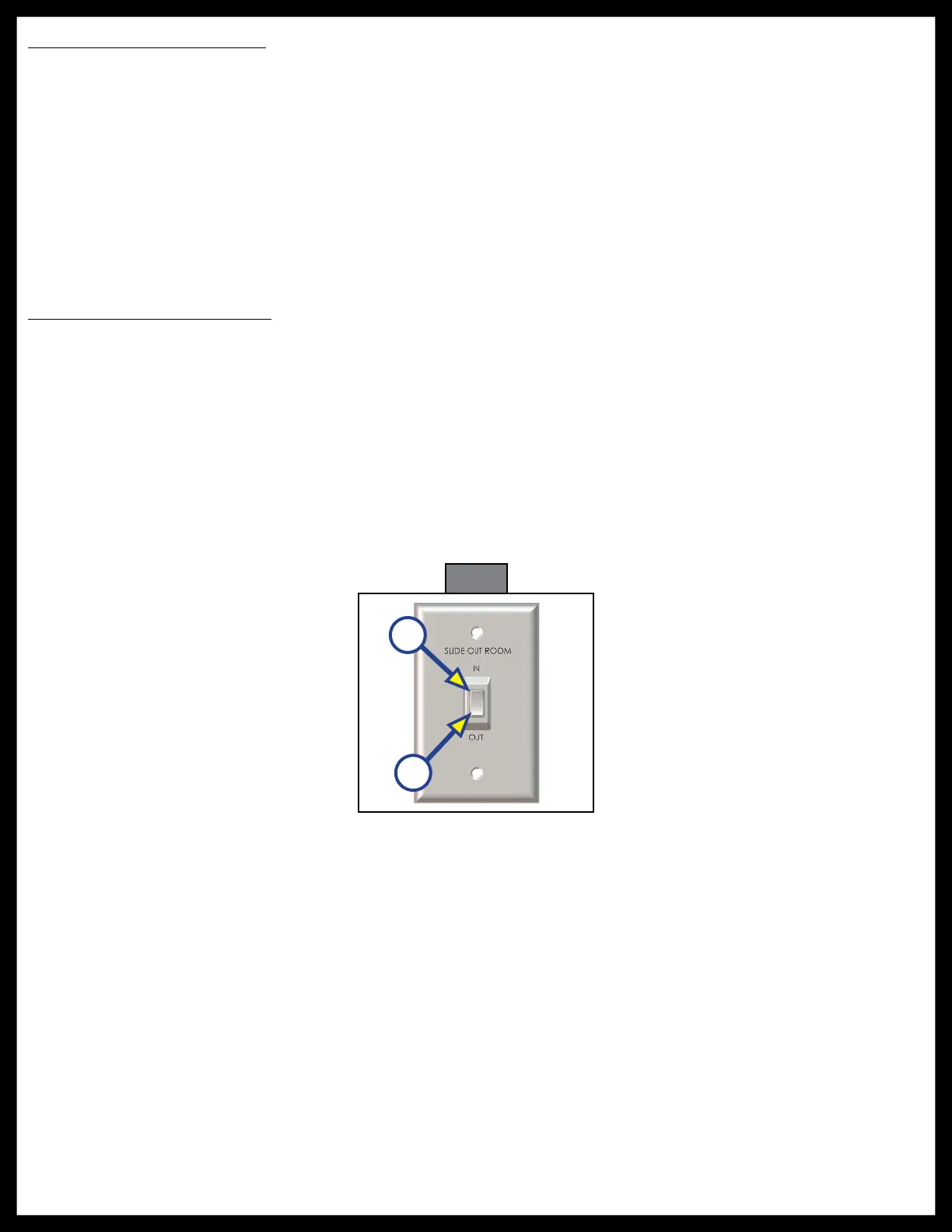
Fig. 1
A
B
Extending Slide-out Room
1. Level the unit.
NOTE: In the case of a motorized unit, ignition MUST be off to operate the slide-out.
2. Remove the transit bars (if so equipped).
3. Press and hold the IN/OUT switch (Fig. 1B) in the OUT position until the room is fully extended and
stops moving.
NOTE: It is important to continue to press the slide-out switch for a few seconds after the room is fully
extended until the motor shuts off. The control will sense that the room has stopped and will shut
off the motor after a few seconds.
4. Release the switch, which will lock the room into position.
Retracting Slide-out Room
NOTE: In the case of a motorized unit, ignition MUST be off to operate the slide-out.
1. Press and hold the IN/OUT switch (Fig. 1A) in the IN position until the room is fully retracted and stops
moving.
NOTE: It is important to continue to press the slide-out switch for a few seconds after the room is fully
retracted until the motor shuts off. The control will sense that the room has stopped and will shut
off the motor after a few seconds.
2. Release the switch, which will lock the room into position.
3. Install the transit bars (if so equipped).








 To Next Page