CHAPTER 3: PROCEDURES
QUICK LOAD SERVO 65/80
3-15
Reference Procedure
Conditions:
- Bar feed on.
- Bar feed in STOP mode.
Procedure:
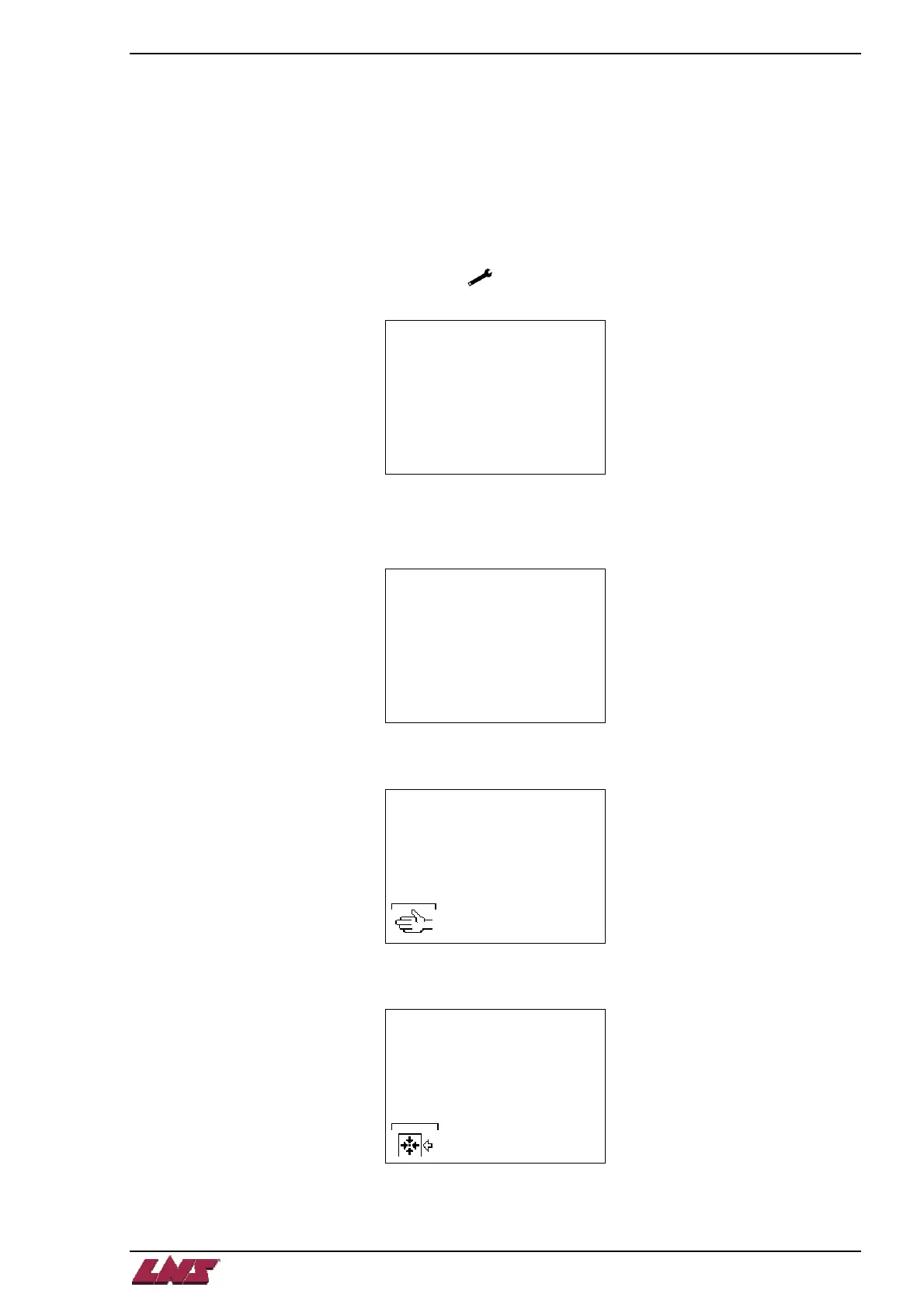
Step 1: Press on the key corresponding to [ ] on the remote control. Select menu [4] using the up/down arrow
keys. Press on the key corresponding to [ENTER].
MAIN MENU
[1]
1:PART SETUP
2:APPLICATION SETUP
3:POSITION/TORQUE
4:MISC. FUNCTIONS
5:SERVICE
Step 2: Press on the key corresponding to [PAGE DOWN] as many times as necessary until this text appears.
Select option [2] using the up arrow key. Once [2] is selected, press and hold [ENTER] for 2-3 seconds.
The screen will then return to the home page.
REQUEST FOR
REFERENCE POINT
[@]
1:NO
2:YES
ESC ENTER
Step 3: Press on the key corresponding to [MANUAL MODE].
LOADING CHANNEL IN
AN
INTERMEDIATE POSITION
- F1 MANUAL MODE
Step 4: Press on the key corresponding to [REFERENCE].
POSITIONING ERROR!
ENCODER LOST ITS
REFERENCE POINT...
RESET REFERENCE
POINT (ZERO POINT)
-F1 START














 To Next Page