- 106
english
Playing internet radio stations
OK Access marked internet radio station.
Red button: Switch Screen off/on.
Green button: Add internet radio station to favourites.
Yellow button: Switch to last accessed internet radio
station.
INFO button: Display information on current programme.
P+/P- Select next/previous internet radio station.
OK Return to station list.
Internet radio stations as favourites
➠ Favourites subfolder is selected (for folder selection, see left column).
Your favourite internet radio stations, which you have
specified with the green button, will be saved in this
folder. The playing of these stations works as described
on the left.
Favourite internet radio stations can be removed from
the favourites list again with the green button.
END
INFO
MENU
OK
Antenne Bayern
Genre: Top 40
Standort: Germany
MediaNetwork
Internet radio
00:04:30
Add to favourites
Previous station
Station list
Screen off/on
MediaNetwork
Media overview – internet radio operation
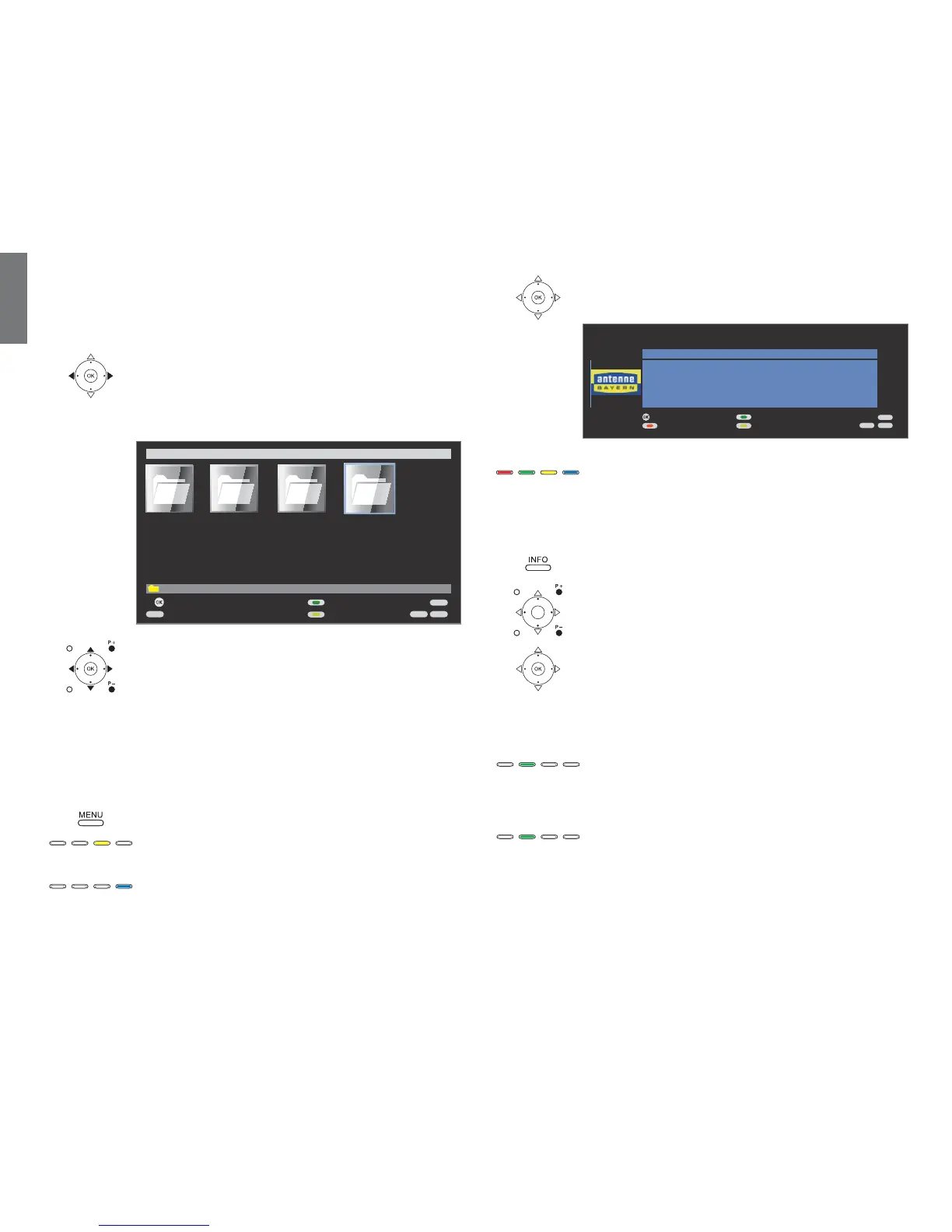
Your TV set can also receive internet radio via the vTuner, even without a
media server. In order to do this, the TV set must have a correctly installed
internet connection.
➠ Media selection is shown (page 98).
Select folder Internet radio,
OK open folder.
➠ Internet radio can also be accessed via the Assist
+
menu
(see page 94
)
.
Select required sub-folder,
OK open folder. If required, repeat.
➠ For favourites see right column.
P+/P- Page up / down.
➠ Only available when there are more items in the
current folder than can be displayed on one screen
page.
OK Play marked internet radio station (see right column).
MENU: Open MediaNetwork-Menu (see page 99).
Yellow button: Change view
Switches between preview and list view.
Blue button: Go to page ...
Alternatively to going through pages you can also go
directly to the individual pages on the overview. On the
Go to page ... overview the first title on each page
respectively is shown.
➠ Only available when there are more items than can be
displayed on one screen page.
➠ The number of pages depends on the view selected
(preview or list). You can see the number at the bottom
on the left.
END
INFO
MENU
EPG
Order by ...
Change view
Open folder
Select source / media server
MediaNetwork Media-Server 1
OK
\Internet radio 4 element(s)
Photo
Music
Video Internet radio













 To Next Page