53 -
english
Operating additional equipment
Concealed installation of HDMI devices
Digital Link HD (HDMI CEC)
The Digital Link HD (HDMI CEC) system operation allows Loewe television
sets to transmit the remote control signals via the HDMI connection of a
TV set to compatible HDMI devices, such as e.g. Loewe AudioVision. You
can therefore set up a concealed CEC capable HDMI device.
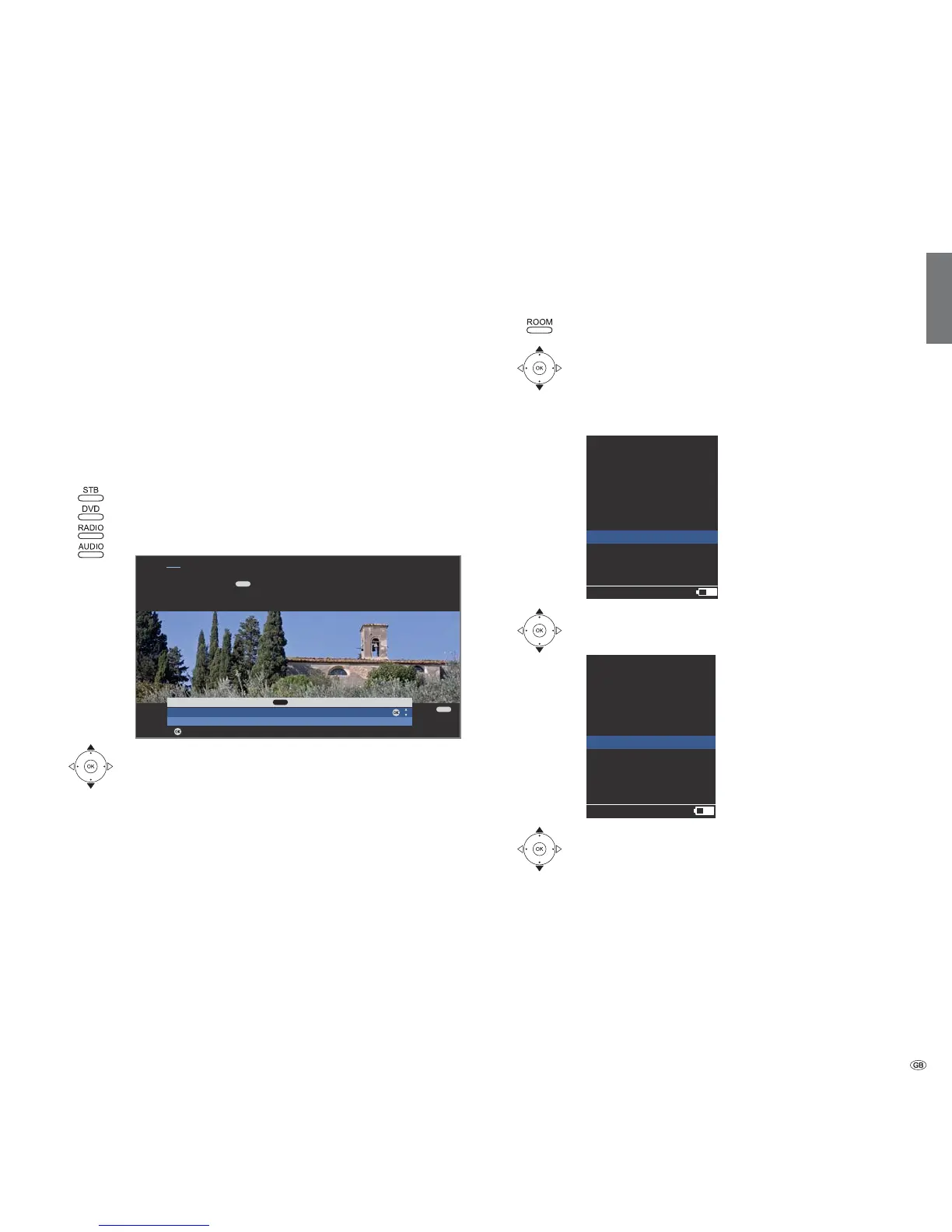
To do this, allocate the HDMI CEC function to the required device button
STB, DVD, RADIO or AUDIO (see right column).
Now allocate the Digital Link HD function to the used HDMI device.
Allocating an HDMI device
➠ The CEC capable HDMI device is connected to one of
the HDMI sockets of the TV set and switched on.
Press the required button for 5 seconds.
A selection menu appears on the TV set.
Select the required device from the list.
OK Accept.
From now on, the remote control transmits the
commands from the TV set to the HDMI device, if the
appropriate device button (STB, DVD, RADIO or AUDIO)
has been pressed beforehand.
Remote TV switch on via Digital Link HD
In the TV menu under Connections Miscellaneous Remote TV switch
on via Digital Link HD, you can select whether the TV set is to switch on
automatically from standby mode when a disc is played or a screen menu
displayed on connected CEC-capable HDMI equipment.
Allocating the HDMI CEC function to a device button
Press the ROOM button.
Select the RCU settings,
OK confirm.
Select the Device keys,
OK confirm.
Select STB, DVD, RADIO or AUDIO,
OK confirm.
Select HDMI,
OK confirm.
The HDMI CEC function has now been activated for the
selected device button. Finally, the required HDMI device
must be assigned to the device button (see left column).
OK
END
OK
Select HDMI device for key
Audiovision
No device
Adopt
Hint
Here you select the device which you want to switch over your remote
control to with the key. After confirming the selection with OK all
remote control commands are passed on to the selected device via the TV set
in future when you press this key.
AUDIO
AUDIO
RCU settings
12:34
Room 1
Device keys
STB
DVD
RADIO
AUDIO
RCU settings
12:34
Room 1
AUDIO
XEMIX
CENTROS
HDMI
Learning
3/3













 To Next Page