- 78
english
Archive recording – Direct recording
➠ Please also read the instructions on page 92 concerning handling of
encoded programmes.
You can convert the programme you are currently recording with a time shift
into an archive recording.
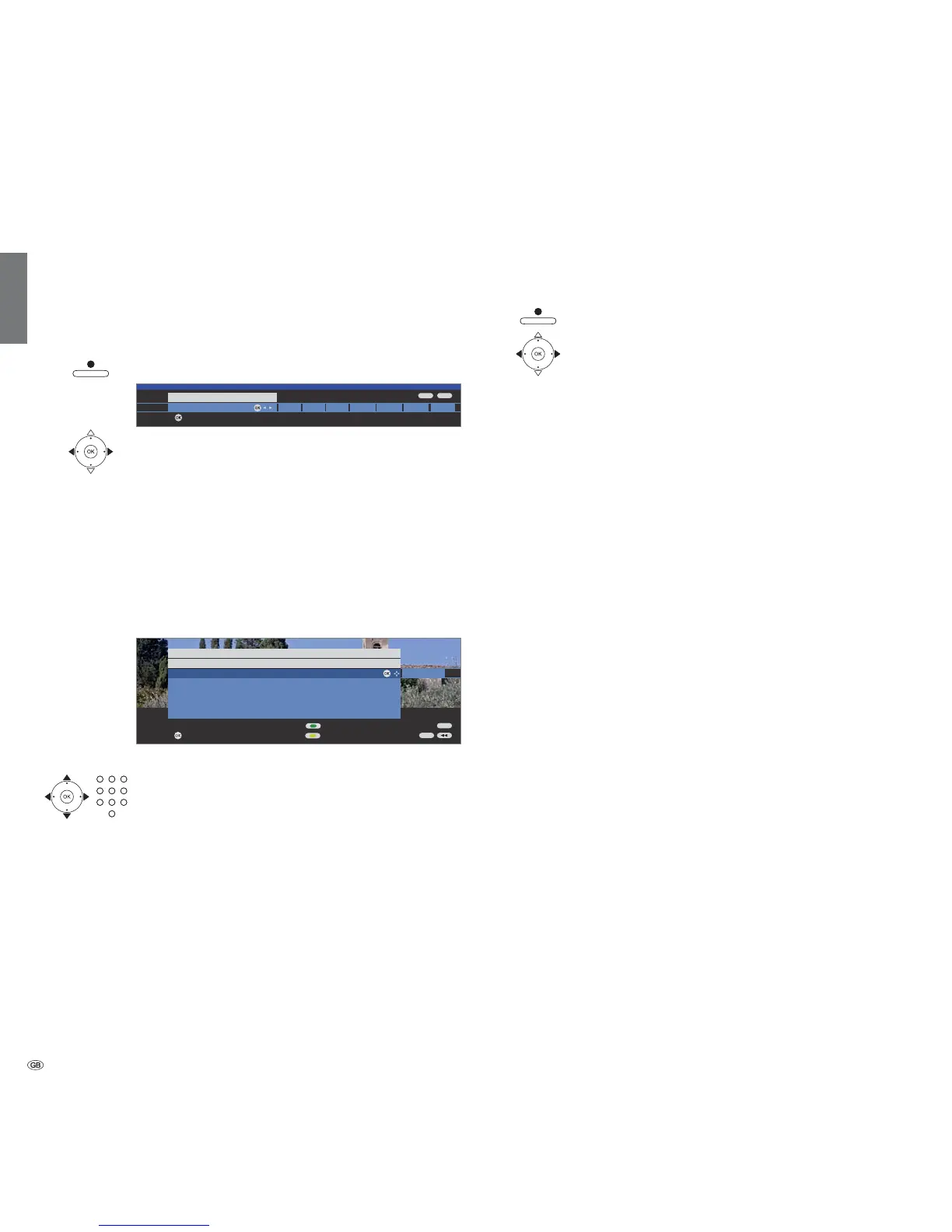
Press RECORD button shortly
.
If you want to transfer the current programme to the archive,
mark current programme (only if EPG or teletext data are
available) or mark one of the given times or mark ??? and
enter the recording duration with the numeric buttons on
OK.
If the programme has been on for the beginning, it is adopted from the
beginning, otherwise from the point in time you switched over to this station.
Just rewind to the programme you want to archive and start recording with
current programme.
After pushing the OK button, the menu Timer data is displayed.
with OK.
At the beginning of an archive recording the DR
+
display will
change from green to red.
See page 82 for explanations of the setting options in the Timer data menu.
During the archive recording, the bar showing the recording progress is red
and the REC message is shown for a current archive recording.
➠ Scrambled programmes are recorded according to the presetting in the
Digital Recorder menu Descrambling at DR continuous operation. If
yes is set, no other programme can be viewed during direct recording of
a scrambled programme.
➠ If the presetting in Descrambling at DR continuous operation is changed
while you are watching a scrambled programme, the time offset recording
is restarted. The previous recording is deleted.
Digital Recorder
+
One Touch Recording
(with MHEG-5 software only)
You can quickly record programmes into the archive.
Press RECORD button long: Archive recording starts.
Select recording duration as described on the left and
confirm with OK.
The programme is recorded into the archive.
Setting bookmarks during archive recording
During immediate recording or a running timer recording, you can set book-
marks at interesting sections (press the PLAY buttonfor a little longer). You
will see the message A bookmark was set!
of the recording quickly during playback. You can set up to 15 bookmarks
per recording.
Time shift viewing during archive recording
As described in the chapter ”TV viewing with time shift,“ you can interrupt the
programme with the PAUSE button. The recording process is continued. You
can end the interruption by pressing the PAUSE button or the PLAY button.
You are now viewing the archive recording with a time shift.
Jumping, fast forwarding and rewinding and slow motion all work as described
for time shift TV viewing.
You return to the live picture with the STOP button.
Watching other stations during archive recording
After you have started the recording, you can switch to another station. The
recording process is continued in the background.
To switch back to the station you are currently recording, press the PLAY
button.
➠ If an encrypted programme is recorded with the option Descrambled
recording yes, the CA module required for decoding is used for the
recording. In this case you cannot watch any other encrypted programme.
Viewing another movie from the archive during archive recording
After you have started the recording, you can also watch a programme you
have already recorded.
To do this, call DR archive with the red button.
With MHEG-5 software: Call Assist
+
, select DR archive and call with OK.
Select the programme and start the playback with the OK button.
The recording process is continued in the background.
➠ If an encrypted programme is recorded with the option Descrambled
recording yes, the CA module required for decoding is used for the
recording. In this case you cannot watch any other encrypted programme
from the archive.
Switching off the TV set during recording
You can switch off the TV to standby whilst recording. The recording is con-
tinued in the standby mode. The display on the set shows orange.
➠ Never switch the TV set off at the mains and do not pull out the plug of
the TV set out of the socket. Otherwise the recording will be lost!
OK
END
INFO
OK
30 60 90 120 180 240 ???current programme
Recording duration (min.)
confirm
END
INFO
OK
OK
DVD-REC
Timer data
09:45 Bon(n) jour Berlin
Lock movie
Set delete protection
confirm
Recorder DR
Station 45 Phoenix
Date 29.09.2007
Recording time 09:45 until 10:00
VPS no
Recording type once only













 To Next Page