- 82
english
Digital Recorder
+
➠ If a DVD or video recorder was selected as a recording source, start
playing the connected device manually from the beginning of the entered
recording time.
Explanations of the setting options in the Timer data menu
Selection of the connected/built in recorder.
Select DR for Digital Recorder in this case.
Date of recording.
Time of the recording.
Use VPS data for analogue stations, yes / no.
(only available for some analogue stations)
Use automatic time control, yes / no.
(only available for some DVB stations and when recording
via EPG)
➠ Auto time control must be set to yes to use UK FreePlay
functionality.
You can specify here whether a programme from an encoded
station should already be decoded during recording, if pos-
sible. If you select yes, you cannot watch another coded
station during recording because the CA module is used for
the recording.
Hint: Select yes if you do not want to watch another coded
station during recording. This saves the overnight decod-
ing process.
➠ For a direct recording (page 78) the presetting is taken
from the Digital Recorder menu Descrambling at DR
continuous operation (page 75).
Select once only, Mon-Fri, daily or weekly.
In timer recordings via EPG, Serial can also be selected.
Select whether broadcast subtitles are to be recorded.
➠ For a direct recording (page 78) the presetting is taken
from the Digital Recorder menu Record subtitles at
DR continuous operation (page 75).
Allow later playback of this recording with the parental lock
by entering the access code only. Press green button.
➠ If no accessTV menu under
Settings Parental lock, the text Parental lock appears
in this position.
Protect against automatic deletion by the Delete Manager.
Press yellow button.
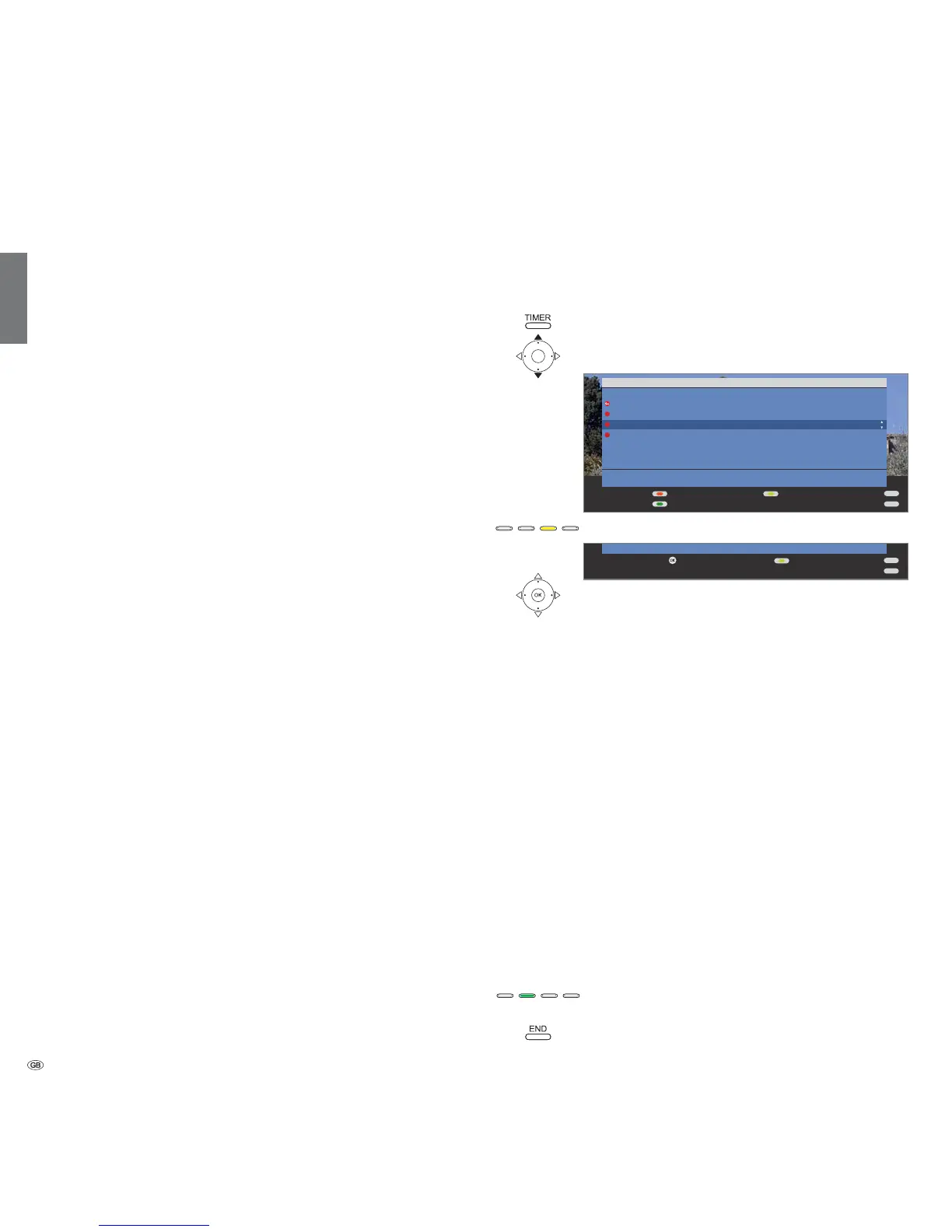
Deleting programmed timer entries
Use this function in the timer overview if you want to delete recordings already
programmed or end a running timer recording.
Call Timer overview.
Mark the timer to be deleted.
Yellow button: Delete recording.
OK Confirm.
➠ The letters of a timer currently active are red. If you delete
this timer, the recording is stopped.
The Delete Manager
The Delete Manager always makes sure there is enough memory space on
the hard disk for new recordings.
When the capacity of the hard disk is almost exhausted the old recordings
are deleted.
Recordings which have been protected with a delete protection (see page 90)
are not deleted by the Delete Manager. You can delete these recordings
manually.
In order to prevent the loss of data we recommend that important recordings
are copied to a video cassette or to a writable DVD.
Delete the recordings from the Digital Recorder after copying.
Loewe is not liable for data loss from the Digital Recorder’s hard disk.
Record conflict
If you want to programme a new recording which overlaps with a saved
timer, the
one or both recordings are to be made. If you decide for both, you have to
state which of the two programmes is to be recorded fully.
Green button:
Change the timer data of the individual pro-
grammes.
END button: Reject new timer. The older timer entry is
retained.
Recorder
Date
Recording
time
VPS
Auto time
control
Descrambled
recording
Recording type
Record
subtitles
Lock movie
Set delete
protection
END
INFO
END
INFO
OK
Abort deleteConfirm delete













 To Next Page