- 96
english
MediaNetwork
Initial installation
The first time MediaNetwork is called up, initial installation is started.
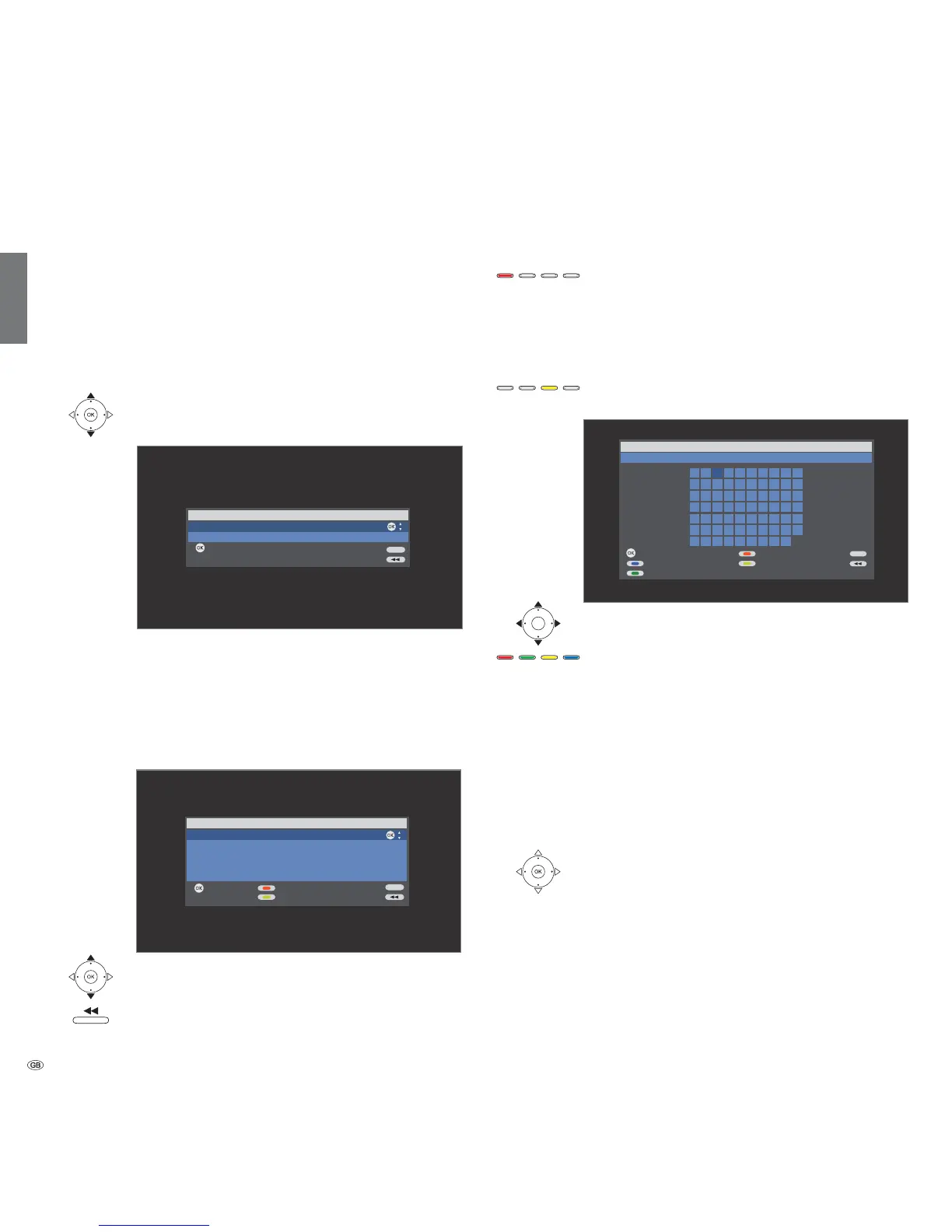
Select network interface
Here you enter whether you want to connect your TV
set Wired via cable or Wireless (with wireless router) to
your home network.
You will find connection examples on page 95.
Select network interface.
OK Activate.
➠ If you select Wired then initial installation is continued
with the menu item Select IP Address Assignment
Method (page 97).
Select wireless router
If you have selected Wireless (with wireless router), then
the TV set starts to search for wireless routers.
Select required WLAN router.
OK Activate.
As soon as is displayed, you can go back one
installation step by pressing this button.
If your router is not found the first time, then you can
press the red button to Rescan for routers. If there are
any problems making a wireless connection, it can help
to install the additional antenna on the TV set (see
page 95, illustration above left). Please also refer to the
information on wireless connections on page 111.
If your router is not recognised or the SSID of your home
network is concealed, you can enter the SSID manually
after pressing the yellow button. A screen keyboard
appears to enter the SSID.
Mark characters.
Function of coloured buttons:
Blue: Select character.
Yellow: Delete last position.
Red: Delete complete SSID from the input line.
Green: Switch from small to capital letters and vice versa.
Enter WLAN password
If your network has an encryption then it is necessary to
enter the password that allows access to the network.
A screen keyboard will appear to enter the password
(see above).
OK Adopt Password.
➠ Umlauts (German characters ä, ö, ü) are generally not
supported.
➠ If you do not know the WLAN key, contact your
network administrator.
➠ Supported encryption types: page 113.
END
Select network interface
Activate
Wired
Wireless (with wireless router)
OK
OK
Select a wireless router
Activate Search
WLAN-Router_1
WLAN-Router_2
OK
OK
SSID Input
END
Please enter SSID
Adopt Delete SSID
Delete last positionSelect character
WLAN-Router_3
0123456789
abc edfghij
klmnopqrst
uvwxyz ! ? ( )
@
#
$
%
&
^
*
`
{
}
_-~+=| / \ []
:;
“‘
,
.<>
OK
END













 To Next Page