97 -
english
MediaNetwork
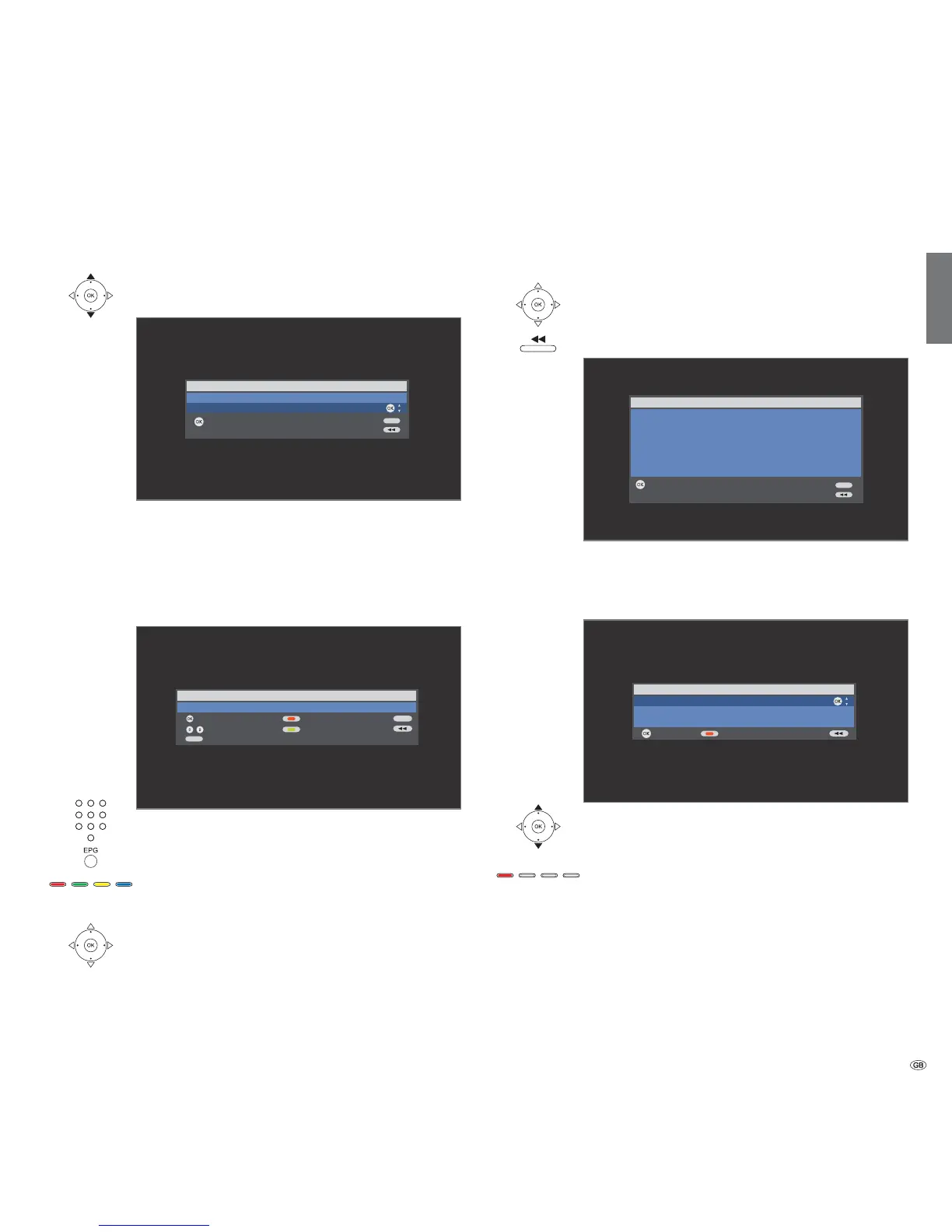
Select IP Address Assignment Method
Select IP Address Assignment Method.
OK Activate.
Automatic (DHCP): IP addresses are automatically issued
by a DHCP server on your home network.
➠ A DHCP server has to be set up on a device on the
network (e.g. WLAN router).
Input Static IP Address: IP addresses are entered
manually.
Digit buttons: Input digits of IP address.
EPG: Enter dots.
Function of coloured buttons:
Yellow: Delete last position.
Red: Delete address.
OK: Adopt IP address.
Proceed similarly with the subsequent entry of the further
IP addresses of Subnet Mask, Gateway and DNS server.
Network setting
Afterwards you will see a summary of the settings.
OK Adopt settings.
Backwards step by step for changes.
Select Server
Lastly, select the media server from which you want to
draw the data.
Select media server.
OK Activate.
If your required media server should not be found the
first time, then you can press the red button to Rescan
for media servers.
Network setting
Adopt
Adopt the following settings?
Network mode: Wireless
SSID: WLAN-Router_1
Device IP address: 192.168.1.123
Subnet Mask: 255.255.255.0
Gateway address: 192.168.1.1
DNS address: 192.168.1.1
OK
END
Select IP Address Assignment Method
Activate
Automatic (DHCP)
Input Static IP Address
OK
OK
END
Set device IP address
Adopt
192.168.1.123_
OK
Input digits
Delete address
Delete last position
-
Input “.“
0 9
END
EPG
Select source / media server
Activate
Rescan
Media-Server 1
Media-Server 2
Media-Server 3
OK
OK













 To Next Page