- 20
english
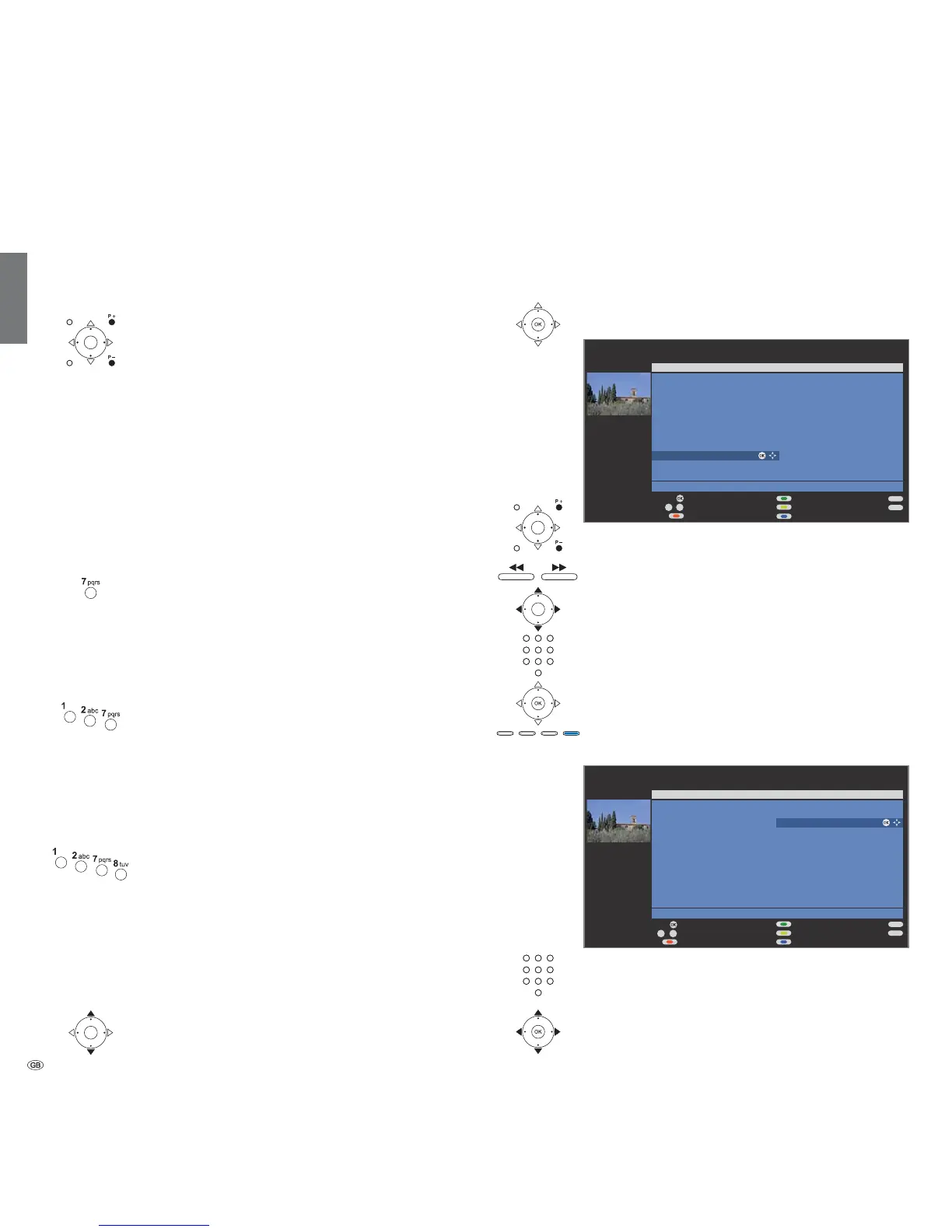
With the station list
➠ In normal TV operation, without further displays, no
favourites selected:
OK Call Station list.
P+/P– Scroll in the pages of the station list.
Jump to the next station block.
Mark stations.
or:
Enter the number of the station with the numeric buttons.
The marked station is shown as a small picture.
OK The marked station is called.
Blue button: Changes the sorting between numerically
and alphabetically.
.
Enter initial letters with the numeric buttons like with a
mobile phone keypad (see page 16).
The first station for the specified letters is marked.
Mark stations.
OK The marked station is called.
END
INFO
09
-
OK
OK
P+
P–
Station list
21:00 - 21:45 Urlaubsparadies - Toskana
Scan stations
Change stations
Sort alphabetically
COMP. IN
HDMI1/DVI
HDMI2/DVI
VGA
AVS
DVD
VCR
0 VIDEO
Switch to ...
Select station
Favourites
Page
END
INFO
OK
OK
P+
P–
a
z
-
Station list
21:00 - 21:45 Urlaubsparadies - Toskana
Scan stations
Change stations
Sort numerically
AVS
BR
CNN INT
Switch to ...
Select letter
Favourites
COMP IN
DVD
DVD-REC
Page
Daily operation
Sorting
numerically
Sorting
alphabetically
long
short short long
Select station
With the keys P+ and P– on the remote control
P+/P– Station up/down.
The station display with sound identification is displayed
briefly.
➠ If favourites are selected, the station is switched over
in the favourites list with P+/P– (see page 21).
➠ The symbols for the sound identification are described
on page 27.
➠ If there are additional languages or DVB subtitles for
DVB stations, then language and subtitle selection is
shown below the station display.
See also page 27: Additional selection possibilities for
DVB stations.
With the numeric keys of the remote control
1-digit stations
Keep the numeric button pressed for one second, the
station changes immediately.
or:
Press the numeric button briefly, the station changes after
2 seconds (changes immediately in case up to 9 stations
are stored).
2-digit and 3-digit stations
Press first (and second) numeric button briefly.
Keep the last numeric button pressed for one second, the
station changes immediately.
or:
Press all the numeric buttons briefly, the station changes
after 2 seconds (changes immediately in case of up to 99
or 999 stored stations).
4-digit stations
Press all four numeric buttons, the station changes imme-
diately.
➠ If favourites are selected, the station in the favourites list
is switched to with the numeric buttons (see page 21).
Maximum two-digit station numbers are possible.
➠ If you select an unoccupied station slot, the next avail-
able station is switched to.
Call last viewed station (for TV sets with MHEG-5 software)
You can switch back and forth quickly between
two stations using this buttons.
all short













 To Next Page