- 76
english
Digital Recorder
+
Switch to live picture
Press STOP button.
You see the station’s live picture again.
Jumping
You can jump during time shift viewing by pressing the buttons or
in the jump distance set; this enables you to skip uninteresting sections quickly.
Jump forwards
Jump backwards
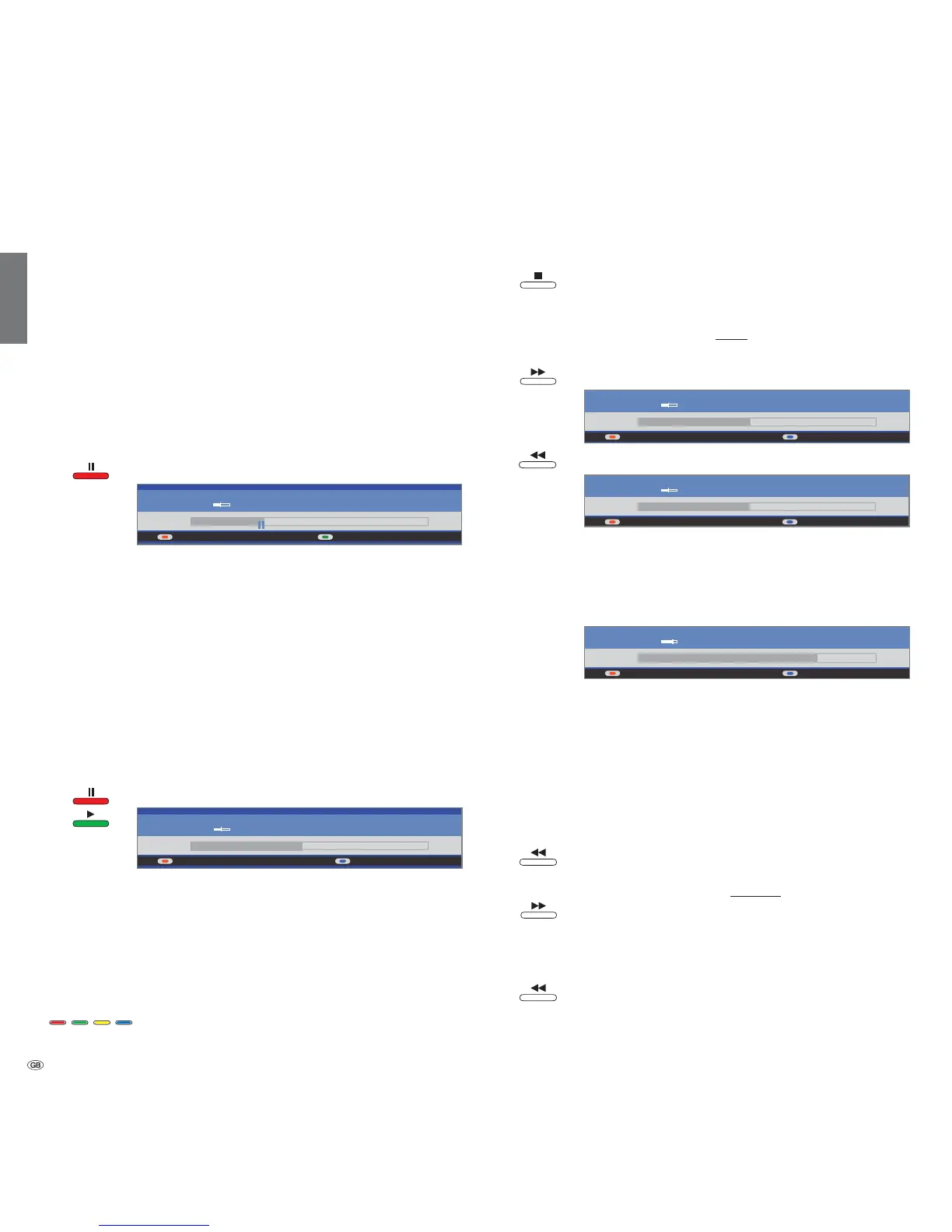
Smart Jump
Smart Jump allows you to search quickly for certain scenes of a recording.
The jump width is halved every time you change the jump direction. The jump
width is doubled if you jump more than three times in the same direction
(max. 8 min.).
blue: Jump width corresponds to the jump width
preset in the Digital Recorder menu.
yellow: Jump width is less than preset in the Digital
Recorder menu (e.g. after changing the jump
direction).
orange: Jump width is greater than preset in the Digital
Recorder menu (e.g. after jumping three times
in the same direction).
For instance, if you are looking for the beginning of a programme.
Press repeatedly to jump back.
If you have jumped past the beginning of the
programme, jump in the opposite direction:
This jump in the opposite direction is only carried
out for half the jump distance. Now jump forward
using until you see the beginning of the
programme.
If you have jumped past the start of the programme:
Jump back again. In the process, the jump distance
is cut in half again.
By halving the jump distance when changing direction
again you can find your way to a specific place.
TV viewing with time shift
The Digital Recorder continuous operation is switched on as the factory default
setting. The TV programme you are watching is recorded automatically. The
time shift is maximum approx. 3 hours.
The DR
+
display lights up green. If the DR continuous operation is switched
off, the DR
+
display lights up white.
➠ Please also read the instructions on watching time-shifted television
on page 73.
➠ Programmes with copy protection (e.g. Macrovision) cannot be watched
with a time shift for legal reasons.
Interrupt
Press PAUSE button.
The TV picture freezes and the drive display appears.
At the top you will see the number and name of the sta-
tion if EPG or teletext data are available, in addition to the
start and end of the current programme and the title of the
programme.
On the left hand side of the bar you can see the start time
for time shift recording. On the right hand side of the bar
you can see the time at which the time shift recorder will
be full (automatically extends by 30 minutes, up to a max.
3 hours). The grey bar indicates how much of the available
recording time has been used up. The time displayed inside
the bar is the time at which the Pause button was pressed.
Continue (time shift viewing)
Press PAUSE button or PLAY button.
You can now watch the TV programme with a time shift from
PAUSE button. The Playback
symbolappears in place of the Pause symbol.
Jump to automatically set bookmarks
In time shift TV viewing, you can jump to automatically set bookmarks and
to the beginning and end of the current recording. Grey bookmarks mark
the beginning and end of broadcasts.
Red button: Jump back
Blue button: Jump forwards
09:53 10:2310:09
DR archive Language/sound
45 Phoenix Stereo
09:45 - 10:00 Bon(n) jour Berlin
09:53 10:2310:09
45 Phoenix Stereo
09:45 - 10:00 Bon(n) jour Berlin
09:53 10:2310:11
45 Phoenix Stereo
09:45 - 10:00 Bon(n) jour Berlin
09:53 10:2310:09
45 Phoenix Stereo
09:45 - 10:00 Bon(n) jour Berlin
09:53 10:2310:09
45 Phoenix Stereo
09:45 - 10:00 Bon(n) jour Berlin













 To Next Page