77 -
english
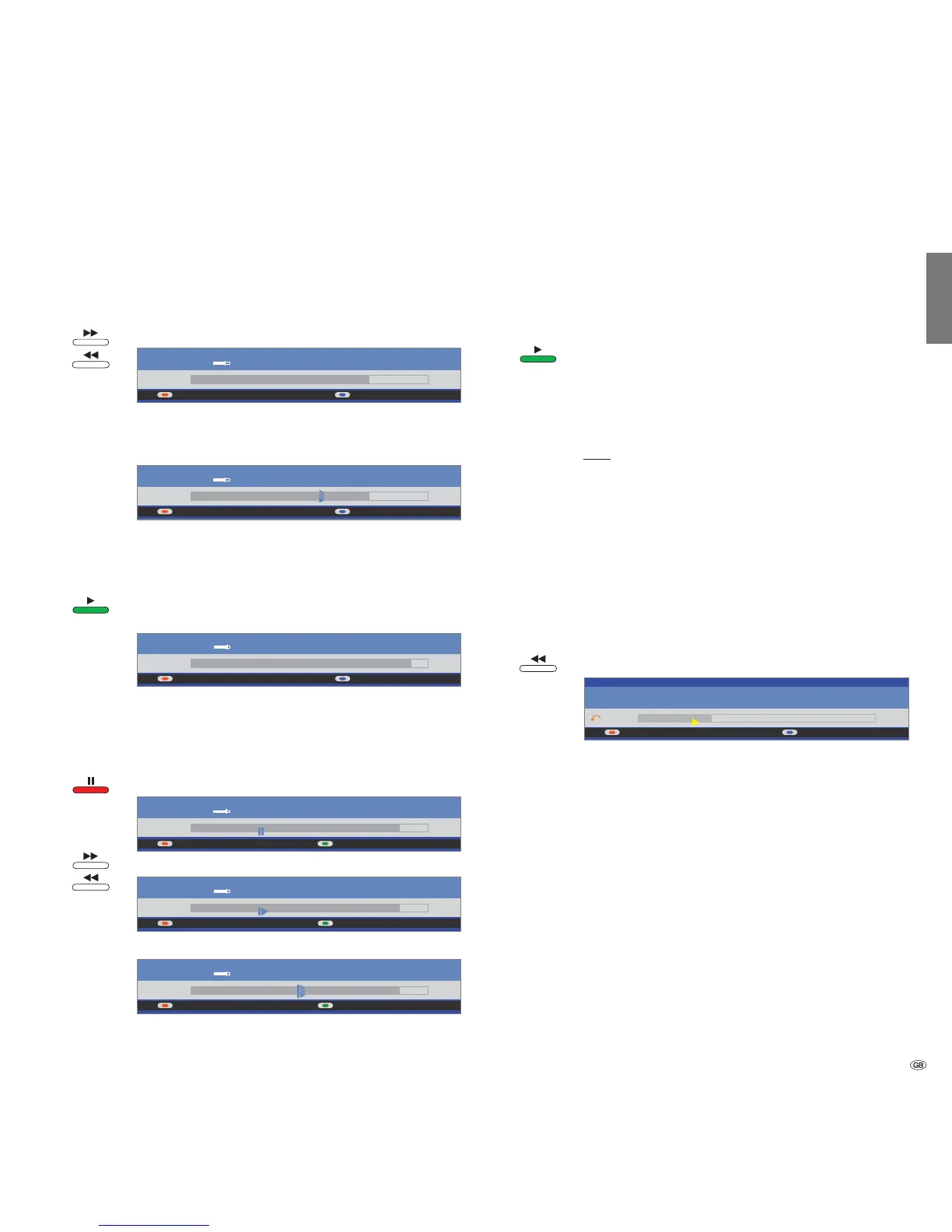
Fast forward and rewind
During time shift viewing you can fast forward and rewind at three different
speeds (when viewing HDTV rewind is not possible). Sound is not audible
during winding.
Press or for a little longer.
Increase speed: Press or
The speed increases every time you press the button until
eventually switching back to the initial speed.
Playback begins automatically upon reaching the end of
the recording. You are then about 10 seconds behind the
live picture or when rewinding at the beginning of the time
shift recording.
Press the PLAY button when you reach the point during
rewinding from which you want to continue watching.
Slow motion
If Pause is active (freeze picture) you can play at four slow-motion speeds.
Sound is not audible during slow motion. (When viewing HDTV slow motion
backwards is not possible)
Press PAUSE button.
Press or
Increase speed: Press or
The speed increases every time you press the button until
eventually switching back to the initial speed.
Highlight function
You can mark interesting scenes in sports reports for example to watch these
again specially at a later viewing.
You can set bookmarks while you are watching the live picture or viewing
with a time shift.
To set the bookmark press the PLAY button for a little longer.
The time shift recording that is already active in the back-
ground is converted into an archive recording. You see a
message on the screen: DR archive recording has been
started. Every time the PLAY button is pressed down again
a little longer, a new bookmark is set.
Note: If no programme info is available from teletext or EPG
the Recording duration menu appears after pressing the
recording
durationOK (see page 78).
Recordings which contain manual bookmarks can be re-
played as highlights. The chapter "Archive playback" describes
how this works on page 84 and 88.
Replay function
You can watch interesting scenes of sports reports again for example (only
in live picture).
button to repeat the scenes.
The set jumps back 40 seconds into time shift mode. The
Smart Jump active). If the Smart jump
took you back too far, you can jump forward 20 seconds
with the button.
The live picture is displayed at the same time as a small PIP (not
for HD stations). This PIP picture can be closed by pressing the
PIP button without having to leave the time shift playback.
Terminate the Replay function with the STOP button. Now
you see the live picture again.
Switch to a different station
The time offset recording is restarted when you change stations. The previous
time offset recording is deleted.
Digital Recorder
+
09:53 10:2310:09
45 Phoenix Stereo
09:45 - 10:00 Bon(n) jour Berlin
09:53 10:2310:18
45 Phoenix Stereo
09:45 - 10:00 Bon(n) jour Berlin
09:53 10:2310:23
45 Phoenix Stereo
09:45 - 10:00 Bon(n) jour Berlin
09:53 10:2310:09
DR archive Language/sound
45 Phoenix Stereo
09:45 - 10:00 Bon(n) jour Berlin
09:53 10:2310:09
DR archive Language/sound
45 Phoenix Stereo
09:45 - 10:00 Bon(n) jour Berlin
09:53 10:2310:12
DR archive
Language/sound
45 Phoenix Stereo
09:45 - 10:00 Bon(n) jour Berlin
09:53 10:2310:09
45 Phoenix Stereo
09:45 - 10:00 Bon(n) jour Berlin













 To Next Page