29 -
english
Search for/update stations – handling of new and no longer found stations
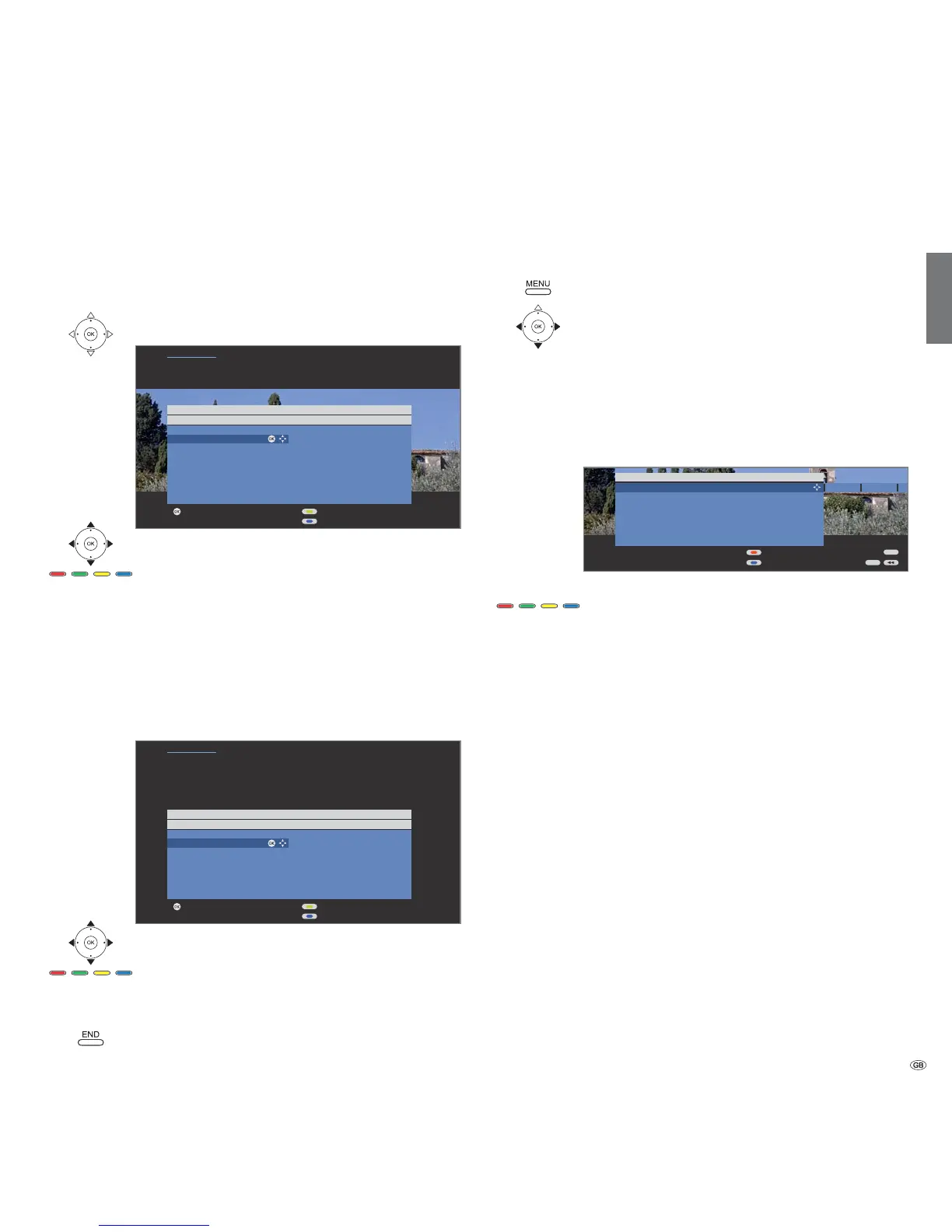
The number of new stations found is displayed after the automatic search/
update has been completed.
OK List of new stations found
Select station.
Yellow button: Mark / unmark station
Blue button: Mark / unmark all
OK saves the selected stations.
Afterwards, a list of the stations which are saved but
which are temporarily not broadcasting or no longer exist
is displayed, if available.
The number of the memory location used is displayed in
front of the station. Please select the stations you really
want to delete.
Select station,
Yellow button: Mark / unmark station
Blue button: Mark / unmark all
OK deletes the selected station.
END: Exit the search wizard.
Search/update station – manual search
Call TV menu.
Select Settings,
go to the menu line below.
Select Stations,
go to the menu line below.
Select Manual adjustment,
OKcall input box.
You can enter or edit the station data in the following
lines:
Or:
Blue button: Starts Search and searches for next station.
Red button: Stores station.
➠ Only stations for the selected signal source can be
saved which do not yet exist in the station list.
➠ Stations which already exist in the station list for the
selected signal source are displayed with their station
numbers and names on a grey background. These
stations can only be overwritten with the red button.
Explanations of some search settings:
Various settings are possible depending on the selected signal source.
Some settings have already been explained in the initial installation (see
page
13
onwards).
Selection of range in which you want to search for the
station.
Direct input of channel.
Direct input of station frequency.
Input of station TV standard.
(B/G, I, L, D/K, M, N) Ask your dealer in this regard.
Input of the station colour standard.
(PAL, SECAM, NTSC-V, PAL60, Autom.)
Ask your dealer in this regard.
Managing stations
END
INFO
Manual adjustment
Signal source Antenna/cable (analogue) DVB-T DVB-C D
Channel S21
Frequency 303.25 MHz
Name KIKA
TV stand. B/G
Col. standard Autom.
Store
Search
Signal source
Channel
Frequency
TV stand.
Col. standard
Proceed
Page
Search wizard
Search for/update station
Newly found stations
Mark/unmark station
Mark/unmark all
P+
P–
OK
OK
Proceed
Page
Search wizard
The following stored stations were no longer found because they are not
currently broadcasting a programme or no longer exist. Please mark those
you want to delete completely. Those not marked are retained.
Search for/update station
Stations no longer found
Mark/unmark station
Mark/unmark all
P+
P–
OK
OK













 To Next Page