89 -
english
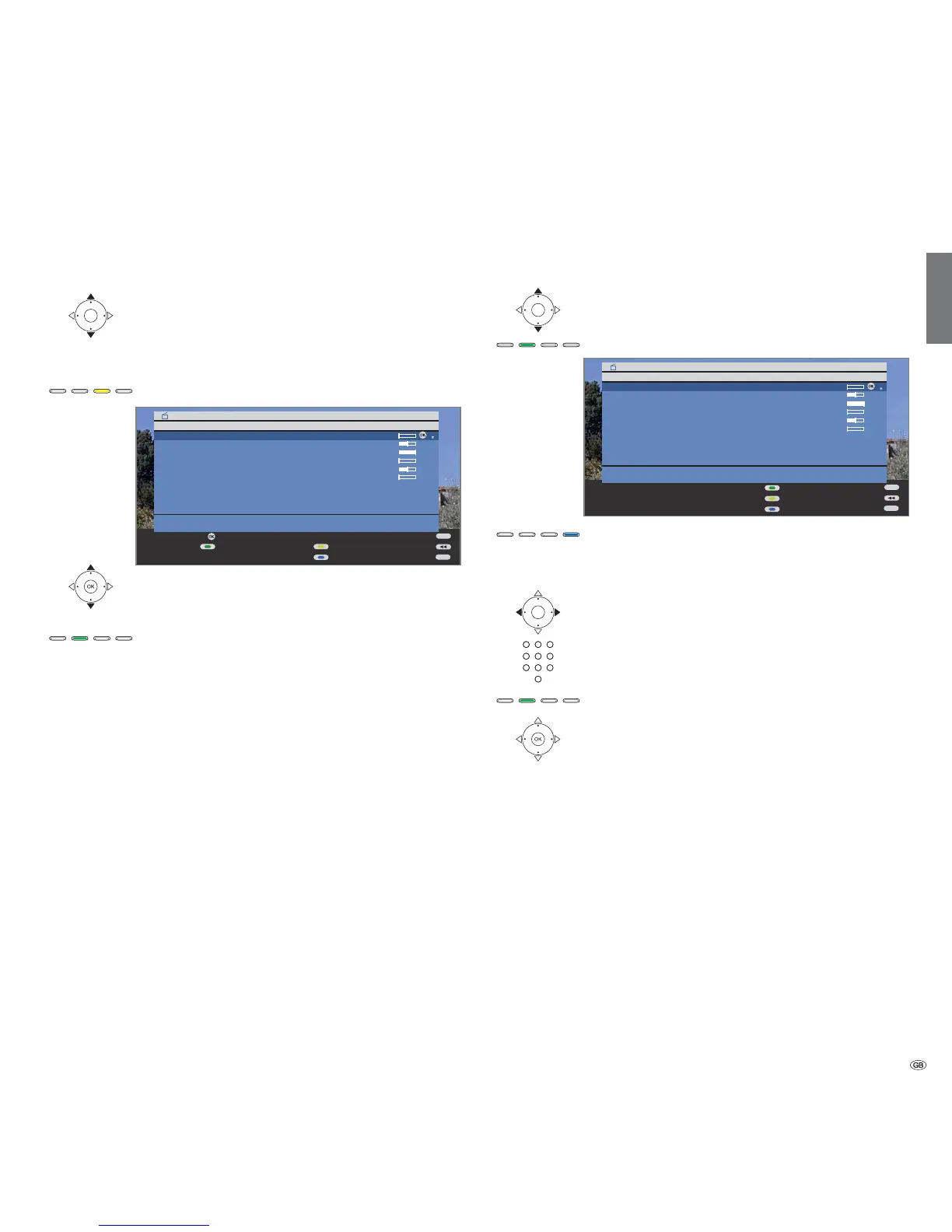
Deleting bookmarks
➠ DR archive is displayed.
Select the recording for which you want to delete
the bookmarks.
➠
with in front of the bar.
Yellow button: Call delete/copy.
Select others if necessary and confirm with OK.
➠ The selected titles are displayed in blue.
Green button: Delete bookmark.
All of the manually set bookmarks are deleted. Automati-
cally set bookmarks are not deleted.
Changing the title of an archive
➠ DR archive is displayed.
Select the title to be changed.
Green button: Call Edit/protect.
Press the blue button for Rename.
indicates the current input position for the letter.
Move input position right.
Move input position left.
Enter the letters in sequence using the numeric buttons on
the remote control (like on a mobile phone keypad).
Green button: Switch between capital letters and small letters.
OK Conclude the entry.
This saves the change permanently.
Digital Recorder
+
END
INFO
OK
OK
DR archive free capacity 48:42 hrs
Delete/copy
29.09 Phoenix Bon(n) jour Berlin
14.09 3sat AVO-Session Basel
20.08 Das Erste Brisant
Kultur pur
Delete entry
Copy entry
Mark (several entries possible)
Delete bookmark
END
INFO
OK
DR archive free capacity 48:42 hrs
Edit/protect
29.09 Phoenix Bon(n) jour Berlin
14.09 3sat AVO-Session Basel
20.08 Das Erste Brisant
Kultur pur
Parental lock
Set delete protection
Rename













 To Next Page