40 - Instrument Operation
Number Format
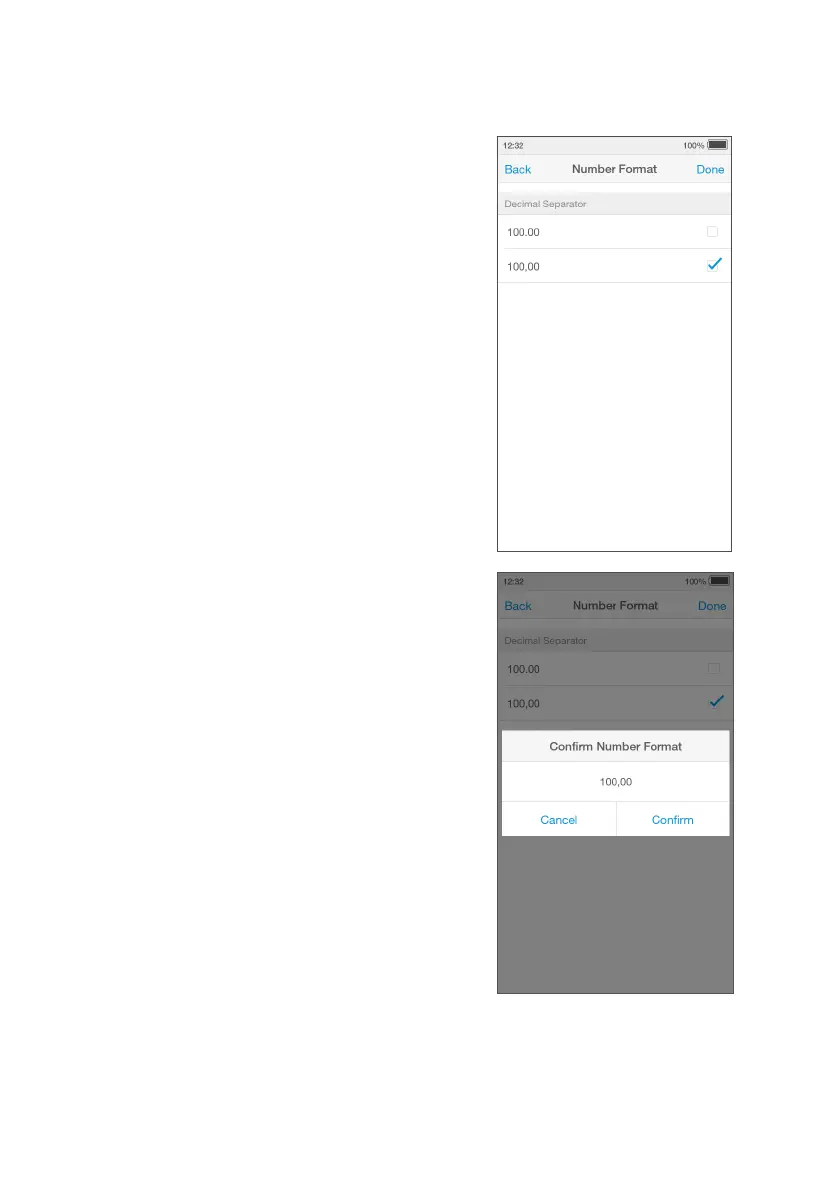
Set the ‘Number Format’, to set the decimal
separator for results to either “.” or “,”
according to local preferences. For instance,
a result can be represented as either
“9.8mg/L” or “9,8 mg/L”.
Go to ‘Settings’ and tap ‘Number Format’.
Select an option from the list by adding a
tick in the box against “100.00.” or “100,00”.
Review the option selected and ‘Confirm’.
Tap ‘Done’ to save and return to the Settings
menu.
Note: Changing ‘Result Unit Format’ and
‘Number Format’ does not change existing
results that are already stored in the
Instrument and/or in Connect or other
platforms.
IMPORTANT: Changing Number Format
will change the displayed and saved
Number Formats on all results. Refer to your
organizational polices before changing.



 To Next Page