Instrument Operation - 39
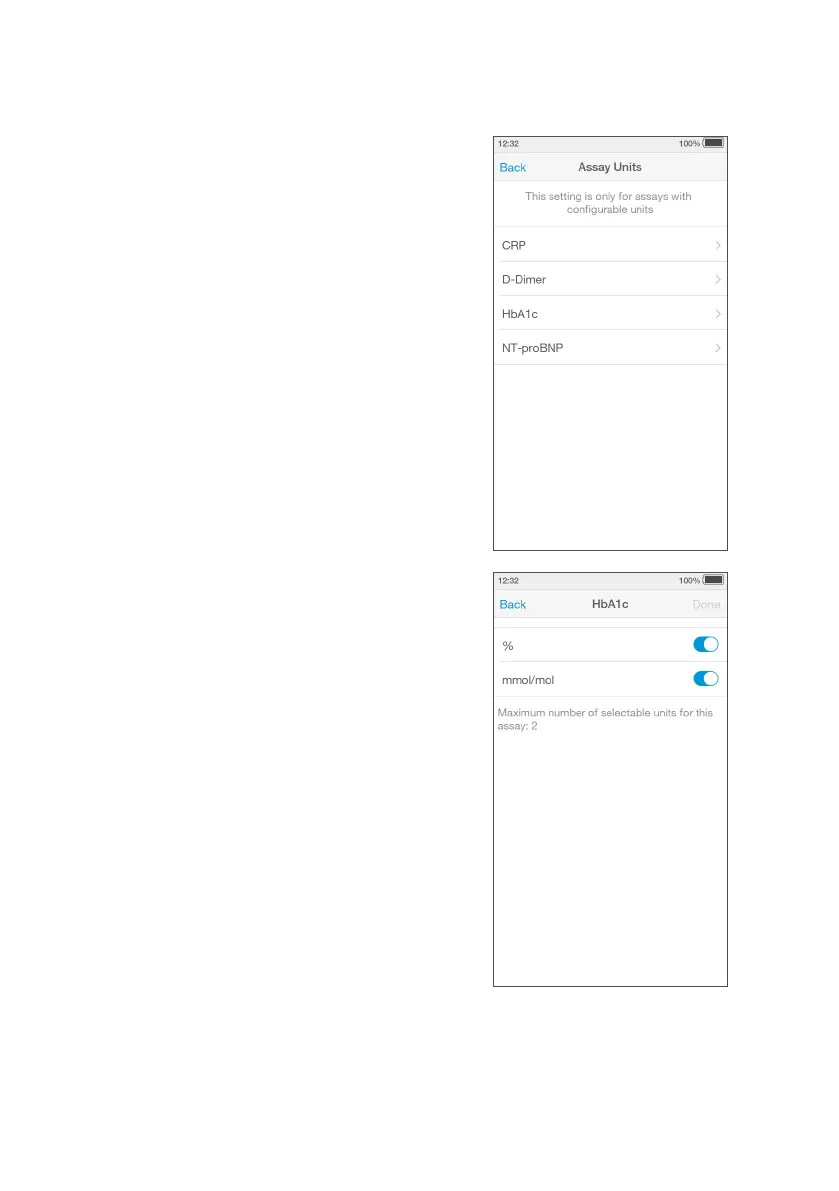
Assay Units
Units of measure can be configured to display on
Tests Results.
NOTE: For some Test Results there may not be an
option to configure units of measure as this varies
by test type.
NOTE: The list of Tests available will depend what is
available in your region.
Go to ‘Settings’ and tap ‘Assay Units’.
Select the Test from the list.
Using the sliders select the units displayed on the
Test Result.
NOTE: When the slider is moved to the right,
highlights a units of measure is turned on.
NOTE: The maximum selectable units for a Test may
vary by test type.
Tap ‘Done’ to save and return to the Settings menu.
IMPORTANT: Changing units will change the
displayed and saved units of the measure for a
Test. Refer to your organizational polices before
changing.



 To Next Page