Instrument Operation - 45
5. Using the Instrument in EHR Connected
Mode
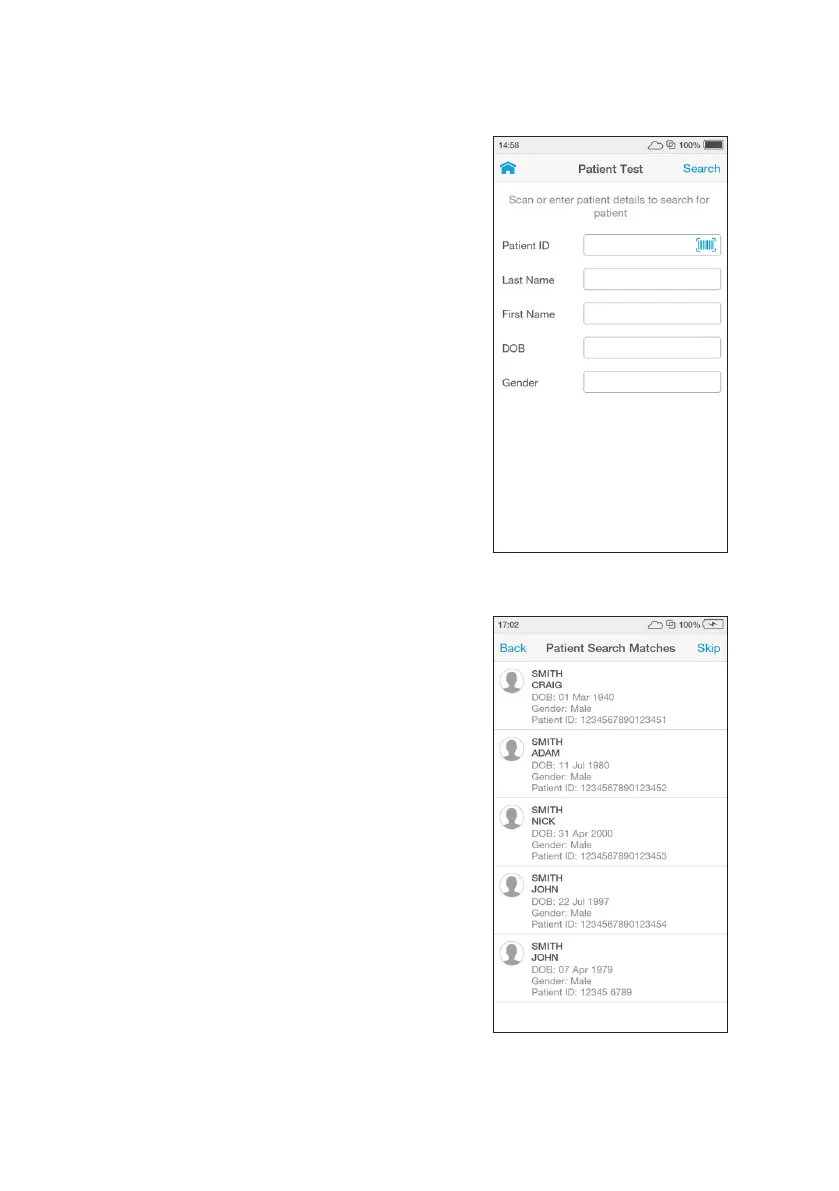
If the Instrument has an active connection
to the EHR, scan the Patient ID using the
Barcode Scanner or search for the patient in
the HIS or LIS by entering patient details, then
tap ‘Search’.
Note: If no patient details are available,
tap ‘Search’ without adding any details. To
search for a patient either the full Patient ID
or Last Name must be entered.
EHR Connect Patient Search
If only one patient matches the details
entered, the Instrument will show the
‘Confirm Patient Details’ screen. If between
2 and 5 patients match the search details
entered, the list of matches will be shown.
Select the correct patient from the search
list.
Note: Tap ‘Skip’ to proceed without selecting
one of the patients available in the search
list.



 To Next Page