44 - Instrument Operation
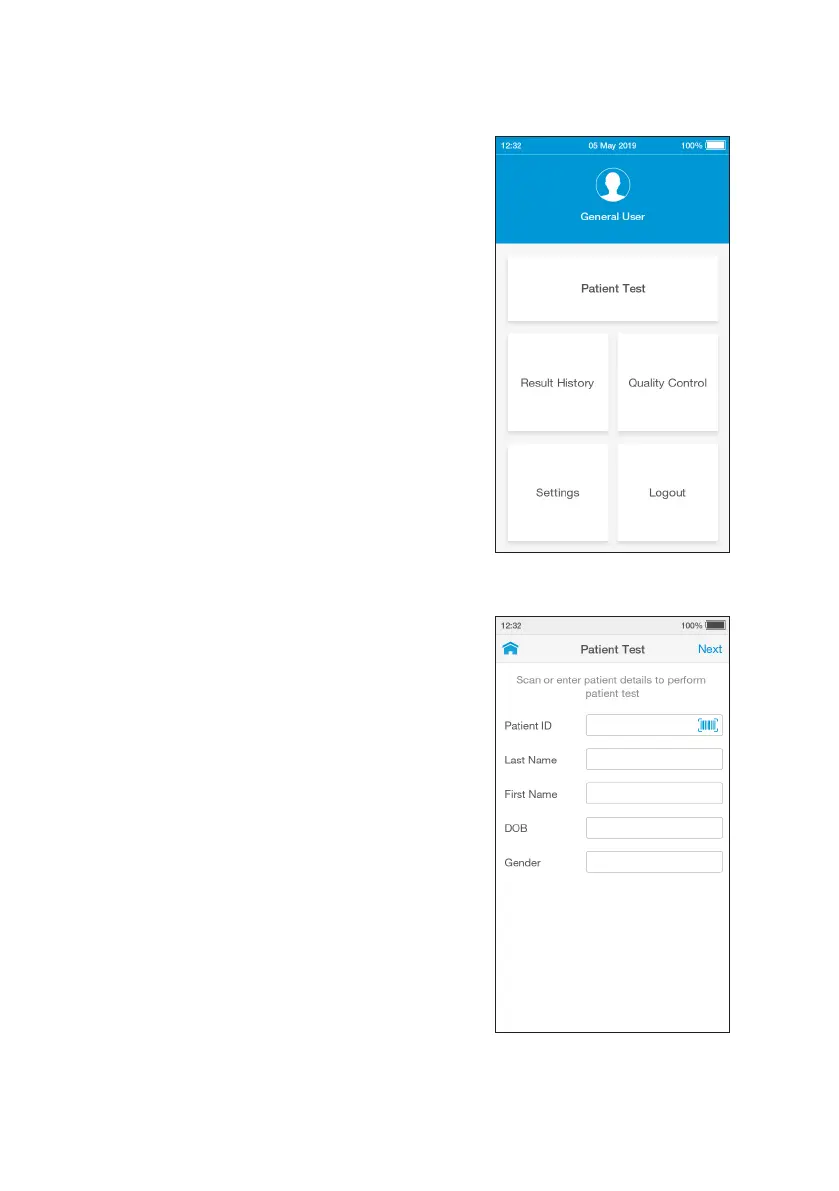
2. Check Date and Time
Check that the date and time are correct.
If not correct, the current date and time will
need to be set by the administrator. Refer
to “First time setup” in this chapter for more
information.
3. Tap Patient Test
Tap the ‘Patient Test’ button on the home
screen.
4. Enter Patient Details
Tap any field to use the keyboard to enter
patient details, or scan the patient ID using
the Barcode Scanner. Refer to the “Ancillary
devices” chapter in this Platform User Manual
for scanning instructions.
Use the ‘Enter’ button on the keyboard to
move from field to field, or tap a field to
enter additional details.
Complete all available patient details, then
tap ‘Next’ to continue.
Note: Tap ‘Next’ if no patient details are
available.



 To Next Page