58 - Instrument Operation
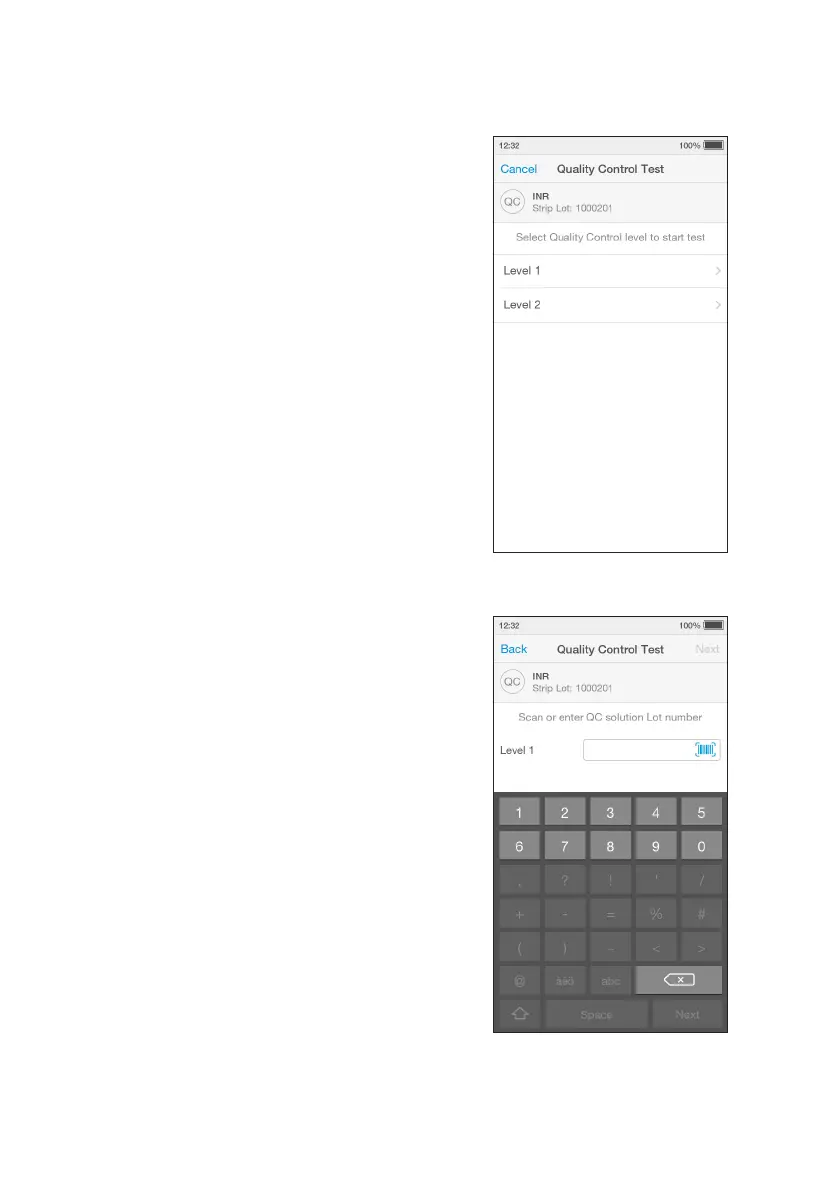
8. Select Quality Control Level
Select the intended Quality Control from the
list displayed.
Please refer to the LumiraDx Quality Control
Product Insert for more information.
Note: The Instrument will prompt when to
apply the Quality Control solution to the Test
Strip.
9. Enter Quality Control Lot Number
Tap the input field to use the keyboard to
enter the 16 digit Quality Control Lot number,
and tap ‘Next’ to continue.
Alternatively scan the Quality Control
barcode using the Barcode Scanner.
Refer to the “Ancillary devices” chapter
in this Platform User Manual for scanning
instructions.
Note: If the barcode from a different QC
level or test from the one selected on the
previous screen is entered an error message
will display.



 To Next Page