luxul.com | 357 South 670 West | Suite 160 | Lindon, UT 84042 | p: 801-822-5450 | f: 801-822-5460
User Guide
15
CAUTION:
Do
not
dis
able
por
ts
unles
s
nec
essary.
w
Auto Negotiate: If “Disable” is selected, you must manually specify the speed
and duplex the port will use.
NO
TE:
In
or
der
t
o
s
et
or
chang
e
“Speed
Duplex”
s
ettings,
y
ou
must
“Dis
able”
the
aut
o-negotiation
func
tion.
w
Speed Duplex: Select 10 Mbps half-duplex, 10 Mbps full-duplex, 100 Mbps half-
duplex, 100 Mbps full-duplex or 1000 Mbps full-duplex mode for the port.
w
Flow Control: Support for IEEE802.3x full-duplex flow control and half-duplex
backpressure flow control disabled by default (if “Enabled” the XMS-1024 will
automatically adjust the flow control mode depending on the duplex mode).
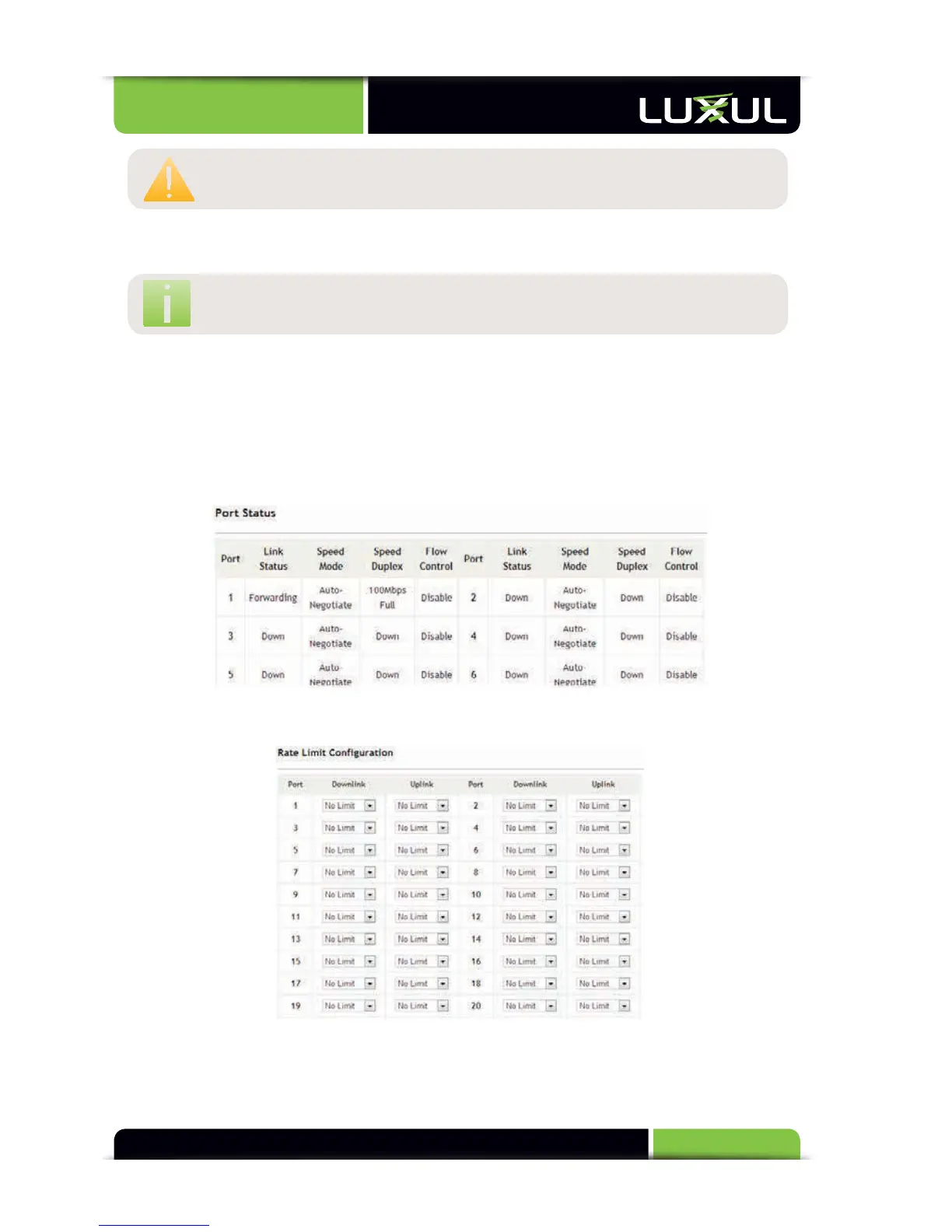
Port Status: Lists the current settings of all ports, as shown below.
5.3.2 Rate Limit



 To Next Page