luxul.com | 357 South 670 West | Suite 160 | Lindon, UT 84042 | p: 801-822-5450 | f: 801-822-5460
User Guide
9
SYS
On Indicates that the XMS-1024 is running normally.
Flashing Indicates
tha
t
the
XMS
-1024
is
r
estoring
def
ault
settings.
Off Indicates
tha
t
the
XMS
-1024
is
in
star
tup
and
initializa
-
tion
pr
ocess
or
is
not
on.
At
star
tup,
por
t
LEDs
will
flash
f
or
1
s
econd
as
a
s
elf
t
est.
When an SFP optical interface is in use, the 1000 Mbps LED and the Link/Activity
LED of the corresponding Ethernet port are both on to indicate the SFP status.
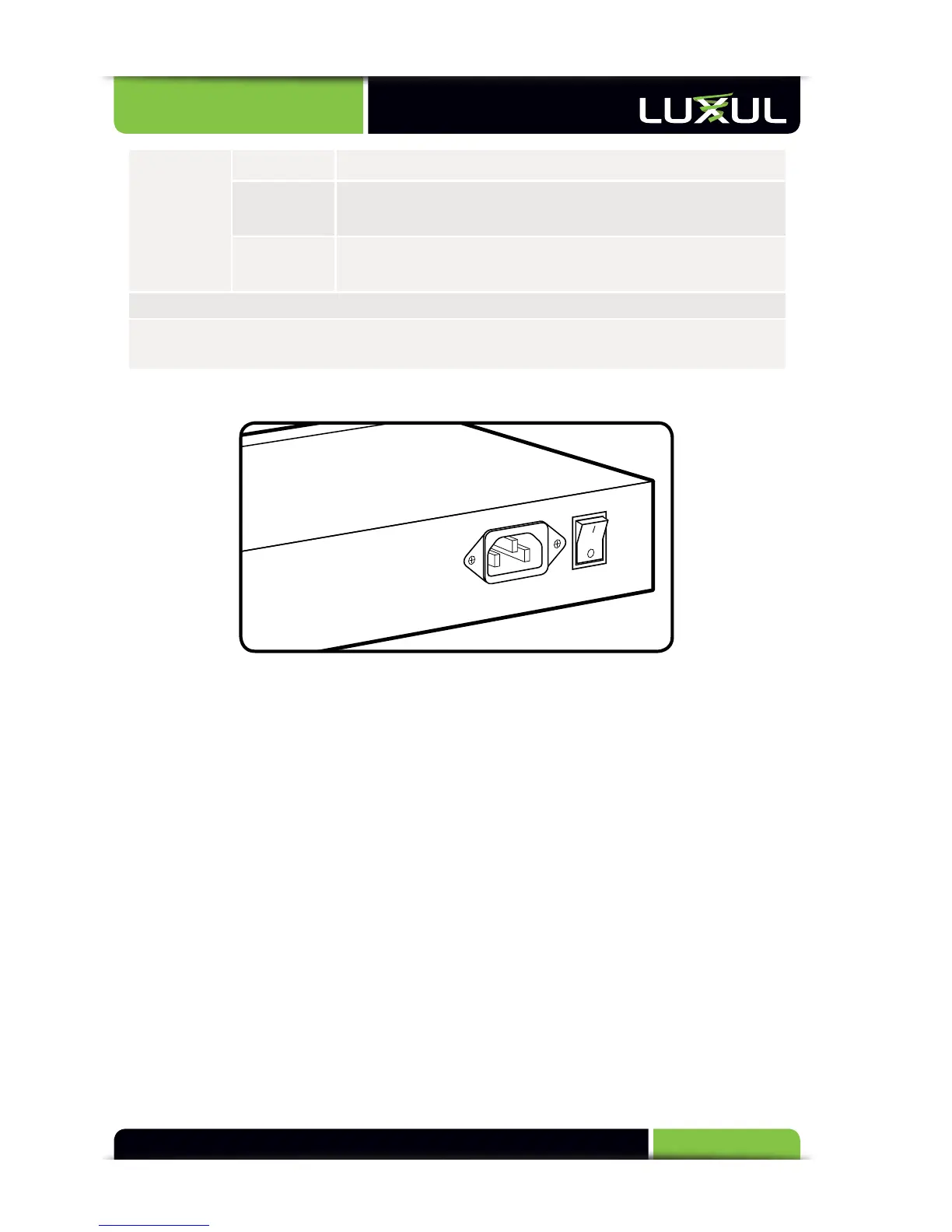
2.3 Rear Panel
XMS-1024 Rear Panel View
Power Input: Please use the included power cable
3. PREPARING FOR INSTALLATION
3.1 System Requirements
Ethernet Cables to connect the XMS-1024 to Ethernet enabled devices
Computer equipped with a Web browser. Supported Web browser versions
include Microsoft IE 6.0 and up, Safari 1.0 and up or Mozilla Firefox 1.0 and up.
The Web browser is used to configure the XMS-1024.
Power must be AC 100-240V~ 0.6A(Max) 50/60Hz.
3.2 Before Connecting to the Network
The XMS-1024 can be rack-mounted or used as a desktop switch. Before connect-
ing to the network, please be aware of the following requirements:
Install the XMS-1024 in a stable/safe place to avoid any possible damage



 To Next Page