User Guide
36
© Copyright 2013 Luxul. All rights reserved. Trademarks & Registered Trademarks are property of respective holders.
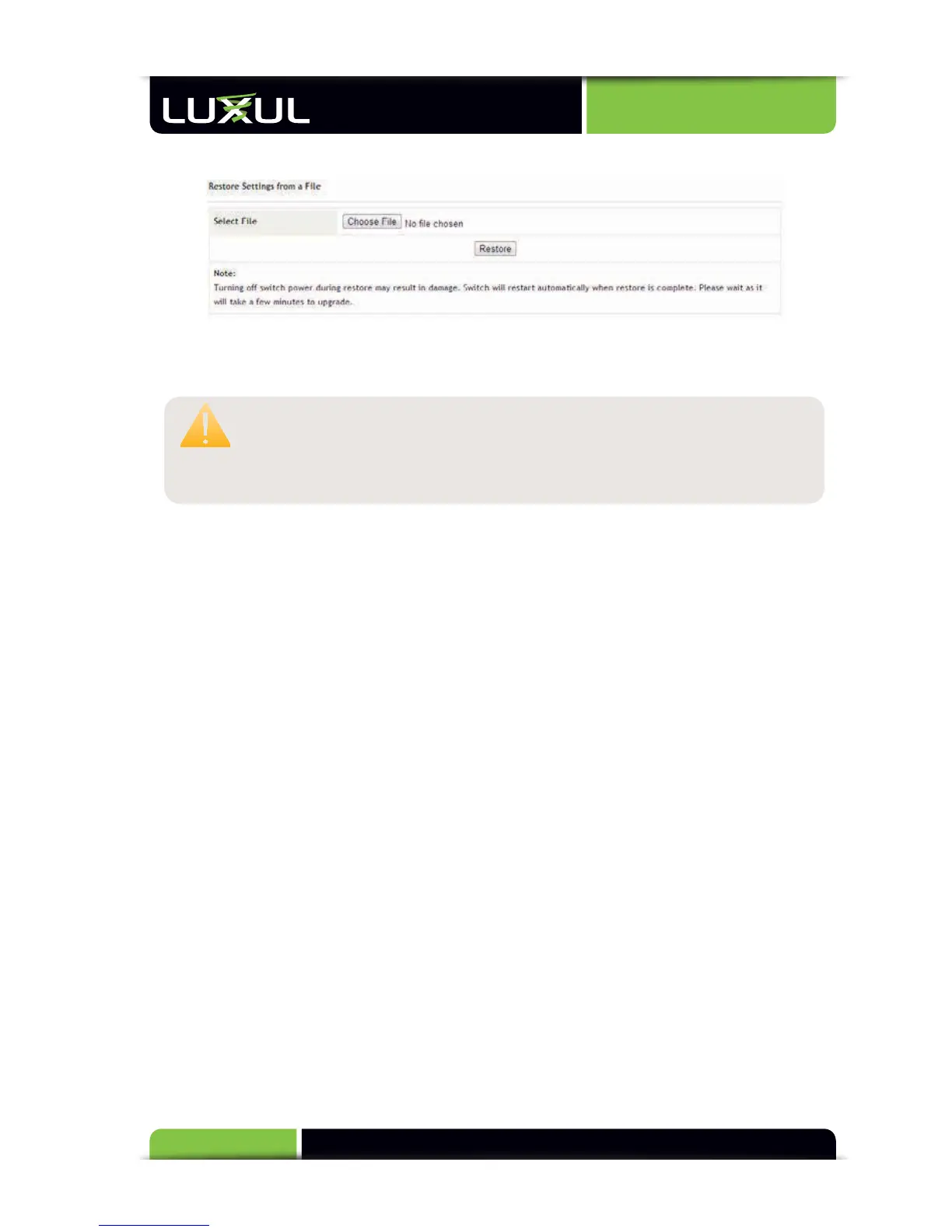
5.12.9 Restore
Restore Settings from a File: Restores the backup switch configuration. Click
“Browse” and select the backup file on your computer, and then click “Restore”.
CAUTION:
It
tak
es
about
30
s
econds
t
o
c
omplete
the
r
estoration.
T
o
a
void
err
ors
during
the
r
estoration,
do
not
po
wer
off
the
s
witch
or
c
omputer
being
us
ed.
At
the
end
of
r
estoration,
y
ou
will
need
t
o
r
estart
the
s
witch.
5.12.10 Logout
This function is used to exit the switch configuration.
6: REGULATORY COMPLIANCE
This device is approved under the Luxul brand and designed to comply for use spe-
cifically with other approved Luxul devices. This device is designed to be compliant
with rules and regulations in locations where they are sold and will be labeled as
r
equired.
Any
chang
es
or
modifica
tions
t
o
Luxul
equipment,
not
expr
essly
ap
-
proved
b
y
Luxul,
c
ould
v
oid
the
us
er’s
authority
t
o
oper
ate
the
equipment.
This
Luxul
de
vice
when
us
ed
in
c
onjunction
with
the
appr
oved
Luxul
Models
should
be
pr
ofessionally
installed
and
the
Radio
Fr
equency
Output
P
ower
will
not
ex
ceed
the
maximum
allo
wable
limit
f
or
tho
se
c
ountries
tha
t
ha
ve
r
egulatory
appr
oval.
6.1 Health and Safety Recommendations
Warnings for the use of Wireless Devices: Please observe all warning notices with
regard to the usage of wireless devices
Potentially Hazardous Atmospheres: You are reminded of the need to observe
restrictions on the use of radio devices in fuel depots, chemical plants etc. and areas
where the air contains chemicals or particles (such as grain, dust, or metal powders).
Safety in Hospitals: Wireless devices transmit radio frequency energy and may
affect medical electrical equipment. When installed adjacent to other equipment,
it is advised to verify that the adjacent equipment is not adversely affected.



 To Next Page