luxul.com | 357 South 670 West | Suite 160 | Lindon, UT 84042 | p: 801-822-5450 | f: 801-822-5460
User Guide
29
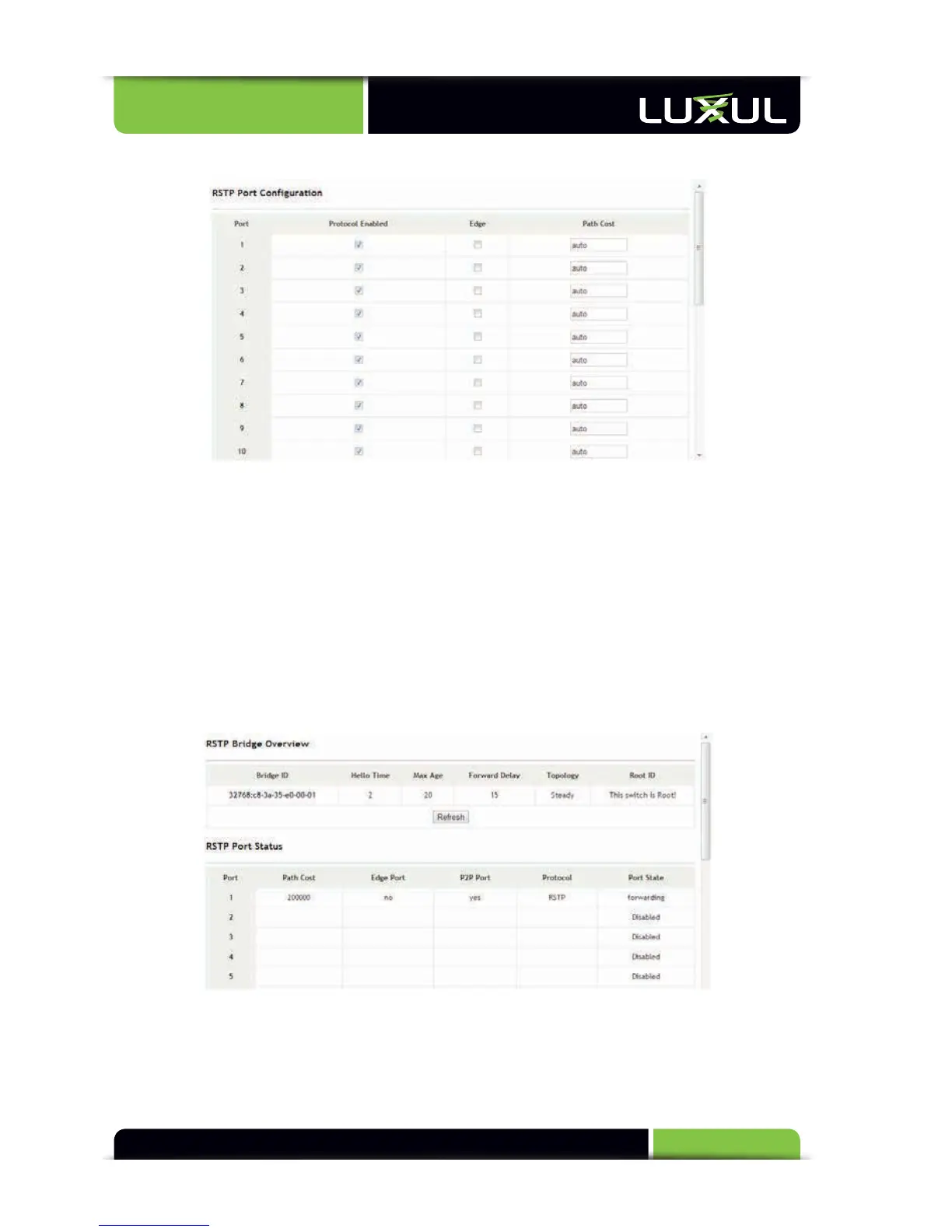
5.10.2 RSTP Port Configuration
Protocol Enabled: Enables or disables the RSTP function by port. By default this
function is disabled for all ports
Edge: If a port is directly connected with a device, the port should be set as an
edge port. Edge ports feature faster status transition, taking a shorter time to
change from blocking state into forwarding state.
Path Cost: Sets a value ranging 0 to 200000000. “Auto” indicates that the XMS-
1024 will automatically determine the lowest port path cost depending on the
port rate.
5.10.3 RSTP Status
RSTP Bridge Overview: Displays the Bridge ID, Hello time, Maximum Aging Time,
Forwarding Delay, Topology, and Root Bridge ID specified by the system
RSTP Port Status: Displays the Path Cost, Edge Port setting, P2P Port, Protocol,
and Port State specified by the system.



 To Next Page