User Guide
8
© Copyright 2013 Luxul. All rights reserved. Trademarks & Registered Trademarks are property of respective holders.
CAUTION:
Res
etting
the
XMS
-1024
t
o
f
actory
def
aults
will
r
emove
all
cust
om
s
ettings.
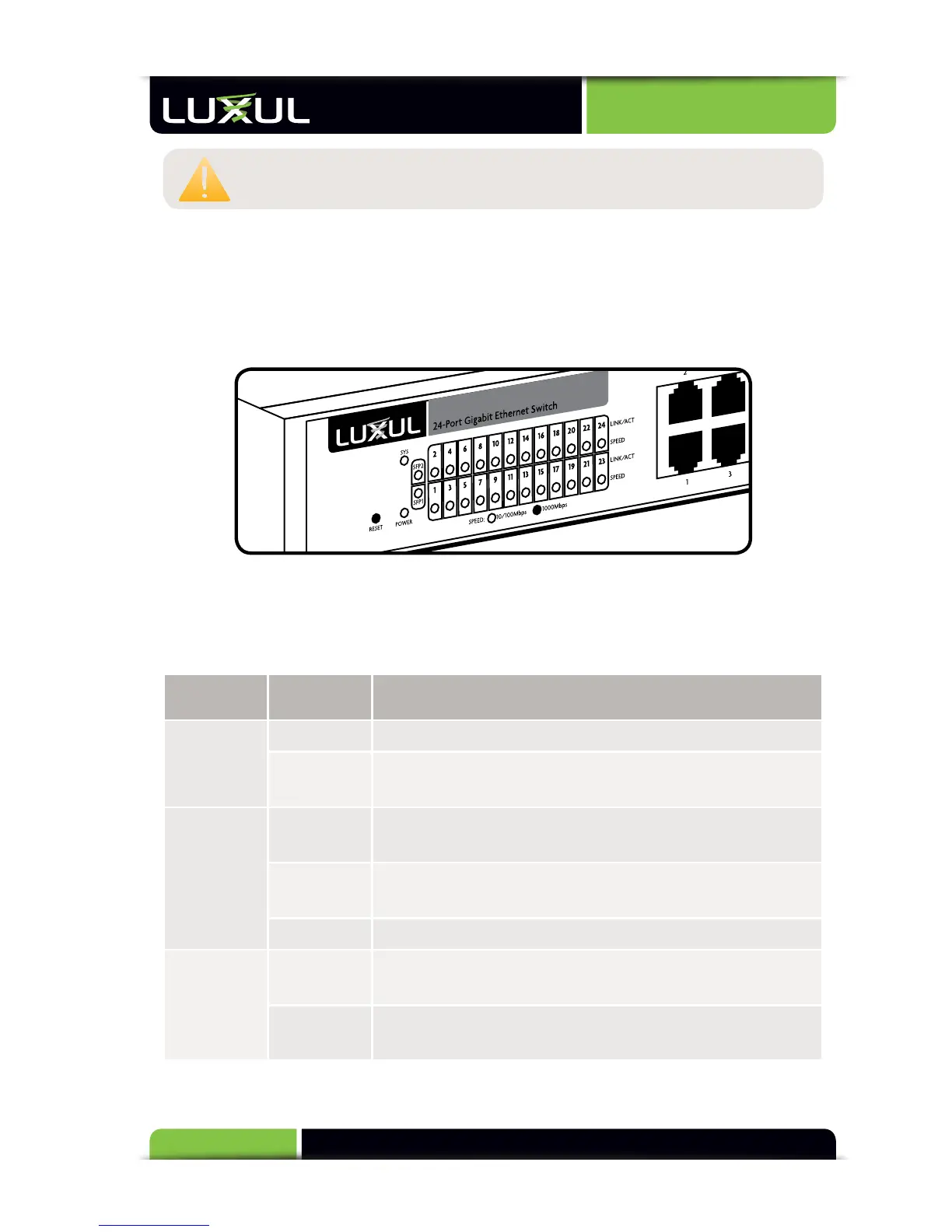
2.2 LED Indicators
Each port has one numbered Link/Activity LED and one 1000 Mbps LED. The SFP in-
terface shares the LED indicators with the corresponding Ethernet Port. In addition,
there is one System LED and one Power LED, as well as a Reset button to reboot the
device or restore factory default settings.
LED Indicators
The
gr
een
LED
indica
tors
sho
w
the
w
orking
sta
tus
of
the
s
witch.
The
f
ollowing
table
des
cribes
the
LED
func
tionality:
Indicator
N
ame
Description
Power
On This LED indicates that there is power to the XMS-1024
Off If LED is off, check power connections and on/off
switch at the back of the unit.
Link/Act
On The Link/Activity LED of the port will be on if there is
a device connected to the port.
Flashing The Link/Activity LED flashes when a port is receiving
or transmitting data.
Off There is nothing connected to the port.
1000 Mbps
On The 1000 Mbps LED will come on if a device capable
of 1000Mbps is connected to the port.
Off If a port has no device connected or it is not a 1000
Mbps capable device, the 1000 Mbps LED will be off.



 To Next Page