User Guide
20
© Copyright 2013 Luxul. All rights reserved. Trademarks & Registered Trademarks are property of respective holders.
w
VLAN Group: Defines the ports belonging to a specified VLAN. By default,
group 1 includes all 24 ports
w
VLAN Member: Adds the selected ports of the XMS-1024 to the specified
VLAN
Adding a Port to VLAN: To add a port, select the VLAN group, then mark the
box to designate which ports should belong to the selected VLAN.
NOTE: When modifying an already configured VLAN, all ports will show
up as unchecked. Any port left unchecked, will not be part of the
group.
To remove a port from a specified VLAN, first select the VLAN group you
wish to remove it from. Then, check the ports you wish to remain in the
VLAN while leaving the ports you wish to remove unchecked.
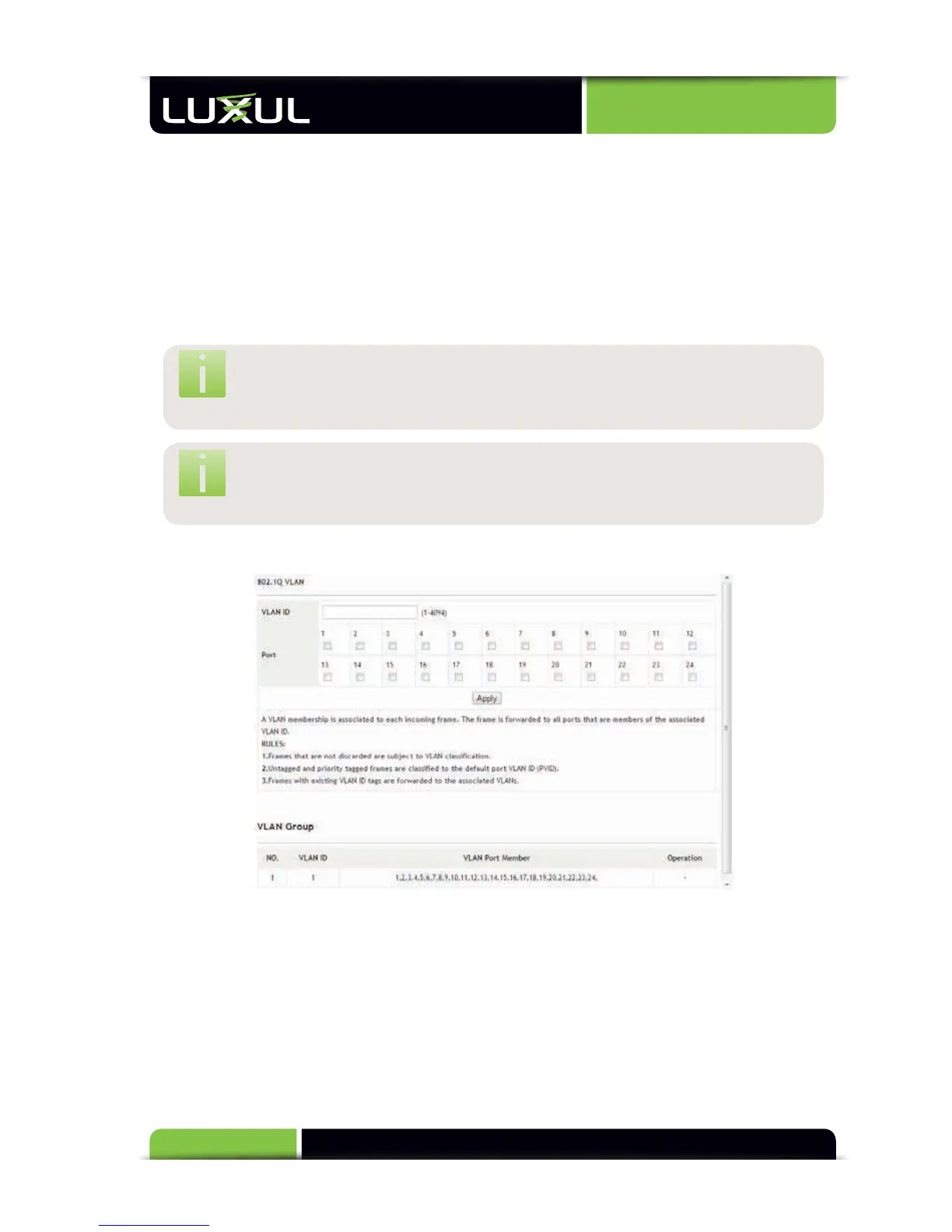
5.5.3 802.1Q VLAN Configuration
In 802.1Q VLAN mode (Tagged mode), the port VLAN ID (VID) is used to distinguish
to which VLAN the traffic belongs. When a packet passes through the switch, the
VID information in the tag header indicates to which VLAN the packet belongs.
The switch then determines the destination ports according to the VID set in the
packet.
VLAN ID: Sets the VID identifiers associated with each port. All ports are set to
one by default.



 To Next Page