User Guide
24
© Copyright 2013 Luxul. All rights reserved. Trademarks & Registered Trademarks are property of respective holders.
NO
TE:
Applica
tions
lik
e
Video
Str
eaming
and
V
oIP
will
w
ork
best
with
high
priority
w
802.1P Tag Priority: Enables or disables 802.1P priority functions
w
ToS priority: Enables or disables ToS priority functions
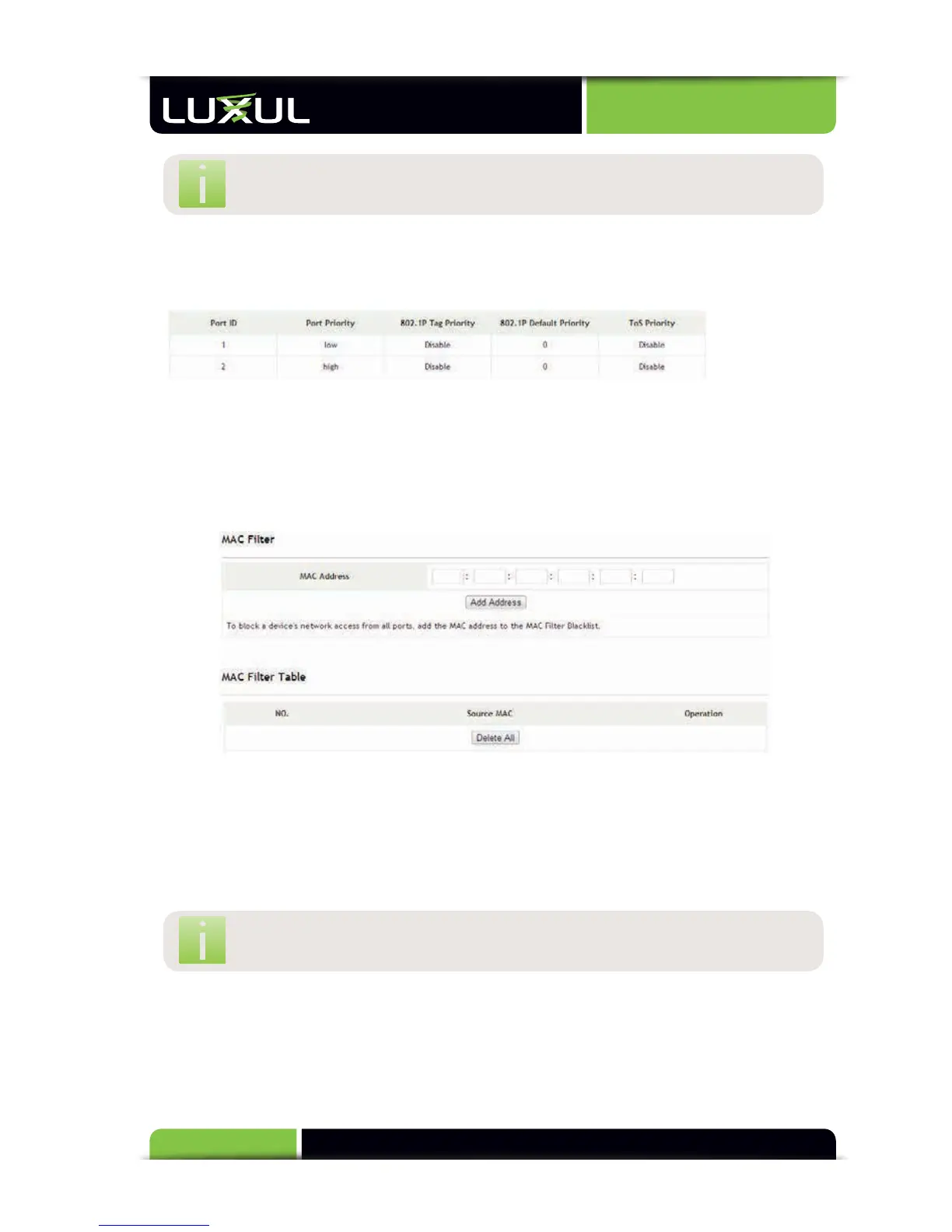
QoS Status Table: Displays the QoS status of all ports
5.8 MAC Settings
5.8.1 MAC Filter
5.8.2 Static MAC
5.8.1 MAC Filter
MAC Filter: This allows a MAC address to be added to a list that blocks that
particular address from connecting to the network. When the specified MAC
address tries to connect on any port of the XMS-1024, network communication
will be blocked.
MAC Address: Enter the MAC address to be filtered
NOTE: Any MAC address that has been added to the MAC filter will not
be allowed to pass any traffic until it is removed from the list
MAC Filter Table: Lists the MAC addresses to be filtered, as shown below. To
remove A MAC address from the filter table and allow access to the network,
click “Delete” on the right column next to the corresponding MAC address.



 To Next Page