User Guide
32
© Copyright 2013 Luxul. All rights reserved. Trademarks & Registered Trademarks are property of respective holders.
Information Base (MIB) of the switch. The XMS-1024 adopts standard MIB-II mod-
ules that support read function from any SNMP-based NMS software. MIB data
ma
y
be
s
et
t
o
either
r
ead-only
or
r
ead-write
mode.
The
def
ault
SNMP
c
ommunity
names
of
the
s
witch
can
be
us
er
modified.
Traps are messages generated by the XMS-1024 and used for notification of certain
events. Such events may be serious (i.e. switch reboot) or ordinary (i.e. the status
changes of a switch port). The XMS-1024 can generate traps and send them to
the NMS.
SNMP Configuration:
w
SNMP: Enables or disables the SNMP management function. SNMP is enabled
by default
w
SNMP Trap Destination: Sets the destination IP address of the Trap messages
generated by the XMS-1024
w
SNMP Read Community: Sets the read-only community name. For a device to
read the SNMP information of the XMS-1024, the SNMP management software
must contain the read-only community name
w
SNMP Write Community: Sets the read/write community name. For a device
to modify the SNMP information on the XMS-1024, the SNMP management
software must contain the read/write community name
w
SNMP Trap Community: Used by the SNMP management software to identify
the switch sending the Trap message
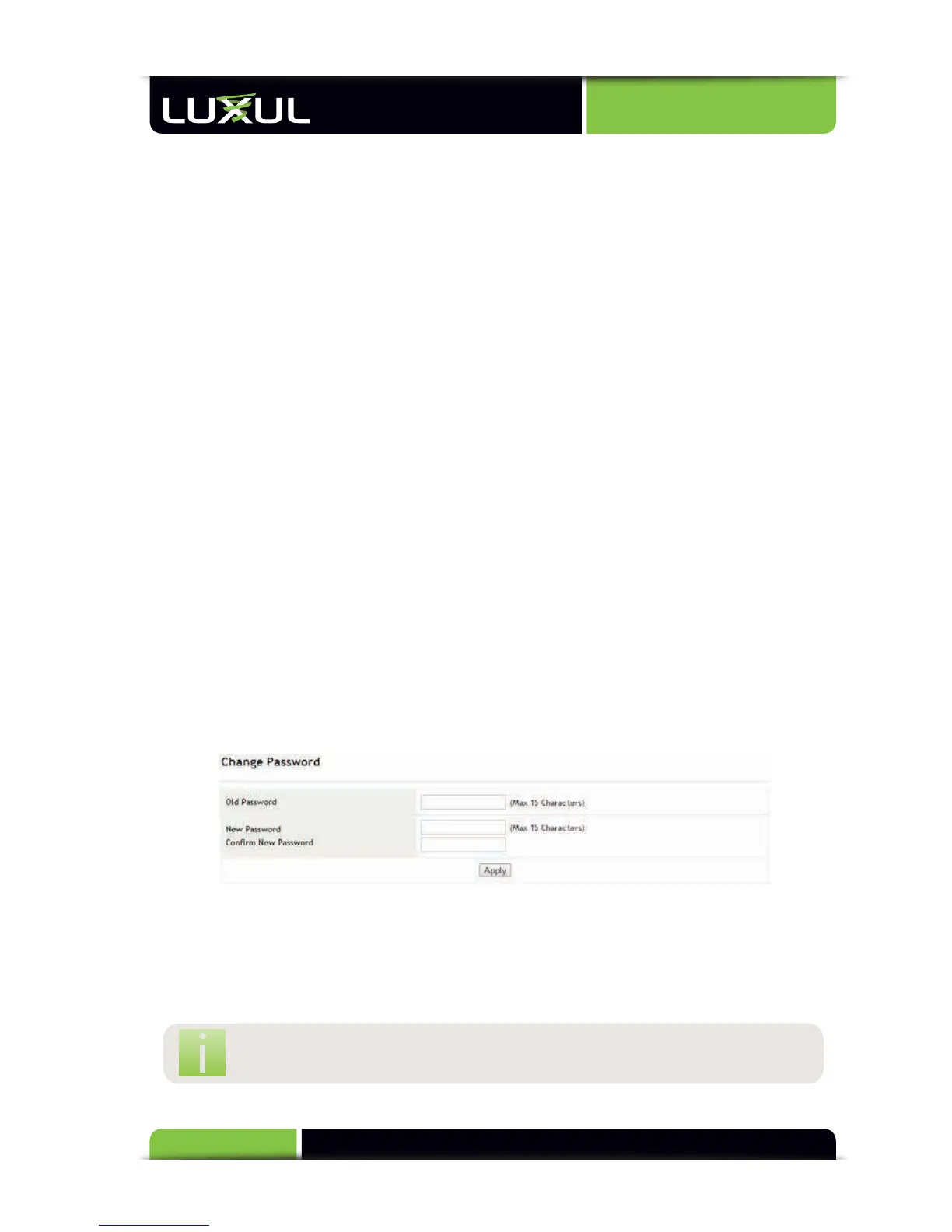
5.12.2 Change Password
Change Password: Modifies the password for switch login
w
Old Password: Enter the old password (Default password is “admin”)
w
New Password: Enter the new password
w
Confirm New Password: Re-enter the new password
NOTE: A password can consist of up to 15 alpha numeric characters.



 To Next Page