User Guide
16
© Copyright 2013 Luxul. All rights reserved. Trademarks & Registered Trademarks are property of respective holders.
Rate Limit Configuration: The XMS-1024 allows the user to set limits on how
much bandwidth is allocated to each port. This feature prevents a devices or user
fr
om
c
onsuming
ex
cessive
bandwidth
and
can
be
us
ed
t
o
guar
antee
g
ood
quality
bandwidth
t
o
all
client
de
vices
c
onnected
t
o
the
s
witch.
w
Port: Displays the corresponding port number for viewing or changing settings.
All 24 10/100/1000 Mbps Ethernet ports are available for configuration.
w
Downlink/Uplink: Control the receive/transmit data rates by port. Available
rates are: 128 Kbps; 256 Kbps; 384 Kbps; 512 Kbps; 640 Kbps; 768 Kbps; 896 Kbps;
1024 Kbps; 1152 Kbps; 1280 Kbps; 1408 Kbps; 1536 Kbps; 1664 Kbps; 1792 Kbps;
1920 Kbps; 2048 Kbps; 2176 Kbps; 2304 Kbps; 2432 Kbps; 2560 Kbps; 2688 Kbps;
2816 Kbps; 2944 Kbps; 3072 Kbps; 3200 Kbps; 3328 Kbps; 3456 Kbps; 3584 Kbps;
3712 Kbps; 3840 Kbps; 3968 Kbps; No Limit.
NOTE: If the selected rate is higher than the actual connection rate of
the client device, the device will operate at its maximum data
rate.
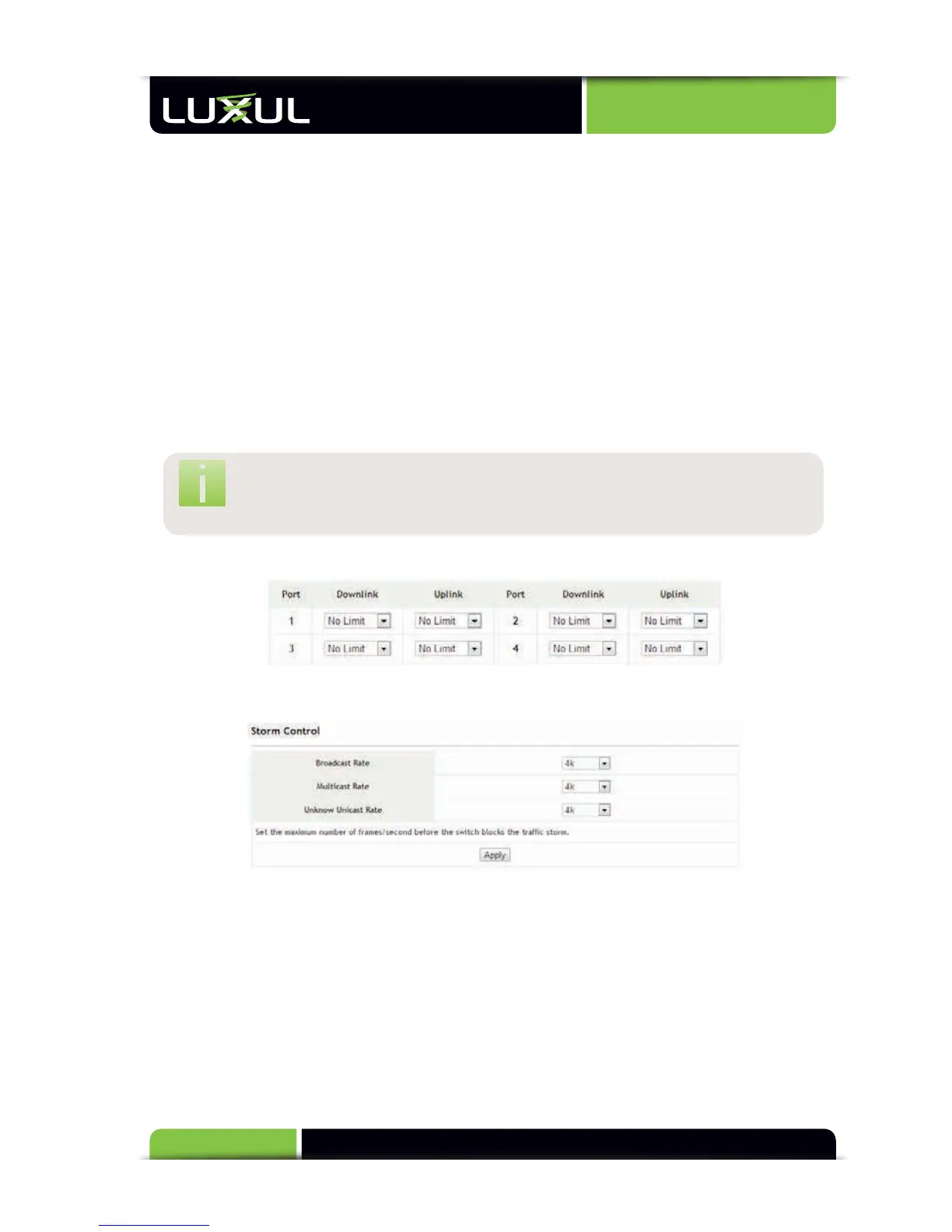
Rate Limit: Displays the bandwidth control status of all ports, as shown below.
5.3.3 Storm Control
Storm Control: Suppresses the transfer of bandwidth limiting broadcast packets
through the switch. When broadcast packets reach the set bandwidth limitation,
the XMS-1024 automatically discards the packet to ensure a stable environment
that is free from broadcast storms.
w
Broadcast Rate: The allowed bandwidth rate of broadcast packets. Default is
1024kb or 1mb/second.
w
Multicast Rate: The allowed bandwidth rate of multicast packets. Default is
1024kb or 1mb/second.



 To Next Page