User Guide
38
© Copyright 2013 Luxul. All rights reserved. Trademarks & Registered Trademarks are property of respective holders.
APPENDIX 1: COMMON COMMANDS
Common
Commands
D
escription
cmd
Enter
the
c
ommand
line
mode
of
a
Windo
ws
s
ystem
(
applicable
t
o
Windo
ws2000
and
higher
).
ipc
onfig
Displays the IP address of the computer. (i.e. ipconfig/all) Must be
run from the command line.
ping
Us
ed
t
o
t
est
f
or
netw
ork
a
vailability
and
de
vice/system
r
ecognition.
De
vice
s
ends
a
pack
et
t
o
the
tar
get
ho
st
and
asks
f
or
a
r
esponse.
If
the
de
vice
r
eceives
a
r
esponse
fr
om
the
tar
get
ho
st,
it
can
then
s
ee
the
netw
ork
r
esponse
time
and
c
onnection
sta
tus
betw
een
the
local
de
vice
and
tar
get
ho
st.
Must
be
run
fr
om
the
c
ommand
line.
netstat
Displays details of current active network connections including
routing table and network interface information. Can also be used
to count the active network connections. Must be run from the
command line.
tr
acert
Displays
the
pa
th
tak
en
b
y
a
pack
et
bef
ore
r
eaching
the
tar
get
ho
st
and
the
specific
time
when
it
r
eached
e
ach
node.
Similar
t
o
the
Ping
c
ommand
but
pr
ovides
mor
e
detailed
inf
ormation.
Displa
ys
the
entir
e
pa
th
and
IP
addr
ess
of
e
ach
node
in
the
pa
th
and
t
otal
elap
sed
tim.
Must
be
run
fr
om
the
c
ommand
line.
APPENDIX 2: TCP/IP ADDRESS SETTING (WINDOWS XP)
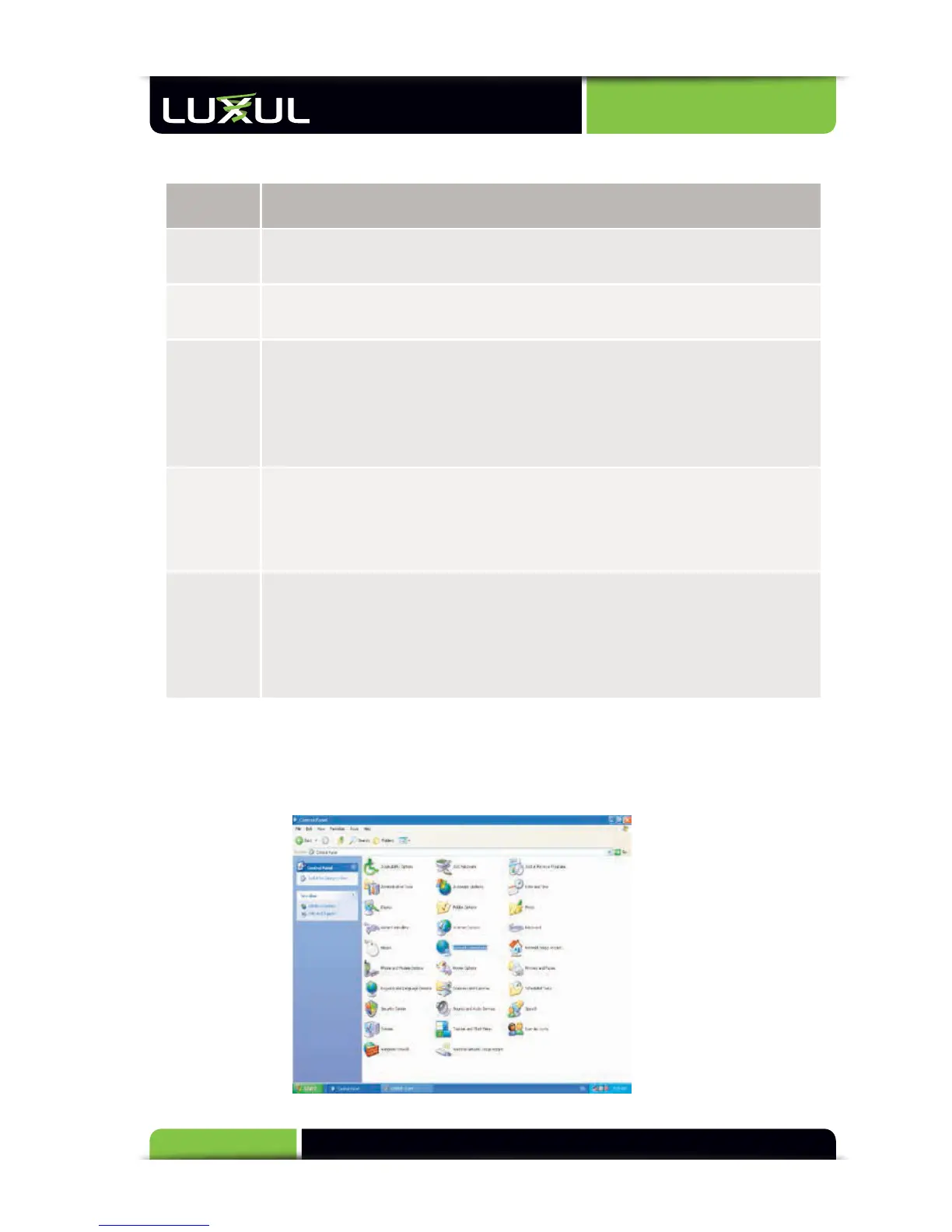
Select “Start Control Panel (see Figure 1). Select “Classic View” if you do not see the
options below.
Figure 1



 To Next Page