User Guide
26
© Copyright 2013 Luxul. All rights reserved. Trademarks & Registered Trademarks are property of respective holders.
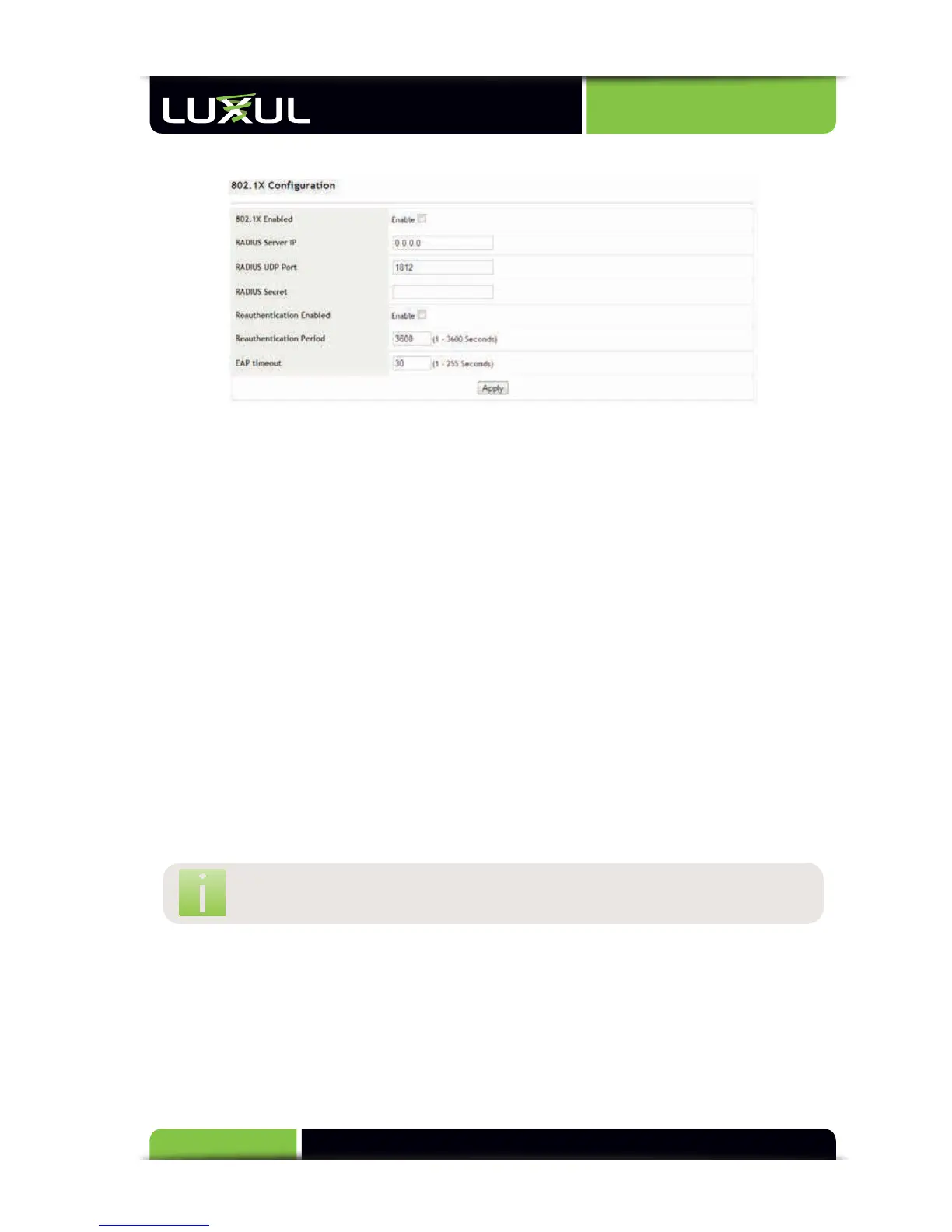
5.9.1 802.1X Configuration
802.1X Enabled: Mark the box to enable or leave it unmarked to disable the
802.1X authentication function
RADIUS Server IP: Sets the IP address of the RADIUS server
RADIUS UDP Port: Sets the RADIUS UDP port of the XMS-1024. It is set to 1812 by
default
RADIUS Secret: Sets the value of the secret key the XMS-1024 sends to the
corresponding RADIUS server. If there is a mismatch, the server will drop all
authentication requests.
Reauthentication Enabled: Enables or disables the reauthentication function.
This setting, in tandem with the “Reauthentication Period” setting will force
authenticated devices to reauthenticate after the period expires
Reauthentication Period: Sets the time period interval for required reauthenti-
cation. This period is 3600 seconds by default (i.e. reauthentication is performed
each hour).
EAP Timeout: Sets the timeout interval of Extensible Authentication Protocol
(EAP) authentication response. This is set to 30 seconds by default
NOTE: The EAP Timeout value may need to be increased in large or busy
networks to prevent authentication timeout.



 To Next Page