LX 10k
Vario Indicator Unit
Document name: LX 10KUM
Document revision: R1
7.1.1.7 Flight mode status indicator
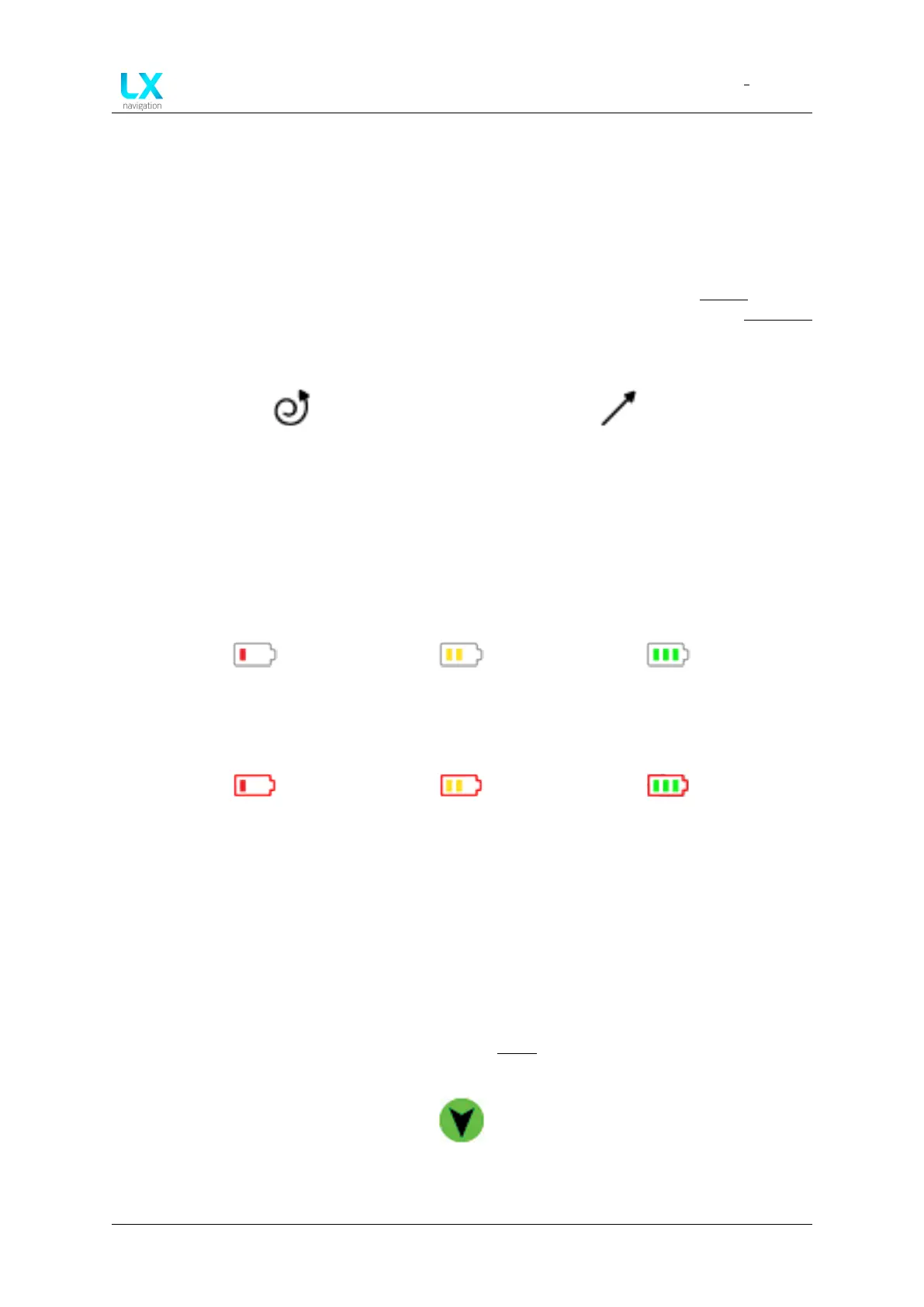
The flight mode indicator depicts whether the device is currently in straight flight, or circling
mode. The common way to transition between the two modes is by activating the SC (Speed
Command) button/switch, or by using one of the automatic ways, implemented into the device.
For additional information on how to setup different input switches, check the Inputs section.
For additional info on how to change between flight modes automatically, check the Vario/SC
setup menu.
Figure 89. Device is currently in cir-
cling mode
Figure 90. Device is currently in
straight flight mode
7.1.1.8 Battery status indicator
White battery outline indicates the device is running on external power, while a red battery out-
line indicates the device is running on internal power.
Figure 91. 1 red bar
(less than 10.8V)
Figure 92. 2 yellow bars
(more than 10.8V)
Figure 93. 3 green bars
(more than 12.0V)
Figure 94. 1 red bar
(less than 20 % backup
battery left)
Figure 95. 2 yellow bars
(21 - 80 % backup
battery left)
Figure 96. 3 green bars
(81 - 100 % backup
battery left)
7.1.1.9 Wind indicator
The wind indicator shows three important wind parameters. Firstly, it shows the wind direction
relative to our current track, with the black/green arrow indicator shown by figure 97. Right to
the wind circle, wind absolute direction is shown, as well as the wind speed, along with the
speed units. For info on how to set units, check the Units setup menu.
Figure 97. Wind relative
direction indicator
Device manual Public 87



 To Next Page