6 (E)
LT10A / LT11A Series
4-1. Front panel
4. Name and function of each part
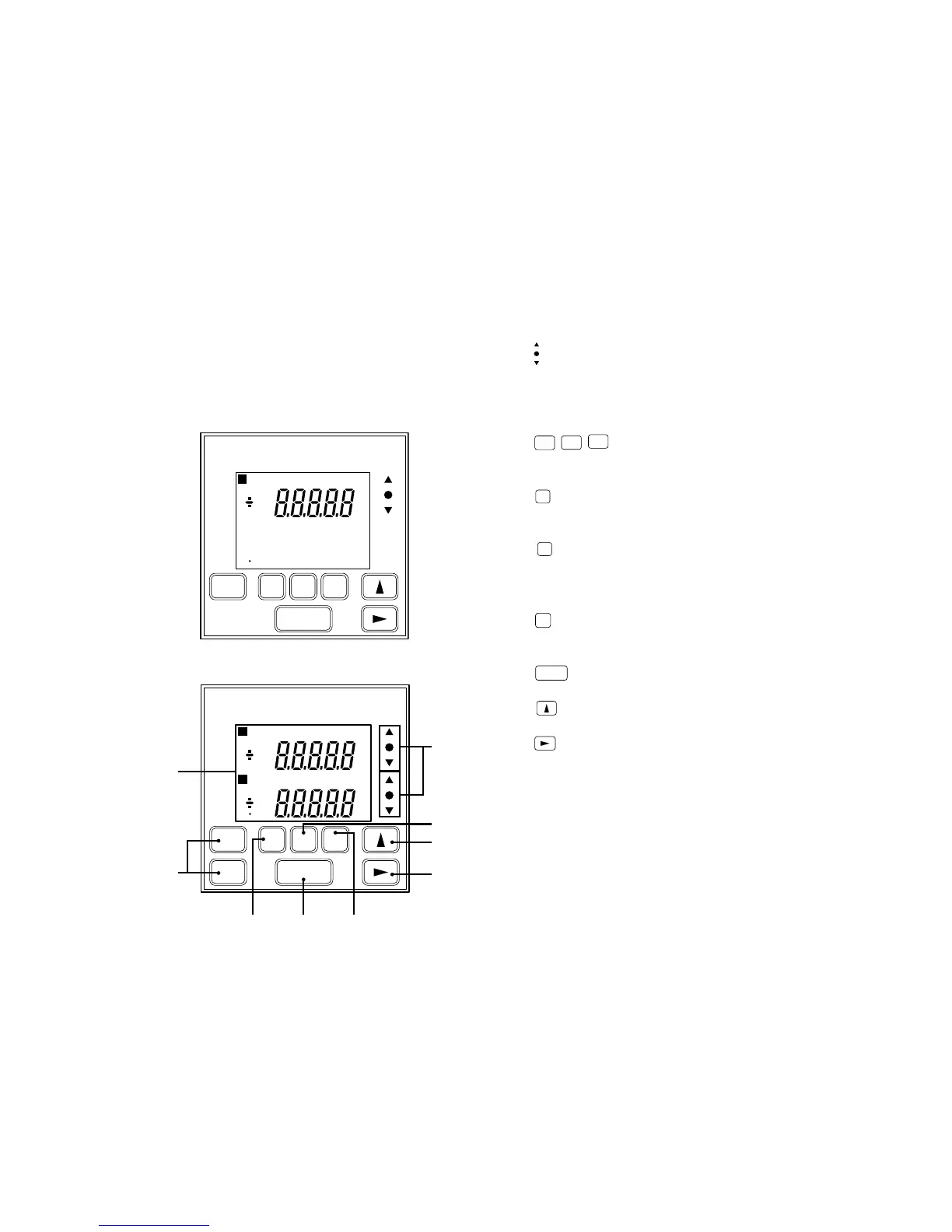
q
: Go/No Go test result indicator
Gives the result of comparing the displayed value to
the comparator’s upper and lower limits. ∆ Over upper
limit, \ between upper and lower limit, ∇ under lower
limit.
w
RESET
RESET
A
RESET
B
: Reset key
• Resets the displayed value to zero.
• When a value has been preset it returns to this.
e
P
: Preset key
Enters the preset mode. (For the current value,
maximum value, and minimum value.)
r
MODE
: Measuring mode setting key
Key to enter the mode for selecting one of maximum,
minimum, peak-to-peak (maximum–minimum), or
current values.
t
COMP
: Comparator value setting key
Key to enter the mode for setting the comparator upper
or lower limit.
y
SET
: Setting key
Set a mode or a value.
u
: Number selection key
Selects the number for the digit chosen.
i
: Digit selection key
• Selects the digit to change when setting numeric
values.
• Normally, when it is held down for 5 seconds, key
lock is established; alternatively, if key lock is already
established, it is released.
Main display
1 CH input model : LT10A-105/105B/105C
LT11A-101/101B/101C
2 CH input model : LT10A-205/205B/205C
LT11A-201/201B/201C
mm
M A X M I N P — P C P H1 2 3 4
P
RESET
SET
P
MODE COMP
q
r
u
i
tye
w
mm
M A X M I N P — P C P H1 2 3 4
P
RESET
SET
P
MODE COMP
mm
M A X M I N P — P C P L1 2 3 4
P
A+B
BA
A
RESET
B



 To Next Page