90-13645--2 4957B-8 OUTBOARD MOTOR INSTALLATION/ATTACHMENTS
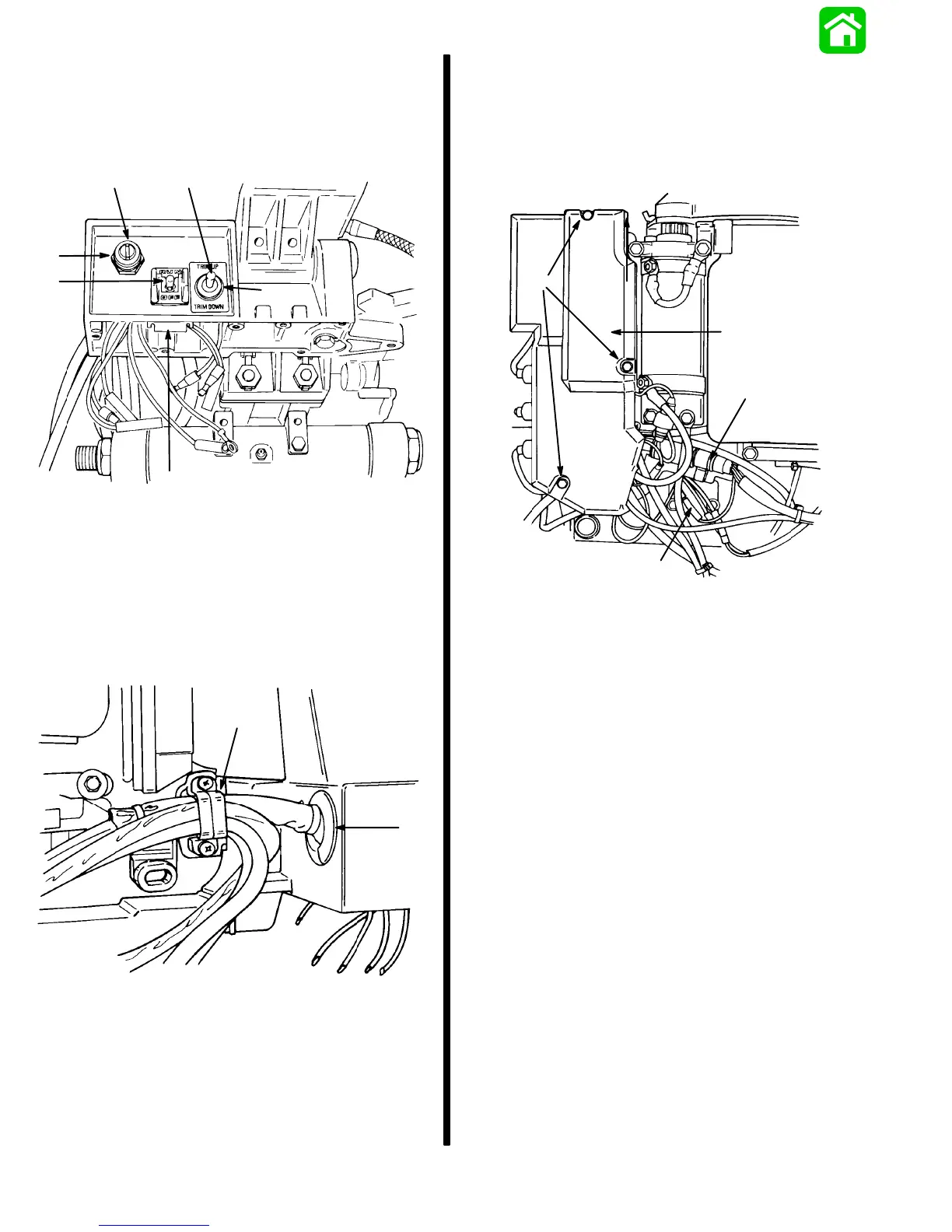
7. Remove nuts securing key switch and trim switch
to tiller handle bracket.
Remove clip securing lanyard stop switch and re-
move switch from bracket.
51626
a
bc
d
e
a
a - Nuts
b - Key Switch
c - Trim Switch
d - Clip
e - Lanyard Stop Switch
8. Remove harness retainer from outboard.
Remove grommet from tiller bracket.
51624
a
b
a - Harness Retainer
b - Grommet
9. Remove electrical panel access cover.
Disconnect switch harness from engine harness
plug.
Disconnect PURPLE bullet connector.
a
b
c
51621
d
a - Access Cover
b - Bolts
c - Switch Harness
d - PURPLE Lead



 To Next Page