55
BMS ALARM INTERFACE KIT 53800423
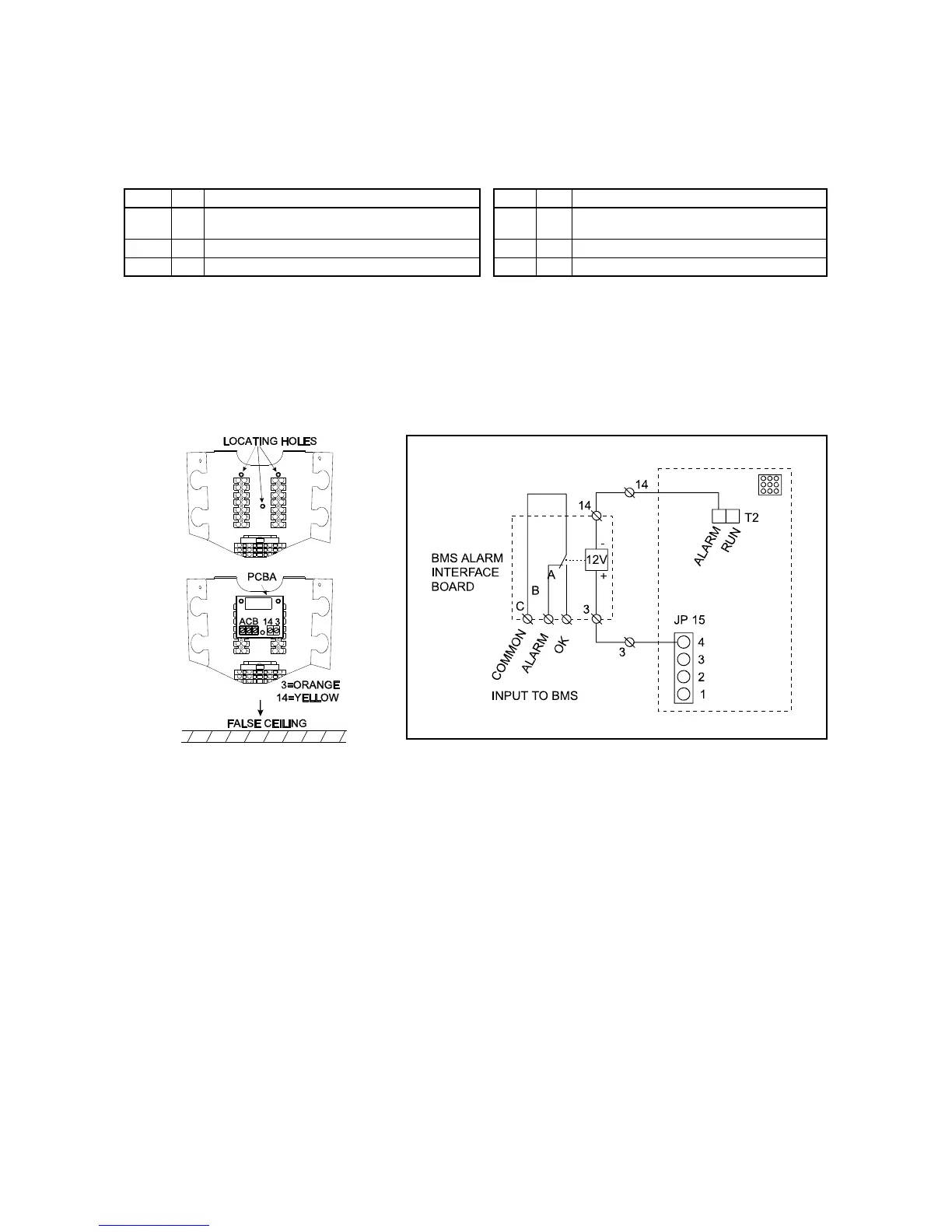
By fitting a BMS alarm interface kit, a simple common alarm signal is available for volt free input to a BMS network.
Power failure, or any other notifiable alarm state, causes the output relay to de-energise.
Condition OK = system running without fault
Condition Alarm = system mains power loss or notifiable alarm state.
ITEM No DESCRIPTION ITEM No DESCRIPTION
1 1 BMS Alarm Interface Board 4 4
Mounting Foot (long: 4 for IMAGE 600E,
3 for CC875E)
2 4 Mounting Foot (self adhesive for IMPACT-E) 5 1 Orange Wire
3 4 Mounting Foot (hook type for IMAGE-E) 6 1 Yellow Wire
MOUNTING
1 After gaining access to the electrics panel, fit 3 long mounting feet to the pcb.
2 Connect the wires as shown.



 To Next Page